5.2.9 Display Test
Display and keyboard test is provided to check keypad and LCD panel.
Press a key to test and the LCD will show the code of the last pressed key, and will change the
colors at each touch of a key for testing that every LCD dot is functioning.
5.2.2. Stress Mode
In Stress mode, the instrument performs measuring cycles without sample (blank
measurements) continuously. This can be used for burn-in tests, or to check pneumatic system
after changing any main fluidic parts.
You can have information about stability, cleanliness, HGB operation, and counting time
stability. Results of the last 10 PLT and HGB blank is displayed as well.
You can detect any kind of noise, or bubbles in the system if the PLT is not stable low, or HGB
has big variation. To exit from this mode press the START button (at the end of a normal
cycle) until the Stress operation is finished.
5.2.3. Cleaning (5 cycles)
This function performs 5 cleaning cycles, can be interrupted by the user.
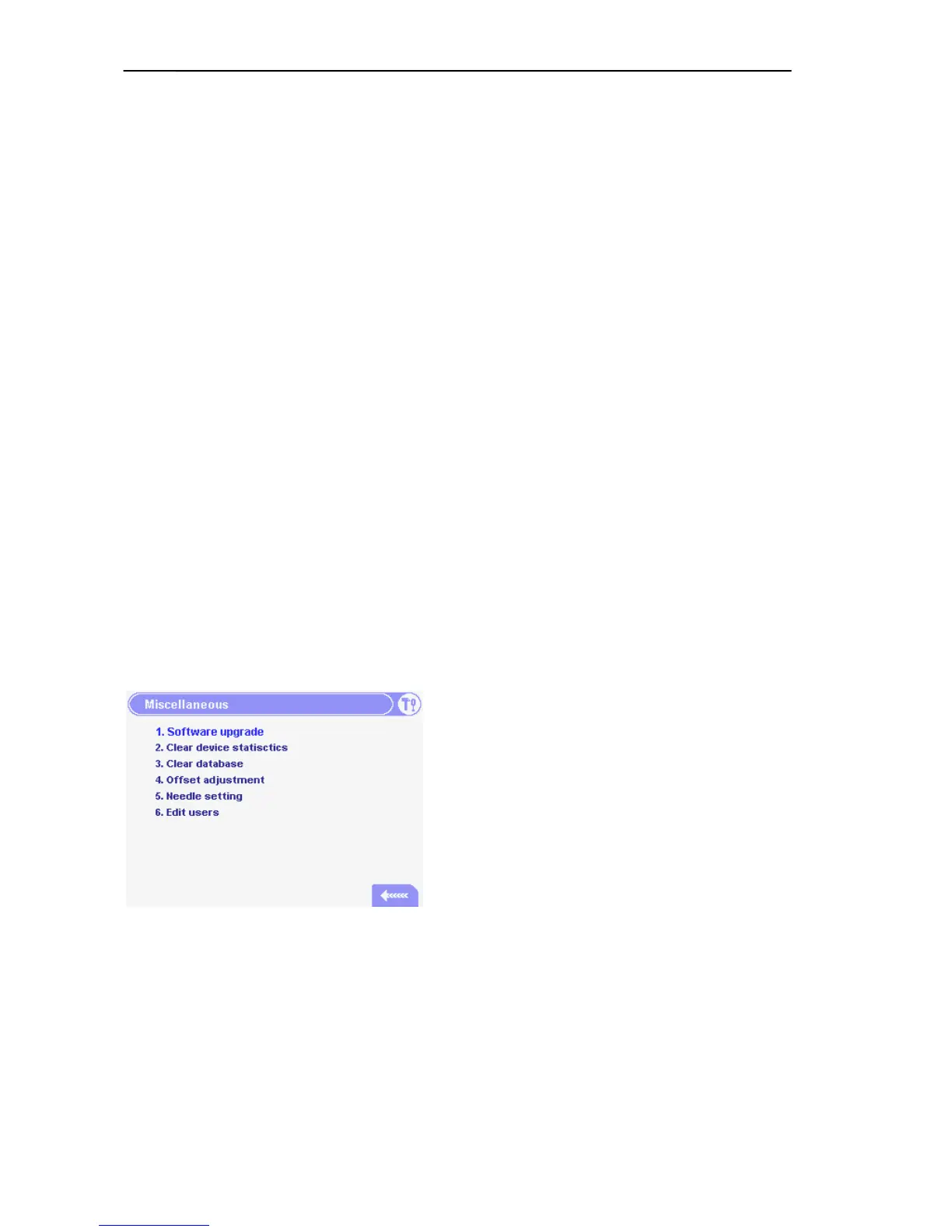
5.2.4. Miscellaneous
In this menu, you can directly perform Software
upgrade (this will restart the instrument).
Clear Device Statistics: Device statistics (number
of measurements, aperture-clogging and other
errors) can be cleared.
Clear Database: The whole Database
(measurement results including histograms) can be
cleared.
Offset adjustment: You can adjust the offset on the
amplifier board.
Needle setting: By entering this menu the needle will go to the position you can adjust it.
You can Log in as supervisor if the Multi-user mode was selected in the User’s Settings
submenu. (Number 4 if present, shows the availability of this function.)
In supervisor mode, you have the ability to change any user passwords and you have full
access over user settings. Always log out after this supervisor log in.



 To Next Page