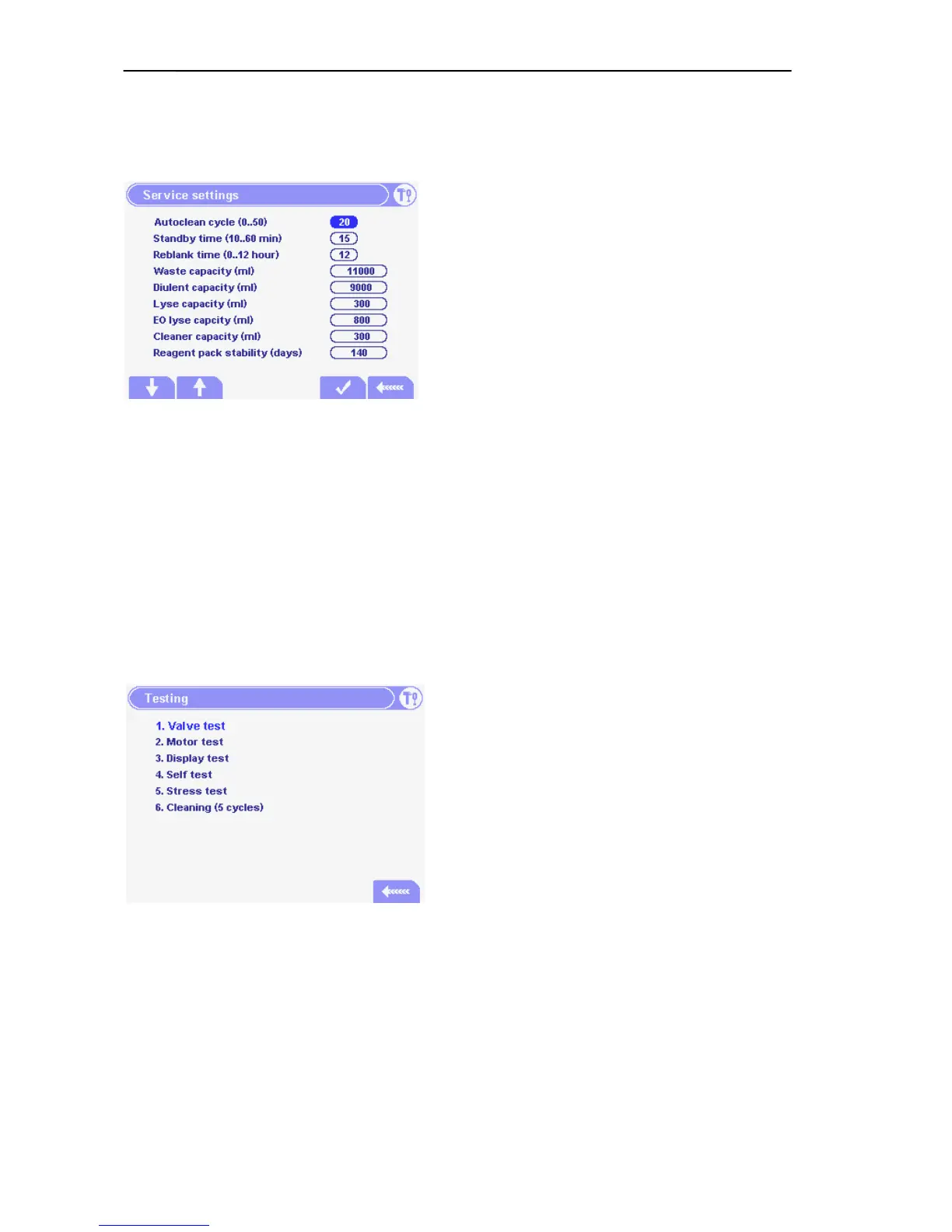
Autoclean cycle: the number of measurements
after
Standby time: after how many minutes the
instrument enters in standby.
Reblank time: after how many minutes the
instrument makes a blank measurement if it was in
standby mode (default = 1 hour). If it is set to 0, then
no ReBlank is performed.
Waste capacity: it essential to set the correct volume of the waste container for proper usage of
the software ”waste full” alert. Set this value two liters less than the total volume of waste
container.
Diluent, Lyse, EO lyse, Cleaner capacity: by setting the correct value for the containers the
software is able to alert the user when any of these reagents is empty.
Reagent pack stability: the instrument is able to alert the user if the reagent pack is expired
5.2.6. Service Testing Menu
Service Testing menu provides tools for checking hardware.
From this submenu the Service Person can directly
run the built-in Self test (see 5.1).



 To Next Page