OPERATOR’S MANUAL
PM300E and PM332E Planter Monitors
11001-1423-200710
MAIN MENU SCREEN / 15
MAIN MENU SCREEN
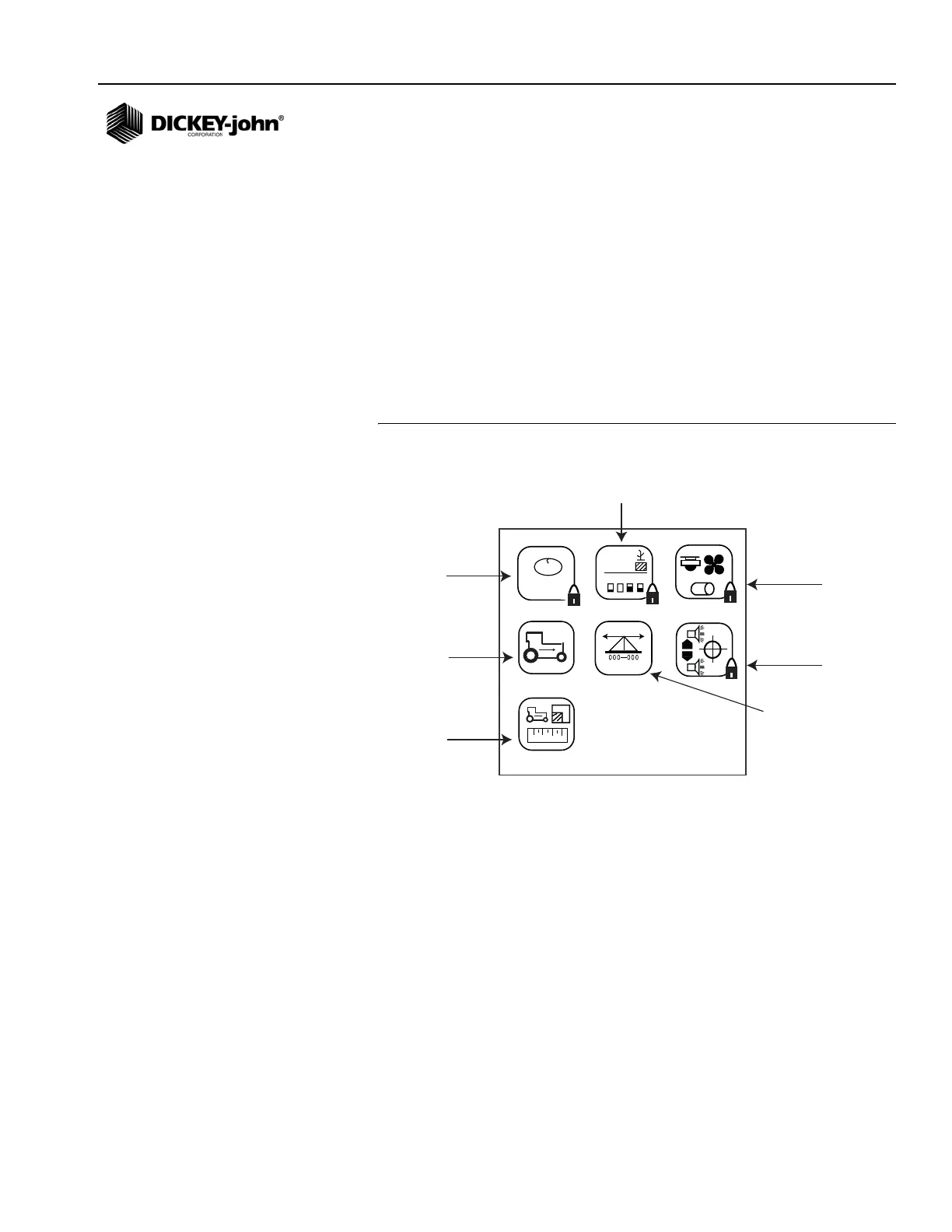
All user-defined screens are accessed through the Main Menu screen.
To Display the Main Menu:
1. At the Main Operate screen, press the Enter key and the Main Menu
will display.
Seed Count and Accessories are locked screens that can be modified only
by using a password entered by an authorized user. Display & Service and
Population Limits have some locked data; all other screens are unlocked
and can be customized to user preference.
NOTE: Italicized text indicates
functionality that is locked.
Authorized users can unlock
screens by highlighting the icon
and pressing Enter to display
the Password screen. Refer to
the Advanced Setup section for
additional information.
Figure 7
Main Menu Screen
MONITOR SETUP
Selecting a pre-programmed planter configuration provides easy setup of
planter row width, number of rows, implement width, and row types.
Three inputs are required for monitor operation:
1. Number of rows
2. Row spacing
3. Ground speed constant
Row type is an optional entry that can be configured as ON (population),
OFF (split row), FLOW (blockage), or DISABLED.
123.4
43.8
1234
123.4
43.8
1,2,3...
+
-
1
2
3
4
Seed Count
(Locked)
Ground Speed
(Unlocked)
Planter
Configuration
(Unlocked)
Accessories
(Locked)
Population
Limits
(Partial Lock)
Display &
Service
(Partial Lock)
Speed Area
Mode
(Unlocked)



 To Next Page