OPERATOR’S MANUAL
PM300E and PM332E Planter Monitors
11001-1423-200710
34 / OPERATE MODE
CUSTOMIZING THE LOWER PARAMETER
WINDOW
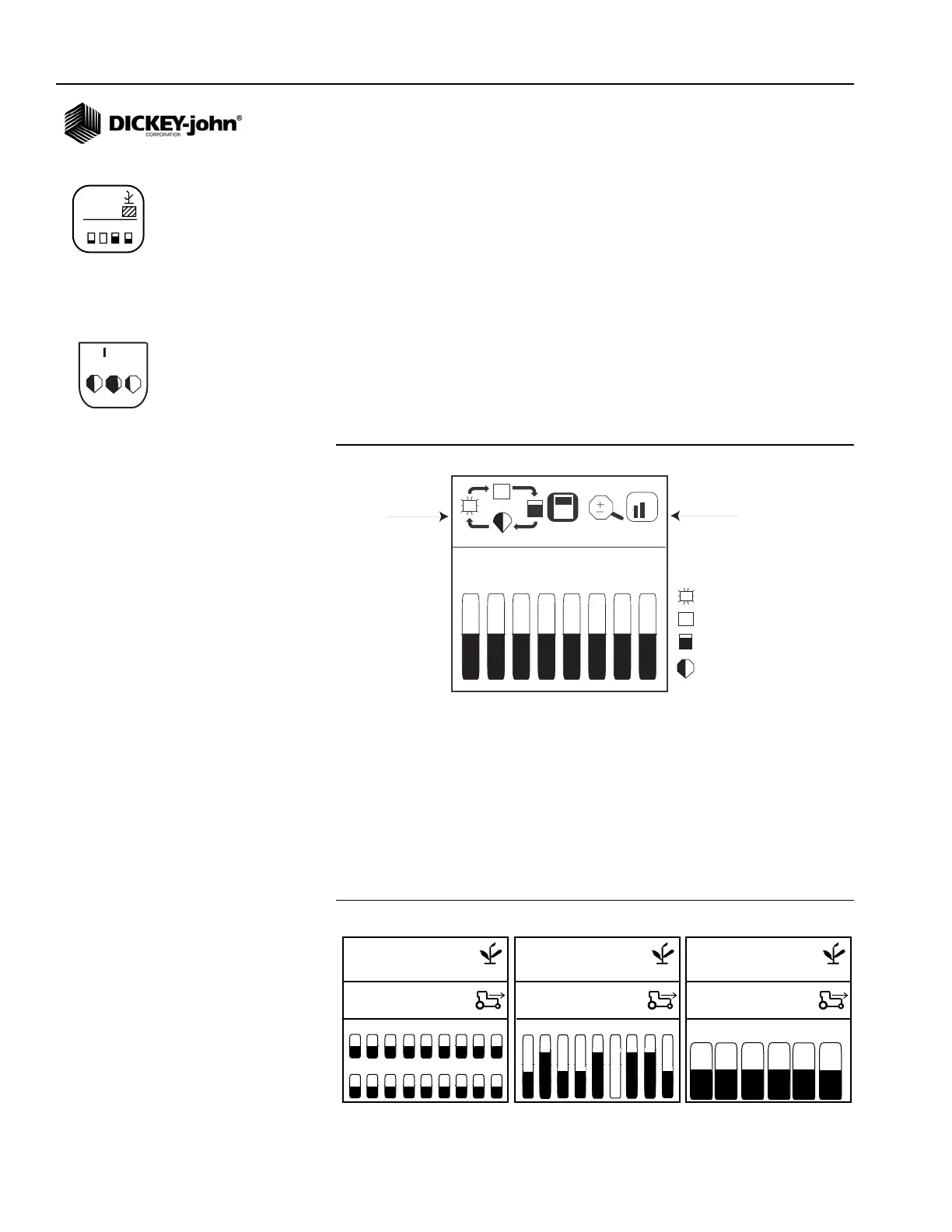
The lower setup screen parameters can be modified to change the row
indicator type and size. Row indicator types include blinking box (blink rate
proportional to seeding rate), solid box (indicating row failure), bar graph, or
wiper gauge.
To Change the Row Indicator Type and Row Indicator Size:
1. At the Display & Service screen, highlight the Lower Parameter icon.
2. Press Enter to display the Lower Parameter Setup screen.
3. Highlight the Row Indicator Type or Row Indicator Size icon to change.
4. Press the Up or Down Arrow key to cycle through desired setting.
5. Press Enter to accept selection.
Figure 22
Lower Parameters Screen
NOTE: Italicized text indicates
functionality that is locked.
Authorized users can unlock
screens by highlighting the icon
and pressing the Enter key to
display the Password screen.
Refer to the Advanced Setup
section for additional
information.
Row indicator size determines the number of rows displayed on the bottom
half of the screen and can be displayed in a small, medium, or large size as
shown in (Figure 23). Default setting is non-blinking box, medium size.
When more rows are configured ON than are viewable, the monitor
automatically scrolls through the rows at 5 second intervals (bar graph with
32-row machine). The operator can use the Right and Left Arrow keys to
manually select the desired rows. Automatic scrolling will restart 10
seconds after a manual selection.
Figure 23
Row Indicator Size
123
123.4
43.8
1234
123.4
43.8
1 2 3 4 5 6 7 8
blinking box
solid box
bar graph
wiper gauge
Row Indicator
Type
Row Indicator
Size
1 2 3 4 5 6 7 8 9
10 11 12 13 14 15 16 17 18
11,8
23,1
11,8
23,1
1 2 3 4 5 6 7 8 9
11,8
23,1
1 2 3 4 5 6
Small Row Indicators Medium Row Indicators
Large Row Indicators
Display & Service icon
Lower Parameter Setup icon



 To Next Page