OPERATOR’S MANUAL
PM300E and PM332E Planter Monitors
11001-1423-200710
22 / ADVANCED SETUP
SECURITY
Security features allow password protection on specific screens to prevent
unauthorized personnel from modifying key parameters in the field.
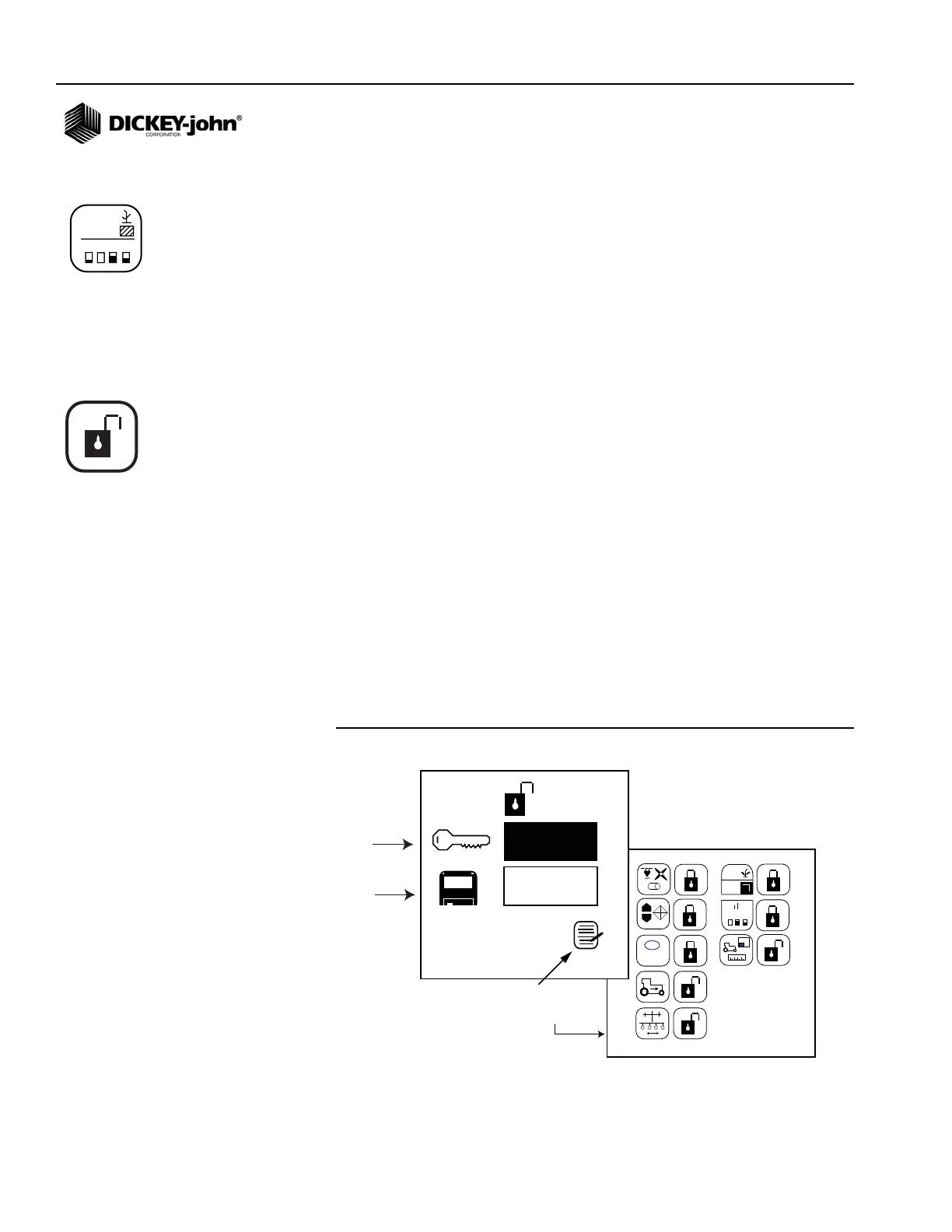
The password screen provides access to the Lock/Unlock screen to
individually select which screens can be accessed by an operator. All
locked screens will require input of the password prior to modification.
The monitor is programmed with a default password (9270). The default
password must be entered to create a new password, to access the Lock/
Unlock screen, and to access any locked screen. If all screens are
unlocked, a password will only be required at the Lock/Unlock screen, as
illustrated in (Figure 14).
IMPORTANT: The password should be kept confidential and given
only to authorized users. If a new password is created, it
is recommended that this new number be written down
as it will be required to gain access to any locked screen
and the Lock/Unlock screen.
Access the Password Screen:
1. From the Main Operate screen, press the Enter key to display the
Main Menu screen.
2. Highlight the Display & Service icon and press Enter to view the
Display & Service screen.
3. Highlight the Security icon and press Enter to display the Password
screen.
4. To edit a digit, press Enter. Use the Up or Down Arrow keys to select
a number and the Left or Right Arrow keys to move to the next digit.
5. Press the Enter key again to accept the new password.
Figure 14
Password Screen and Lock/Unlock Screen
123.4
43.8
1234
123.4
43.8
0000
0000
1 2 3
1,2,3
...
III.I
III.I
Highlight Configuration
icon to access the
Lock/Unlock screen
+
-
l
Enter Default
Password
Create a New
Password
Display & Service icon
Security icon



 To Next Page