OPERATOR’S MANUAL
PM300E and PM332E Planter Monitors
11001-1423-200710
ADVANCED SETUP / 21
ADVANCED SETUP
DISPLAY & SERVICE
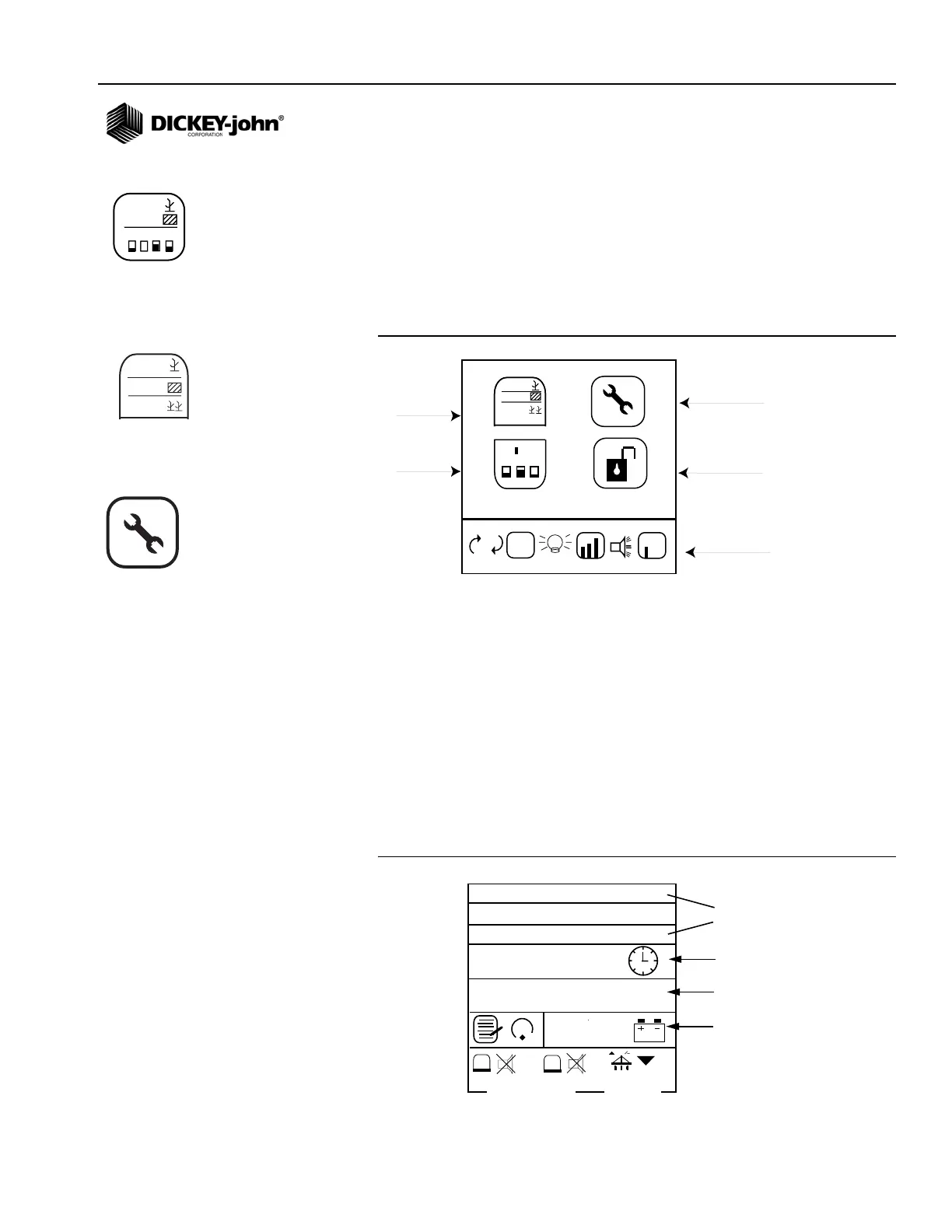
The Display & Service menu provides access to the service and security
screens. Upper Display and Lower Display Setup icons are locked screens
and are only accessible via a password by authorized users.
Figure 12
Display & Service Screen
SERVICE SCREEN
The service screen provides information about the monitor’s software and
hardware versions, total hours of operation, total hectares covered, battery
voltage, hopper level 1 and 2 sensor status, and lift switch status.
Information on this screen is informational only and cannot be changed.
To Display the Service Screen:
1. From the Main Operate screen, press the Enter key to display the
Main Menu screen.
2. Highlight the Display & Service icon and press Enter to view the
Display & Service screen.
3. Highlight the Service icon and press Enter.
Figure 13
Service Screen
123.4
43.8
1234
123.4
43.8
123.4
567.8
912.3
123.4
567.8
1 2 3
M
E
E
912.3
Units, Backlight, Alarm Volume
(Locked)
Service
(Unlocked)
Security
(Unlocked)
Upper Display
Setup
(Locked)
Lower Display
Setup
(Locked)
M: 0506063013
B: 0205030714
H: 1
7,3
15,20
ha
13,1
1
2
Total hours of
operation
Total hectares
covered
Hardware and
software versions
Battery voltage
Hopper Level 1 and 2
sensor status
Lift switch
status
Upper Display Setup icon
Service icon
Display & Service icon



 To Next Page