OPERATOR’S MANUAL
PM300E and PM332E Planter Monitors
11001-1423-200710
16 / MAIN MENU SCREEN
PLANTER CONFIGURATION
The PM300E and PM332E can store three planter configurations for split
row planters or multiple planters and seeders.
To Select a Planter Configuration (1, 2, or 3):
1. Press the Enter key to display the Main Menu screen.
2. Highlight the Planter Configuration key and press Enter to display
the Planter Configuration screen.
3. To select a planter configuration number (1, 2, or 3) press Enter to
highlight and select the arrow indicator ( S ).
4. Press the Left and Right keys to move the arrow indicator to the
desired Planter Configuration.
5. Press Enter to display the selected planter configurations.
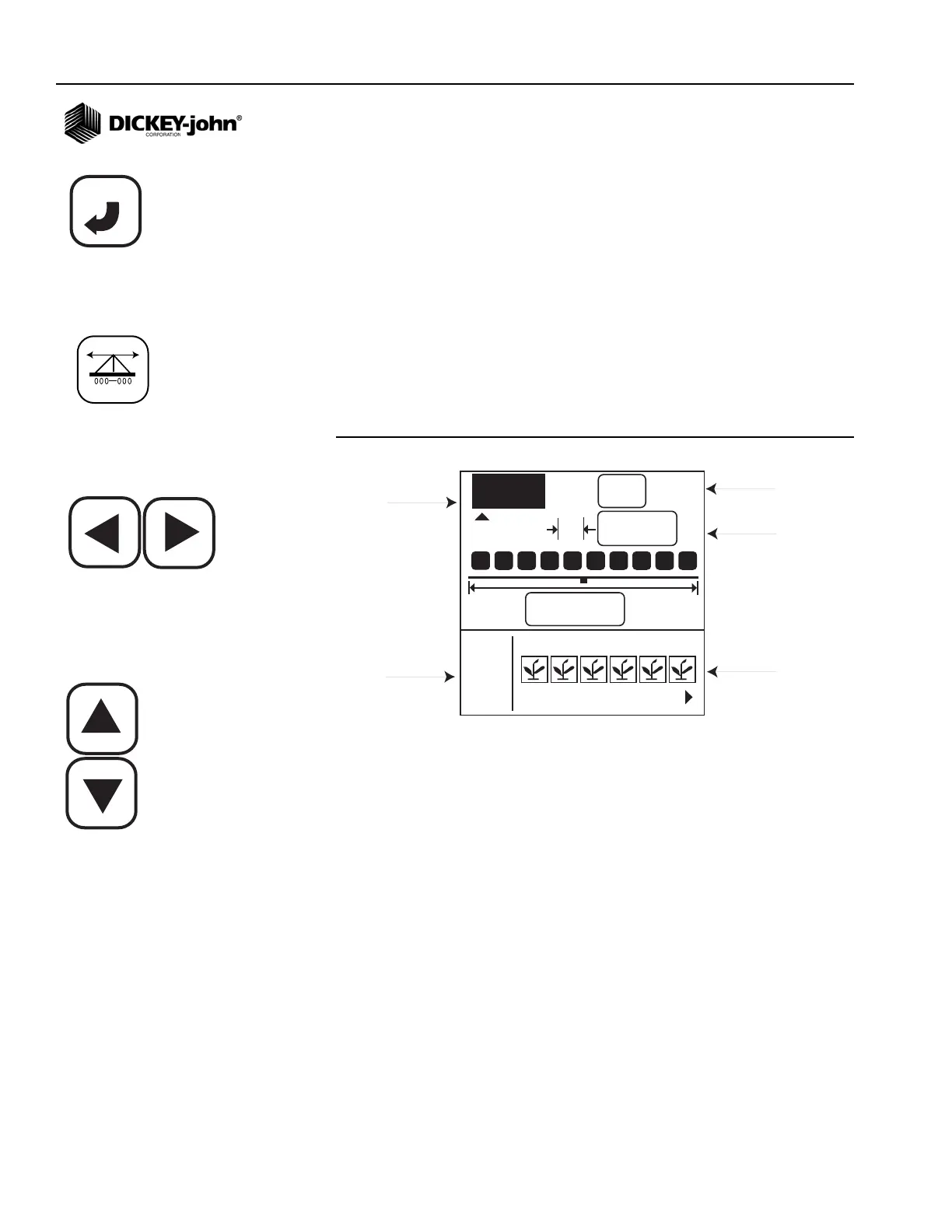
Figure 8
Planter Configuration Screen
NUMBER OF ROWS
To change number of rows:
1. Use the Left and Right Arrow keys to highlight the number of rows
field.
2. Press Enter to modify the number of rows. Use the Right and Left
Arrow keys to select the digit to change. Use the Up and Down Arrow
keys to edit the selected digit. Use the Up Arrow key to increase the
value; use the Down Arrow key to decrease the value.
3. Press the Enter key to confirm the selection.
ROW SPACING
To change row spacing:
1. Use the Down arrow to highlight the row spacing field.
2. Press Enter to select the field.
3. Use the Left and Right Arrow keys to select a digit for editing.
4. When a digit is highlighted, use the Up and Down Arrow keys to edit
the value displayed. Use the Up Arrow key to increase the value; use
the Down Arrow key to decrease the value.
ENTER
123
#
6
75,0
cm
4,50
m
1 2 3 5 6
4
I/O
Planter
Configuration
# of Rows
Row Spacing
Row Setup
I/O icon
Planter Configuration icon
Left and Right Arrow keys
Up and Down Arrow keys



 To Next Page