OPERATOR’S MANUAL
PM300E and PM332E Planter Monitors
11001-1423-200710
AUXILIARY MODES / 27
AUXILIARY MODES
NOTE: Alarms are disabled in these
modes.
The monitor provides modes for cultivating and row unit testing.
SPEED AREA MODE
NOTE: A lift switch may be used to
more accurately monitor
hectare accumulators and is
required for acreage monitoring
i n n o n - p l a n t i n g o p e r a t i o n s .
If a manual ground speed is
selected, the area and distance
will not accumulate in this
mode.
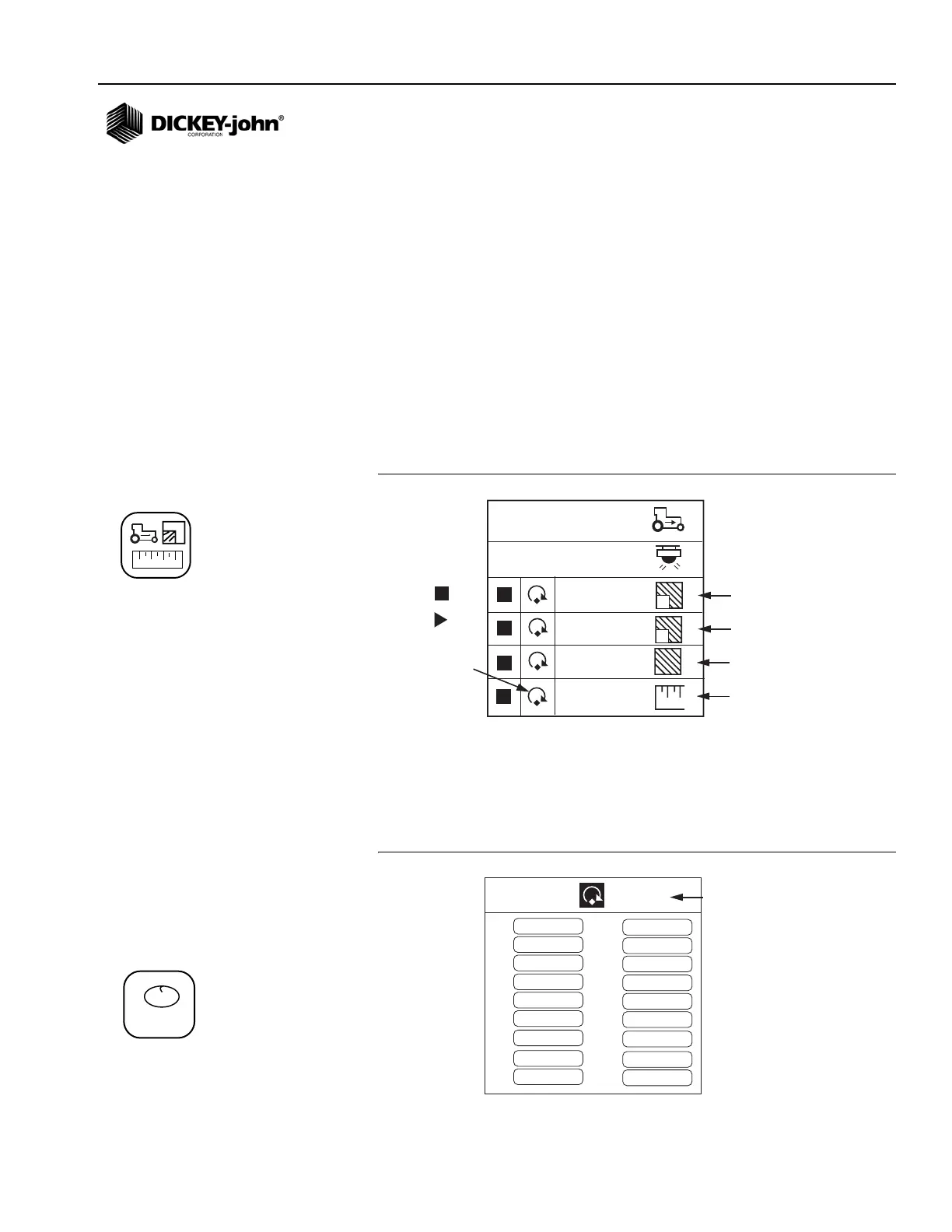
SPEED AREA mode is used for cultivating. This mode includes start/stop/
reset for Field Area 1, Field Area 2, Total Area (hc3/ac3), and distance.
To Access Speed Area Mode:
1. From the Main Operate screen, press Enter to access the Main Menu
screen.
2. Highlight the Speed Area Mode icon and press Enter to access the
Speed Area Mode screen.
Figure 17
Speed Area Mode Screen
SEED COUNT MODE
NOTE: Italicized text indicates
functionality that is locked.
Authorized users can unlock
screens by highlighting the icon
and pressing the Enter key to
display the Password screen.
Refer to the Advanced Setup
section for additional
information.
SEED COUNT mode is used to determine row unit performance when
operating in a stationary manner. A reset for all rows is included.
Figure 18
Seed Count Mode
1
2
3
4
1
0,0
0,0
2
0,00
1 2
0,00
0,00
0,0
Field Area 1
Field Area 2
Total Area
Distance
Reset
Counter
Stop
Start
1,2,3...
1
2
3
4
5
6
7
8
9
10
11
12
13
14
15
16
17
18
9,521
9,521
9,521
9,521
9,521
9,521
9,521
9,521
9,521
9,521
9,521
9,521
9,521
9,521
9,521
9,521
9,521
9,521
Reset option
Speed Area Mode icon
Seed Count Mode icon



 To Next Page