OPERATOR’S MANUAL
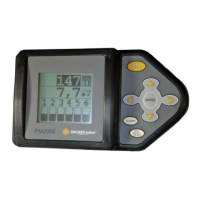
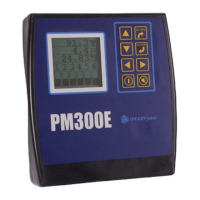
PM300E and PM332E Planter Monitors
11001-1423-200710
MAJOR FEATURES / 7
MAJOR FEATURES
PERFORMANCE
• Planter monitoring of 16 row (PM300E) or 32 rows (PM332E)
• Monitoring of ground speed, two hopper levels, one frequency function
(fan, shaft, or flow)
• Easy and flexible configuration
• Three planting functions viewable during operation:
– Average Population
– Average Seed Spacing
– Average Seeds per Distance
– Population Row Scan
– Seed Spacing Row Scan
– Seed per Distance Row Scan
– Minimum, Maximum, Average Row Population
– Minimum, Maximum, Average Row Spacing
– Minimum, Maximum, Average Spacing per Distance
– Field Area 1
– Field Area 2
– Field Area 3
– Total Area
– Ground Speed
– Fan, Shaft, or Flow Frequency
• User-definable row information
– Bar graph
– Wiper gauge
– Symbols (failure mode)
– Symbols flashing proportional to seeding rates
CONSOLE/DISPLAY
• Large, user friendly keys
• Large text size for easy viewing
• Graphic labels
• Backlit graphic display for nighttime use
• Large, concise error messages displayed with audible alarm
• Metric or English units
COMPATIBILITY
• Compatible with DICKEY-john sensors
• Plug-in replacement for other DICKEY-john monitors
• Optional support of RS-232 based data logging
USER AID
•Help card


 To Next Page