Chapter 4: Configuring Your Pro Tools System 35
Clock Source
The Pro Tools Hardware Setup dialog is set to Internal, which supports recording analog sig-
nals directly into Mbox 2 Mini analog inputs 1–2.
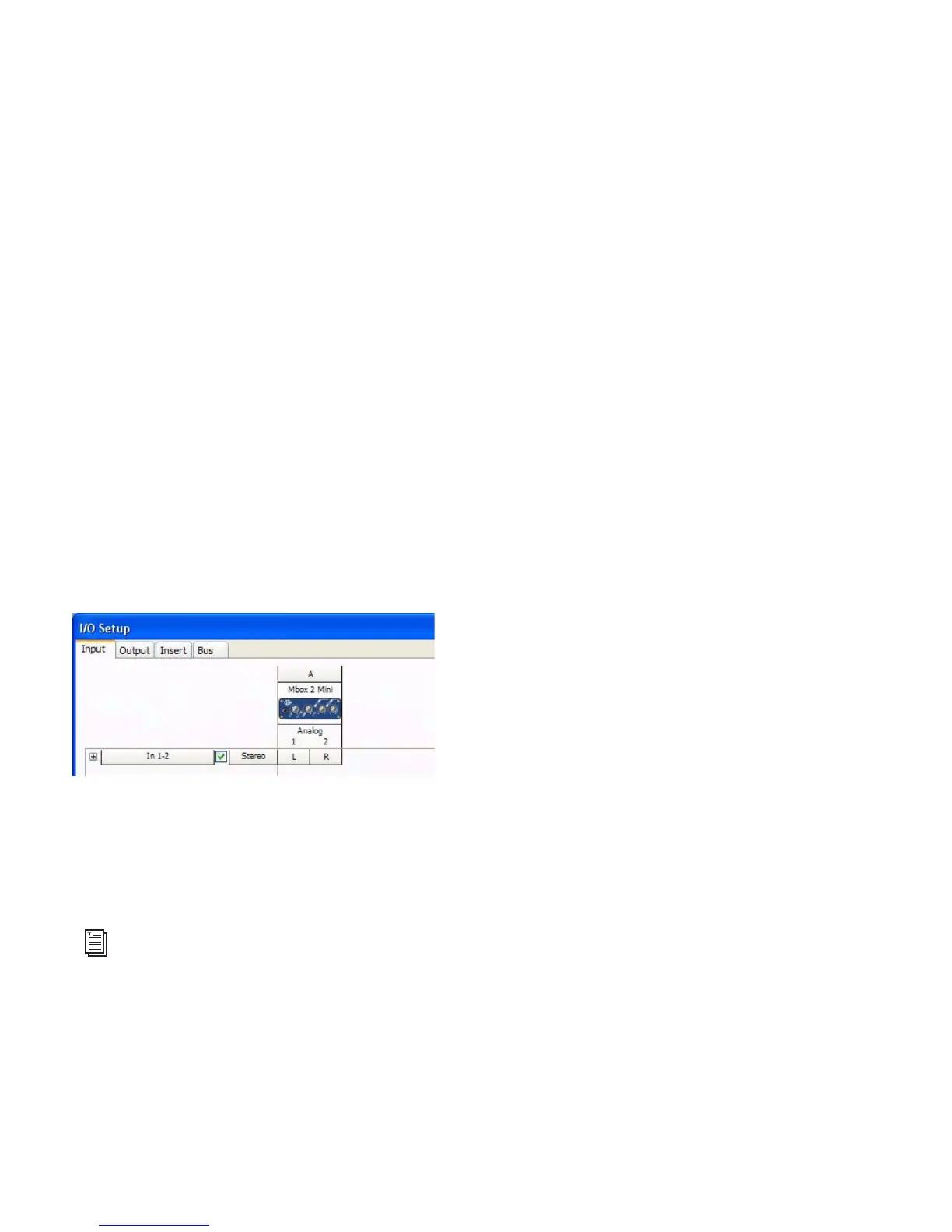
Configuring I/O Setup
Using the I/O Setup dialog, you can label Pro Tools LE input, output, insert, and bus signal
paths. The I/O Setup dialog provides a graphical representation of the inputs, outputs, and sig-
nal routing of the Mbox 2 Mini.
Pro Tools LE has default I/O Setup settings that will get you started. Use the I/O Setup dialog
only if you want to rename the default I/O paths.
To rename I/O paths in I/O Setup:
1 Choose Setup > I/O.
2 Click the Input, Output, Insert, or Bus tab to display the corresponding connections.
3 To change the name of a path or subpath, double-click directly on the Path Name, type a
new name for the path, and press Enter.
4 Click OK.
I/O Setup dialog for Mbox 2 Mini
See the Pro Tools Reference Guide (or choose Help > Pro Tools Reference Guide) for more infor-
mation on renaming I/O paths.


 To Next Page