DG-BG4100NU User Manual
58
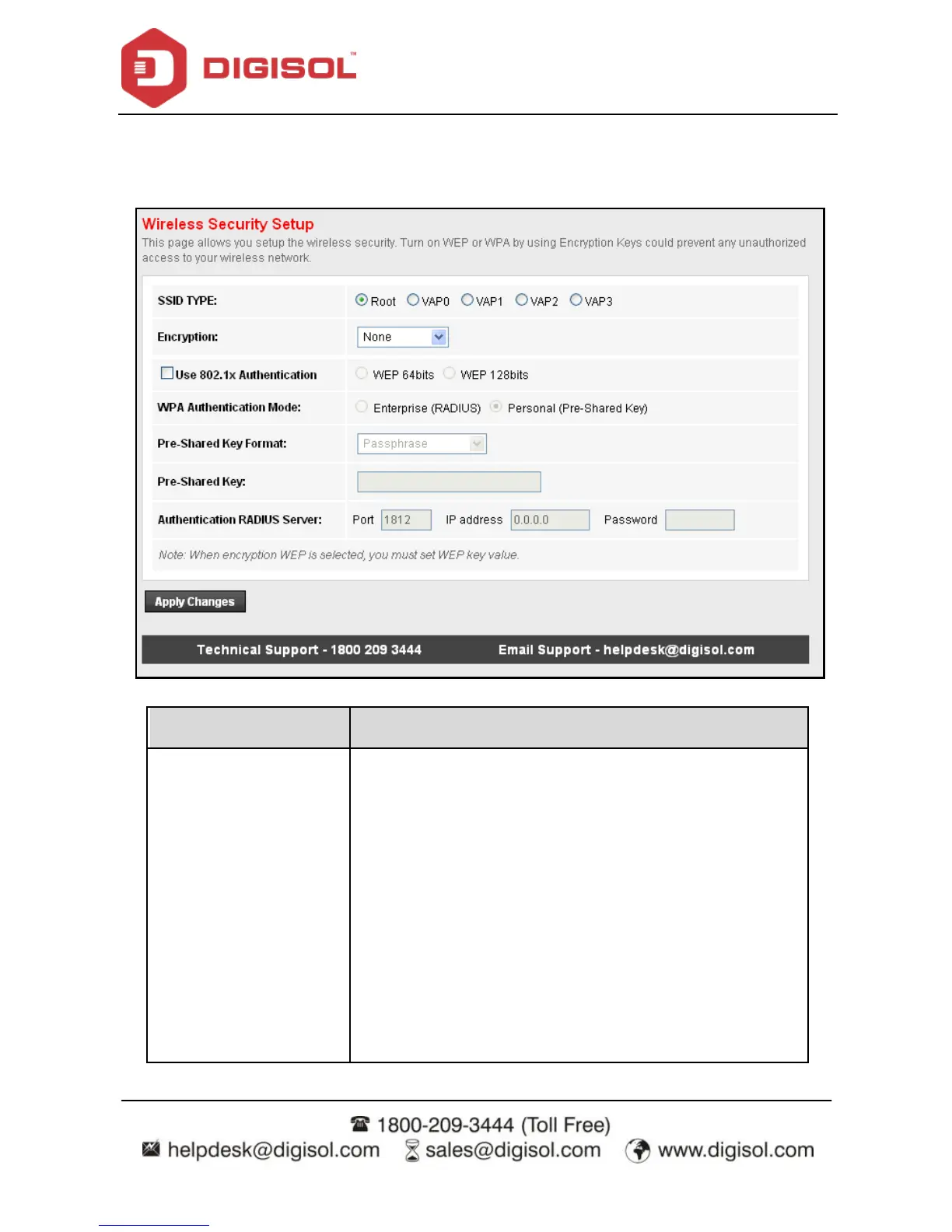
4.4.1.12 Security
Choose Wireless > Security and the following page appears.
The following table describes the parameters of this page:
Conf igure the wireless encryption mode. You can choose
None, WEP, WPA (TKIP), WPA (AES), WPA2 (AES), WPA2
(TKIP) or WPA2 Mixed.
Wired equivalent privacy (WEP) encry pts data frames
bef ore transmitting ov er the wireless network.
Wi-Fi protected access (WPA) is a subset of the
IEEE802.11i security specif ication draf t.
WPA2 Mixed is the collection of WPA and WPA2
encry ption modes. The wireless client establishes the
connection between the router through WPA or WPA2.
Key diff erences between WPA and WEP are user



 To Next Page