DG-BG4300NU User
Manual
56
4.4.2 WAN
Choose Network > WAN. The WAN page that is displayed contains WAN, 3G, Auto PVC,
ATM Settings and ADSL Settings.
4.4.2.1 WAN
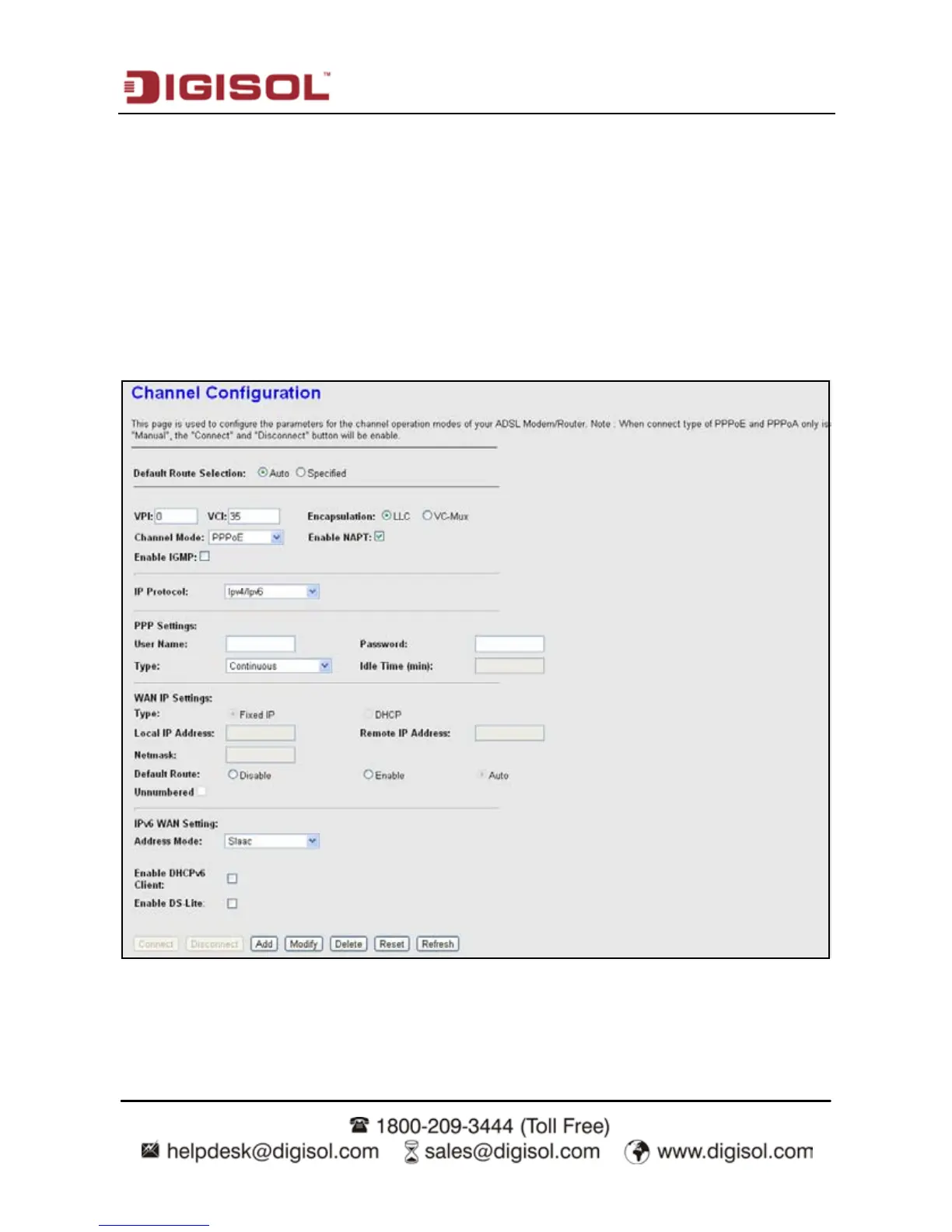
Click WAN in the left pane, the page shown in the following figure appears. In this page, you
can configure WAN interface of your router.



 To Next Page