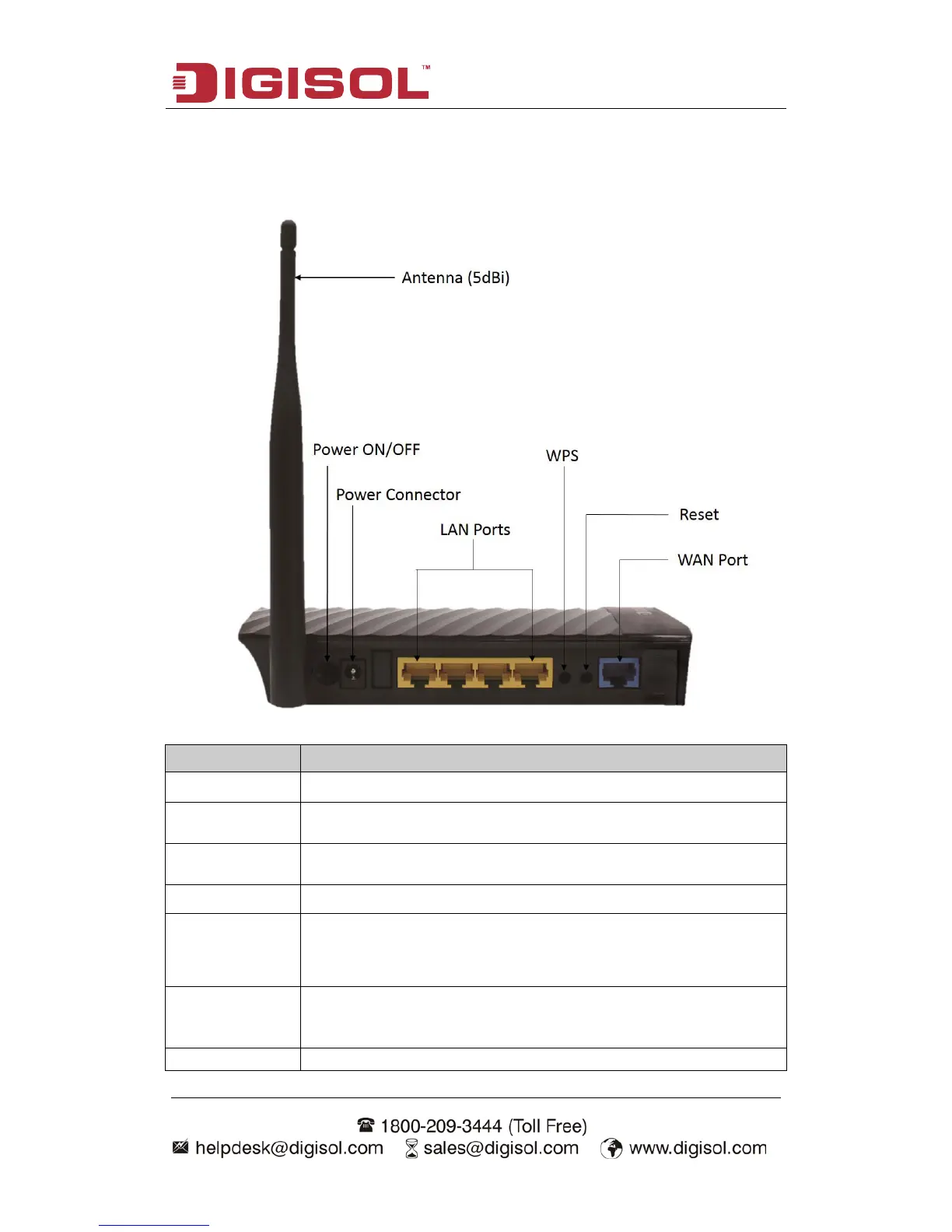
2-2 Back Panel
Interfaces Description
Antenna
This antenna is a 5dBi dipole antenna.
Press this button to power on/off the router.
The Power socket is where you will connect the power adapter.
Please use the power adapter provided with this Wireless Router.
LAN (1 – 4)
Local Area Network (LAN) ports 1 to 4.
WPS/WIFI
The WPS/WIFI button has two functions.
WPS: Press this button for more than 5 seconds to initiate WPS.
WIFI: Press this button for less than 5 seconds to enable WLAN.
Reset
Reset the router to factory default settings (clear all settings).
Press this button and hold for 5 seconds to restore all settings to
Wide Area Network (WAN / Internet) port.



 To Next Page