channel width for your clients automatically.
Security Options If the wireless bridge point enables wireless security, you
have to follow the same settings in order to access the
access point.
4-2-2 MBSSID
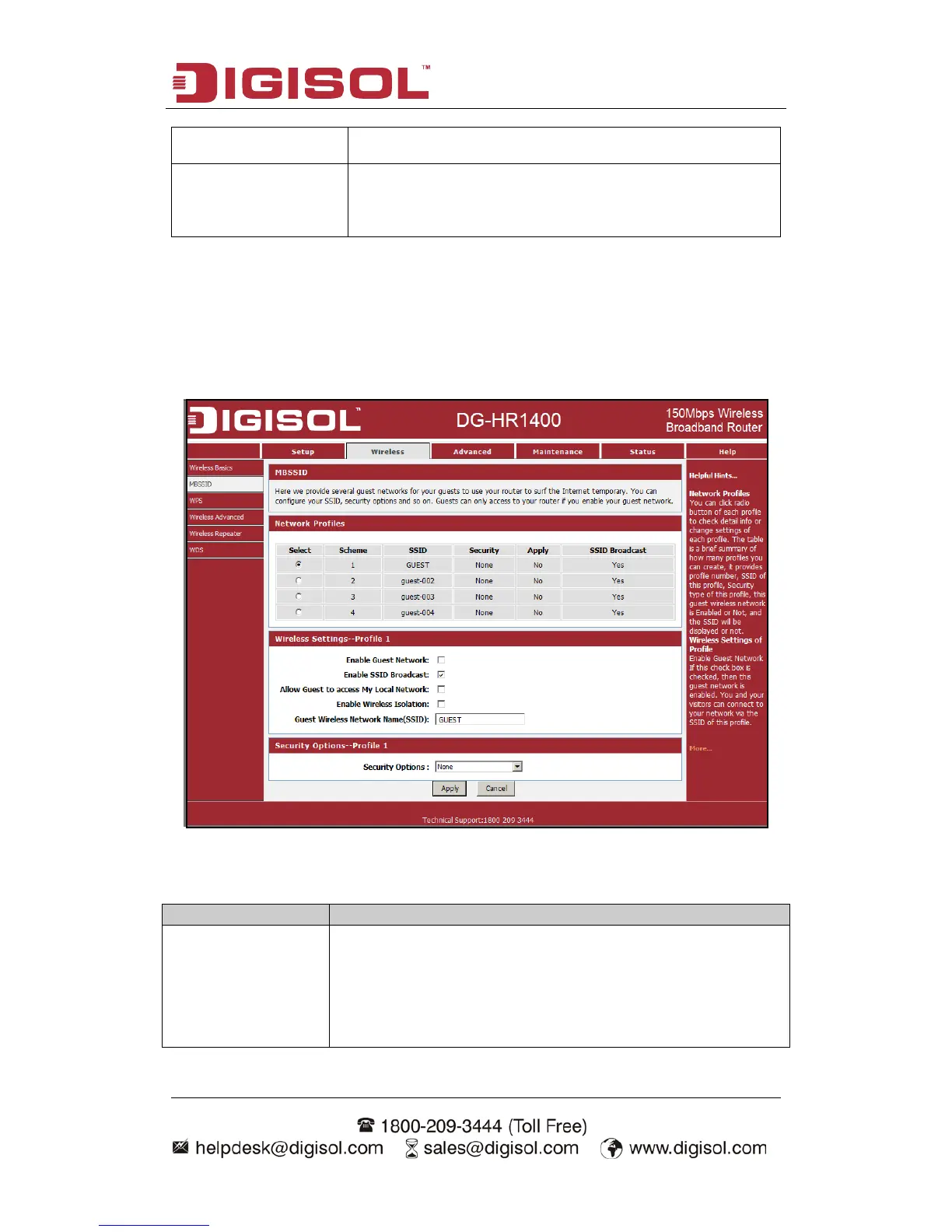
Here we provide several guest networks for your guests to use your router to surf the
Internet temporary. You can configure your SSID, security options and so on. Guests
can only access your router if you enable your guest network.
Choose menu “Wireless→MBSSID”, below given screen will be displayed.
Here is the description of every setup item:
You can click radio button of each profile to check detail info
or change settings of each profile. The table is a brief
summary of how many profiles you can create, it provides
profile number, SSID of this profile, security type of this
profile, this guest wireless network is Enabled or Not, and the



 To Next Page