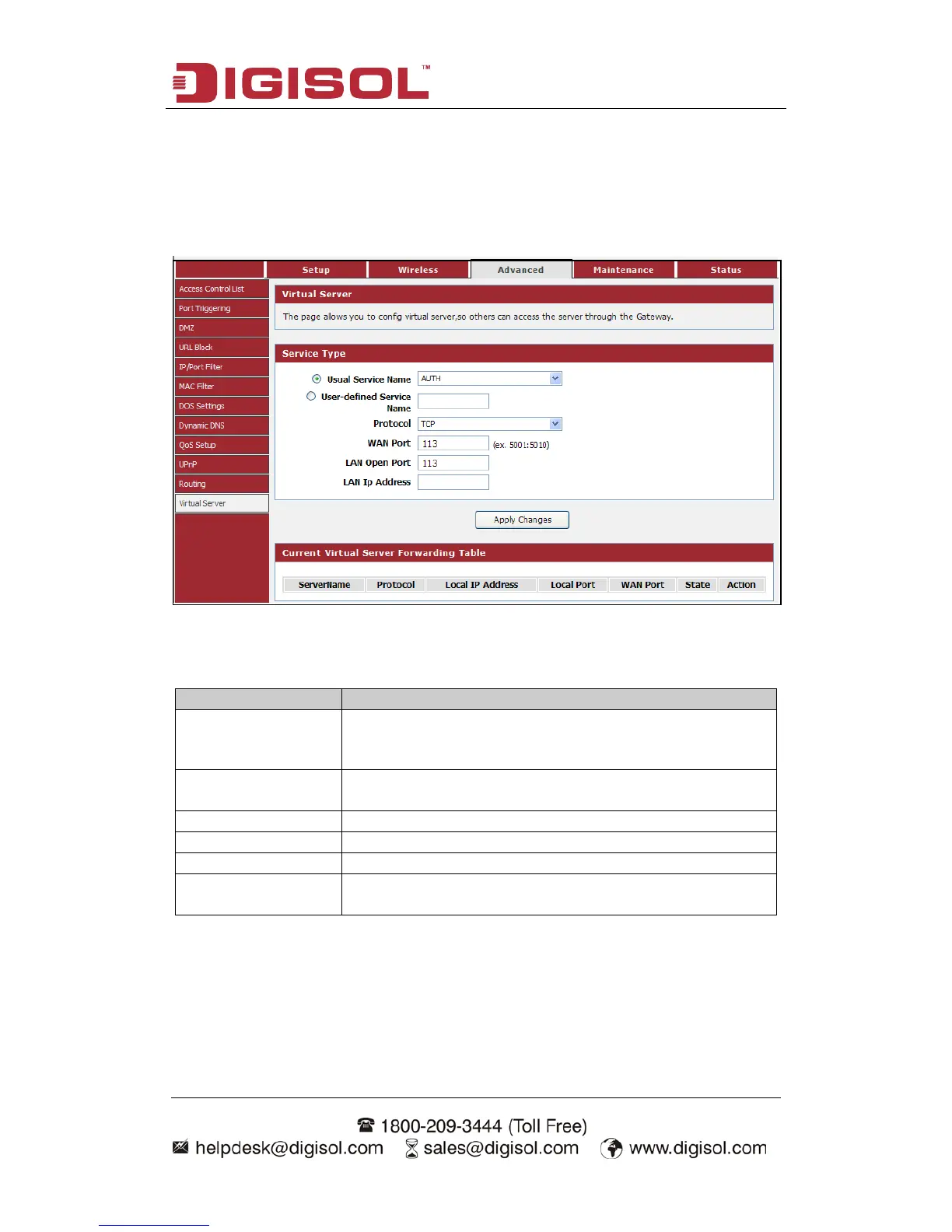
4-3-12 Virtual Server
The page allows you to configure virtual server, so others can access the server
through the Gateway.
Choose menu “Advanced→Virtual Server”, below given screen will be displayed.
Here is the description of every setup item:
You can choose the type for the Usual Application Name
User-defined Service
Name
Enter a name for the rule.
The protocol used for this application, either TCP, UDP.
Enter the port that you want to open next to WAN port.
Enter the port that you want to open next to LAN port.
Enter the IP address of the computer on your local network
that you want to allow the incoming service to.



 To Next Page