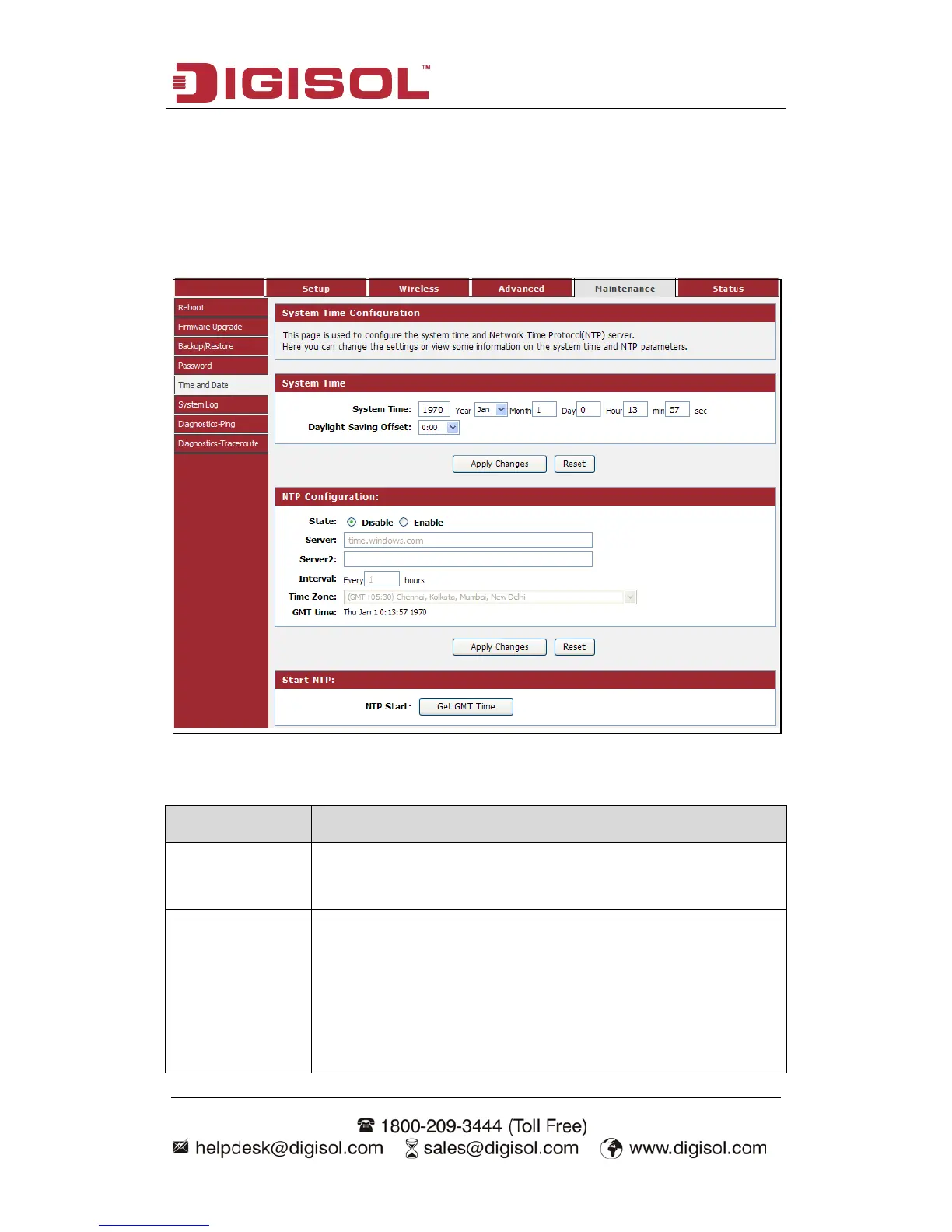
4-4-5 Time and Date
This page is used to configure the system time and Network Time Protocol (NTP)
server.
Choose menu “Maintenance→Time and Date”, below given screen will be
displayed.
Here is the description of every setup item:
Parameter Description
System Time Displays the current time of the router. If the time is incorrect,
please fill in the correct time.
Daylight Saving
Offset
Check this option if your location observes daylight saving time.
Daylight saving time begins in the southern hemisphere between
September–November and ends between March–April. Standard
time begins in the southern hemisphere between March–April
and ends between September–November. Many countries in the
southern hemisphere may observe DST.



 To Next Page