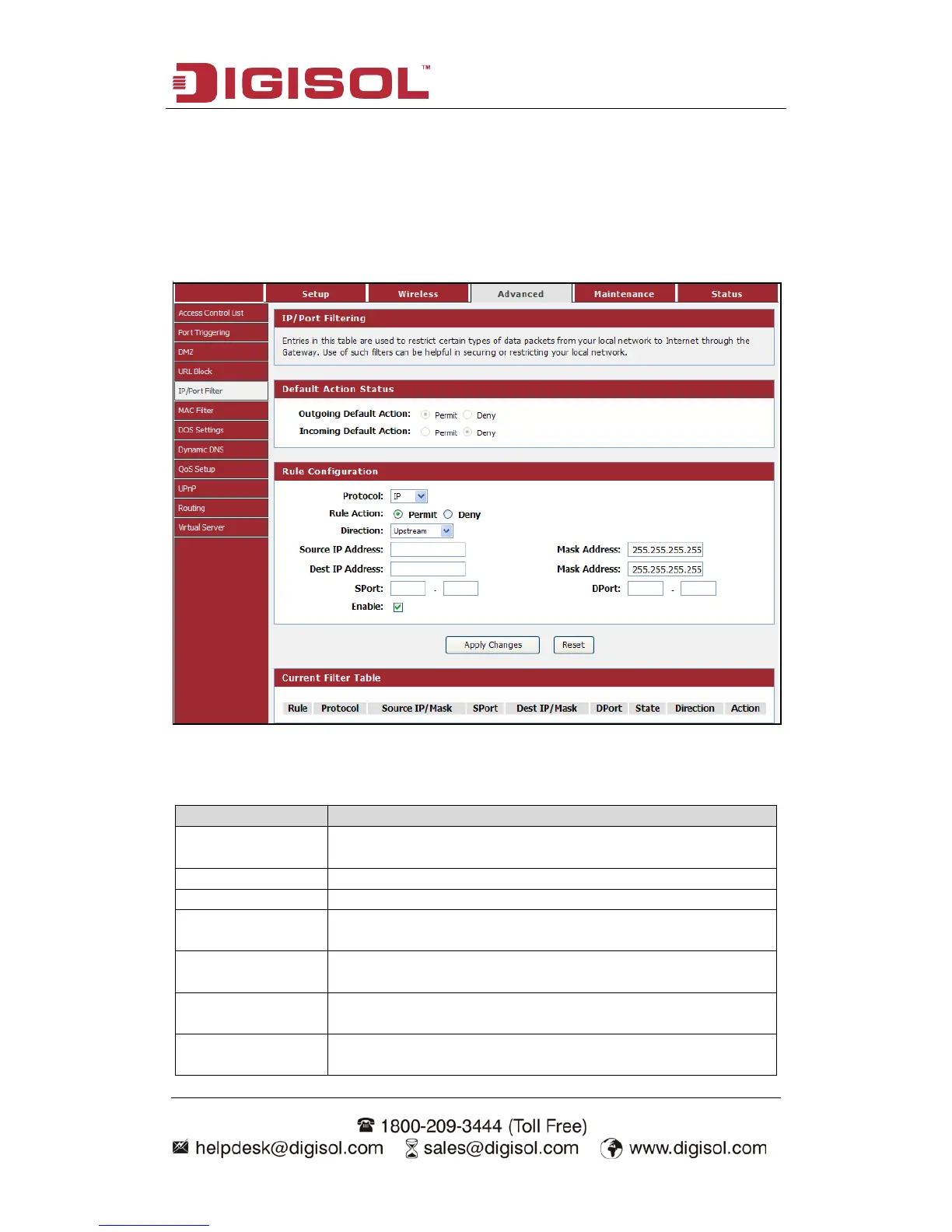
4-3-5 IP/Port Filter
Entries in this table are used to restrict certain types of data packets from your local
network to Internet through the Gateway. Use of such filters can be helpful in
securing or restricting your local network.
Choose menu “Advanced→IP/Port Filter”, below given screen will be displayed.
Here is the description of every setup item:
The protocol used to filter, either IP, ICMP, TCP, or UDP.
You can choose the type for the IP/Port Filter on the
pull-down list.
Specify the source IP address that will be affected by this
rule.
Specify the destination IP address that will be affected by
this rule.
Specify the source port range that will be affected by this
rule.



 To Next Page