4-1-3 Internet Setup
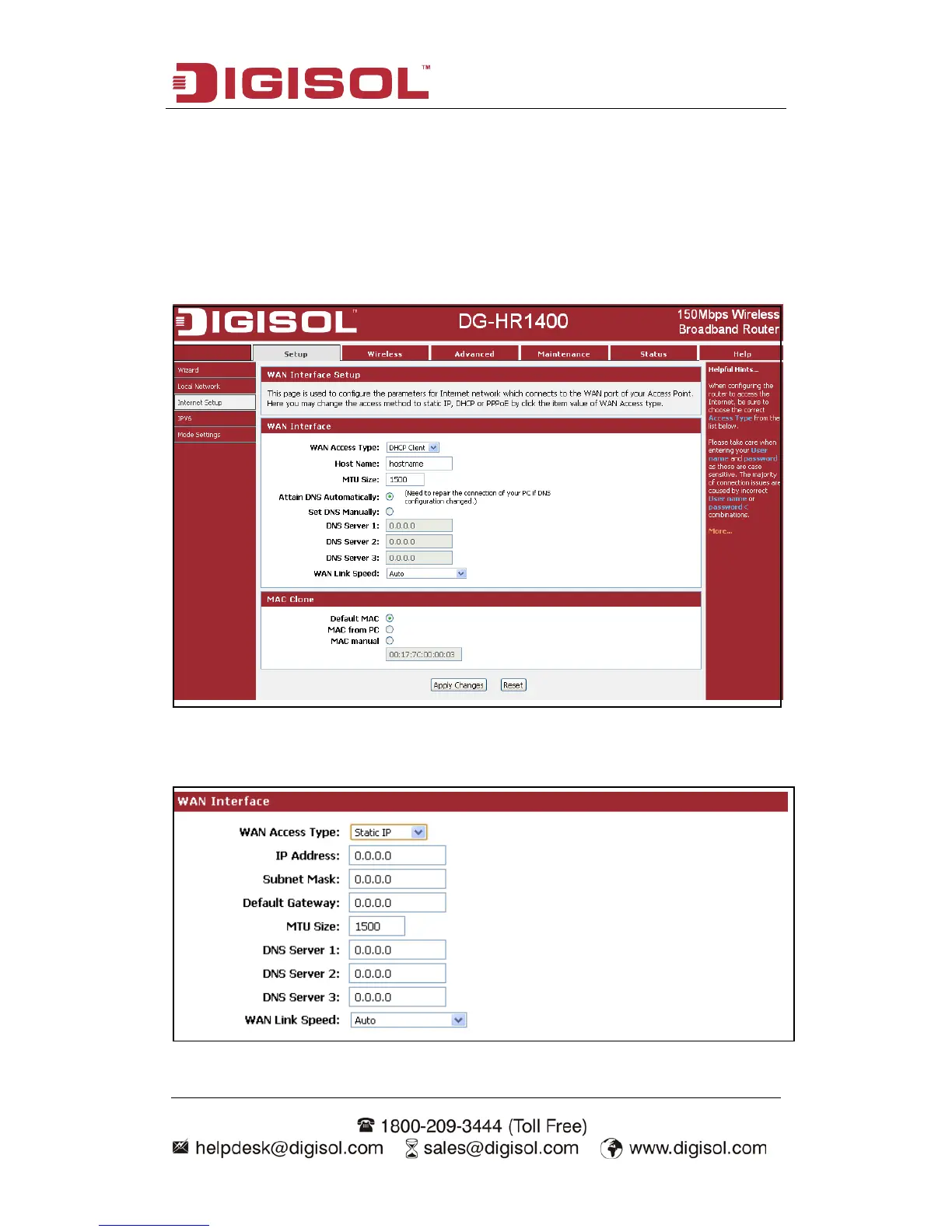
This page is used to configure the parameters for Internet network which connects to
the WAN port of your Access Point. Here you may change the access method to static
IP, DHCP client or PPPoE by clicking the item value of WAN Access type.
Choose menu “Setup→Internet Setup”, below given screen will be displayed.
Setup procedure for ‘Static IP’:



 To Next Page