EasyManua.ls Logo

Digisol DG-HR1400 - Routing

Digisol DG-HR1400
91 pages
Print Icon
To Next Page IconTo Next Page
To Previous Page IconTo Previous Page
Loading...
DG-HR1400 User Manual
72
4-3-11 Routing
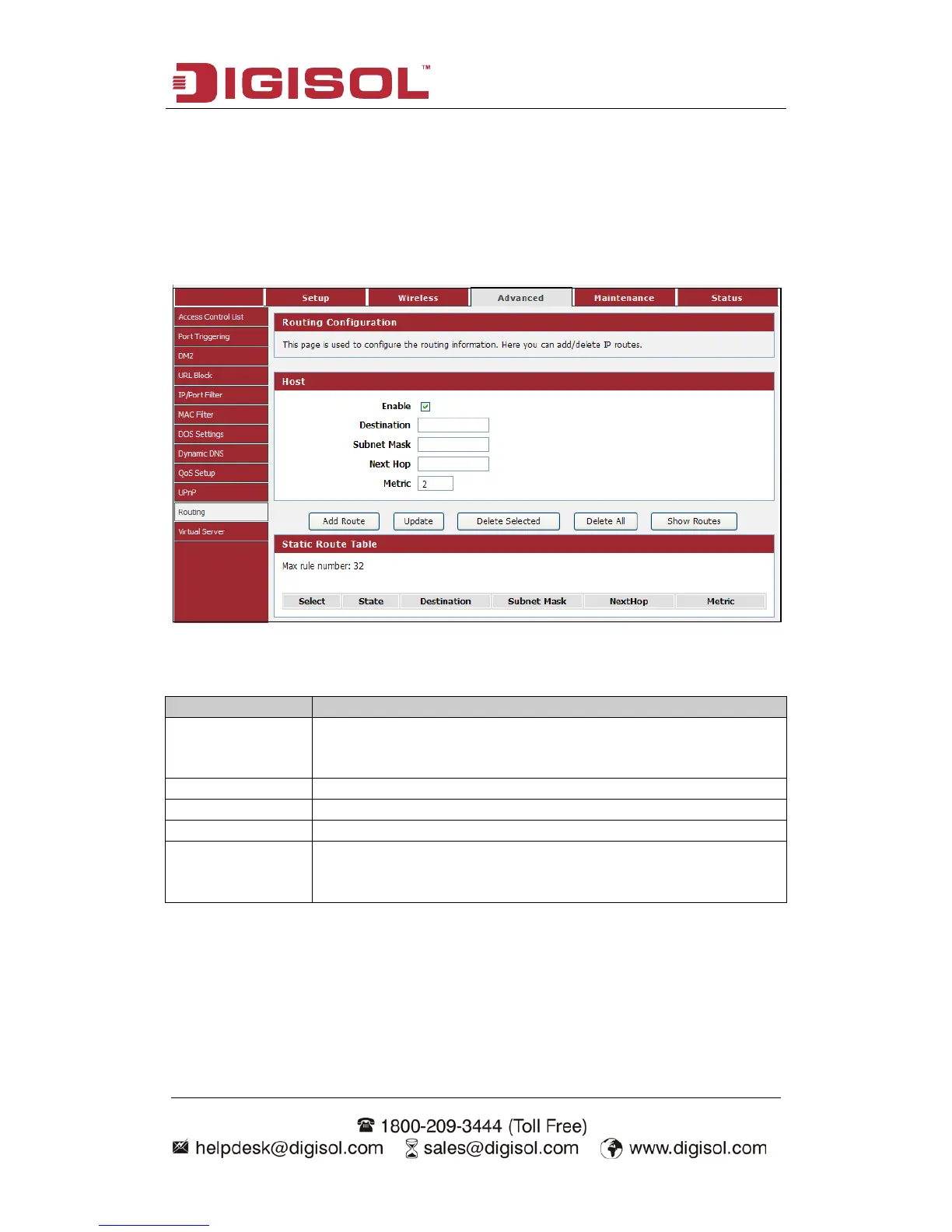
This page is used to configure the routing information. Here you can add/delete IP
routes.
Choose menu AdvancedRouting”, below given screen will be displayed.
Here is the description of every setup item:
Parameter
Description
Enable
Check this box to enable the Routing features; uncheck to
disable it.
Destination
Enter the remote destination LAN IP.
Subnet Mask
Enter the remote LAN subnet mask.
Next Hop
Enter the next hop IP.
Metric
Determines the priority of the route. If multiple routes to the
same destination exist, the route with the lowest metric is
chosen.

Other manuals for Digisol DG-HR1400

Related product manuals