EasyManua.ls Logo

Digisol DG-HR1400 - Qos Setup

Digisol DG-HR1400
91 pages
Print Icon
To Next Page IconTo Next Page
To Previous Page IconTo Previous Page
Loading...
DG-HR1400 User Manual
70
DDNS Provider Choose your DDNS Provider from the drop down menu.
Host Name Enter the Host Name that you have
registered with your
DDNS service provider.
Username Enter the Username for your DDNS account.
Password Enter the Password for your DDNS account.
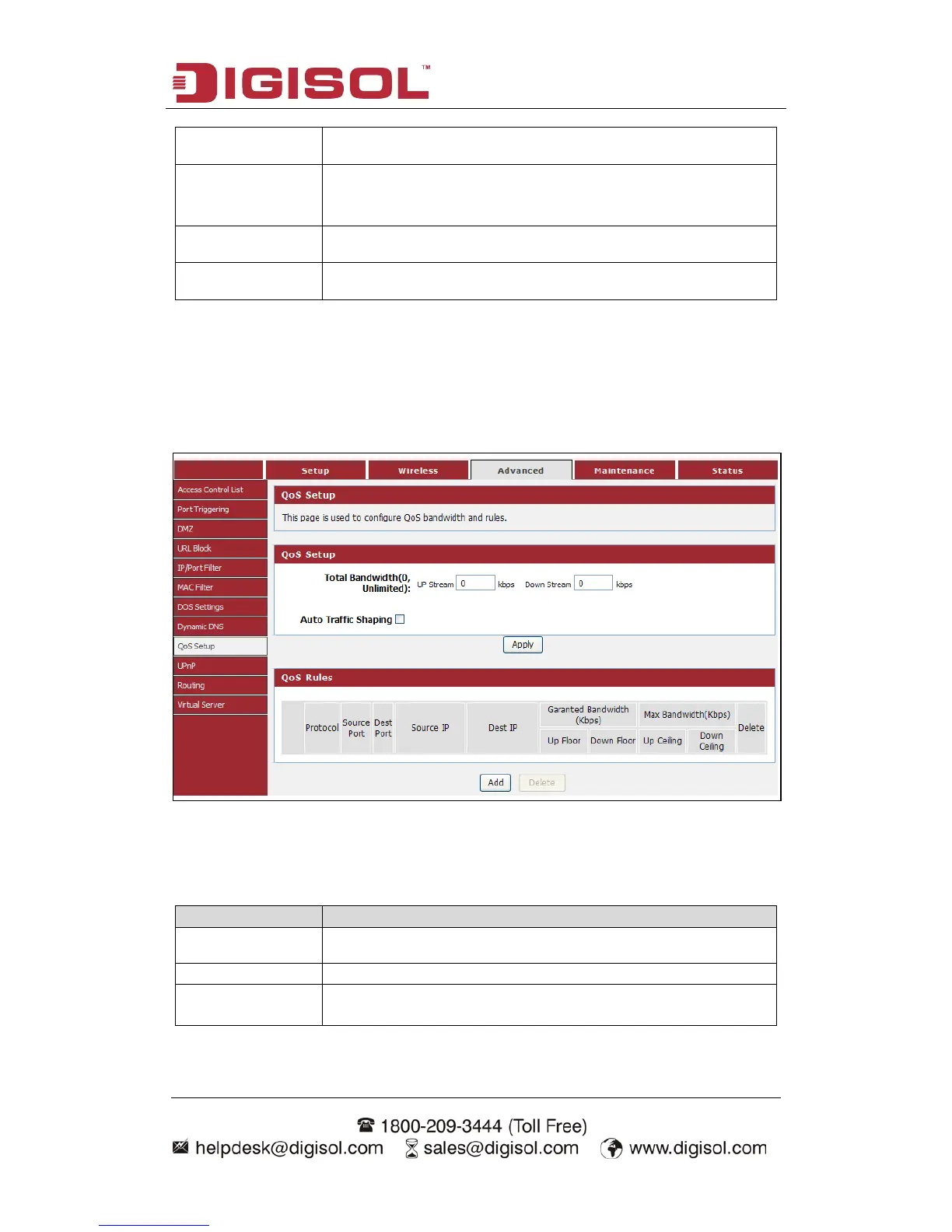
4-3-9 Qos Setup
This page is used to configure QoS bandwidth and rules.
Choose menu AdvancedQos Setup”, below given screen will be displayed.
Here is the description of every setup item:
Parameter
Description
Up Stream
The upload speed through the WAN port.
Down Stream
The download speed through the WAN port.
Auto Traffic
Shaping
Check this box to enable the Auto Traffic Shaping features;
uncheck to disable it.

Other manuals for Digisol DG-HR1400

Related product manuals