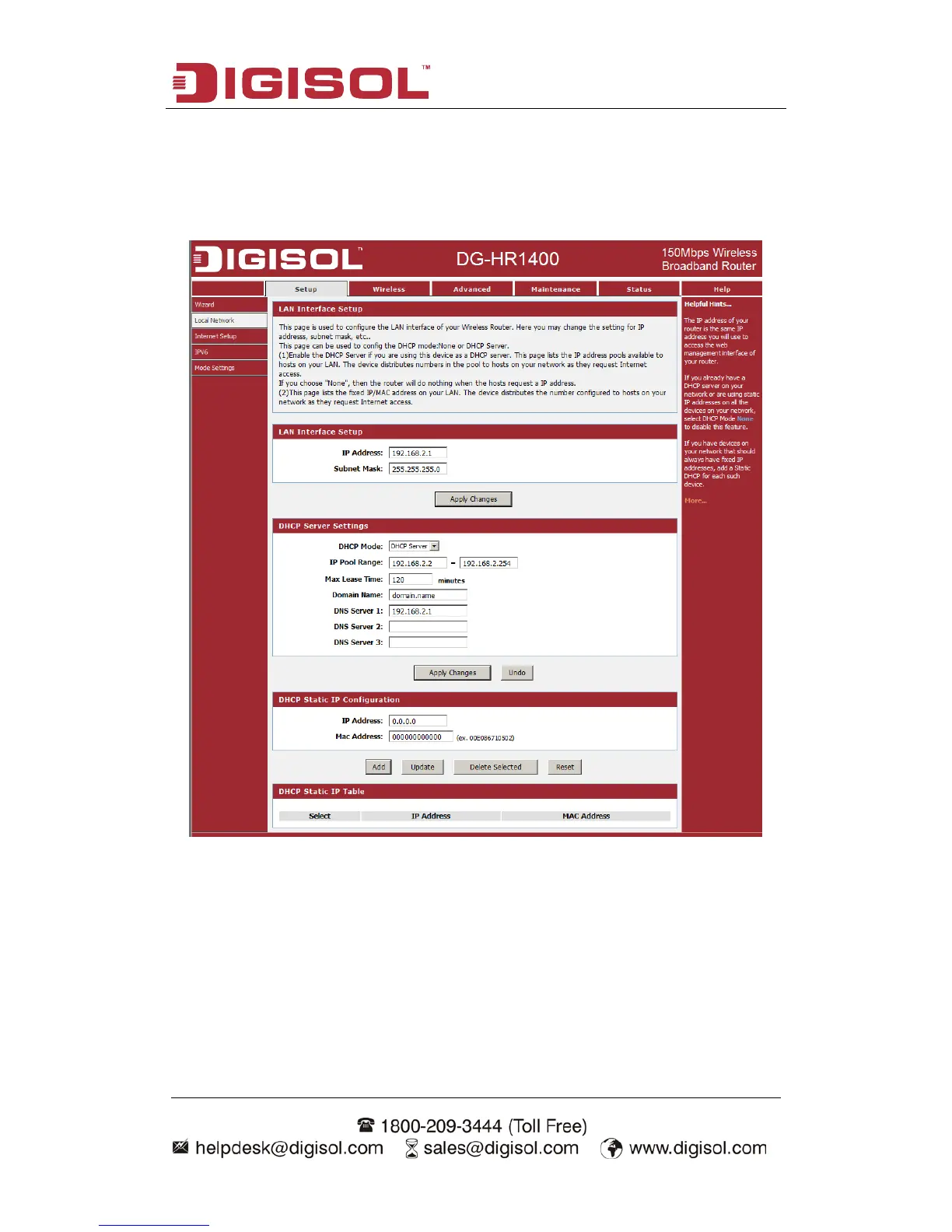
4-1-2 Local Network
These are the settings of the LAN (Local Area Network) interface for the router.
Choose menu “Setup→Local Network”, below given screen will be displayed.
This page is used to configure the LAN interface of your Wireless Router. Here you
may change the setting for IP address, subnet mask, etc.
This page can be used to configure the DHCP mode: None or DHCP Server.
(1) Enable the DHCP Server if you are using this device as a DHCP server. This page
lists the IP address pools available to hosts on your LAN. The device distributes
numbers in the pool to hosts on your network as they request Internet access.
If you choose "None", then the router will do nothing when the hosts request an IP
address.



 To Next Page