EasyManua.ls Logo

Digisol DG-HR1400 - URL Block

Digisol DG-HR1400
91 pages
Print Icon
To Next Page IconTo Next Page
To Previous Page IconTo Previous Page
Loading...
DG-HR1400 User Manual
65
Here is the description of every setup item:
Parameter Description
Enable DMZ Check this box to enable DMZ function, uncheck this box to
disable DMZ function.
DMZ Host IP
Address
Enter DMZ host IP Address. Specify the LAN IP address of
the PC on which you want to have unrestricted Internet
communication.
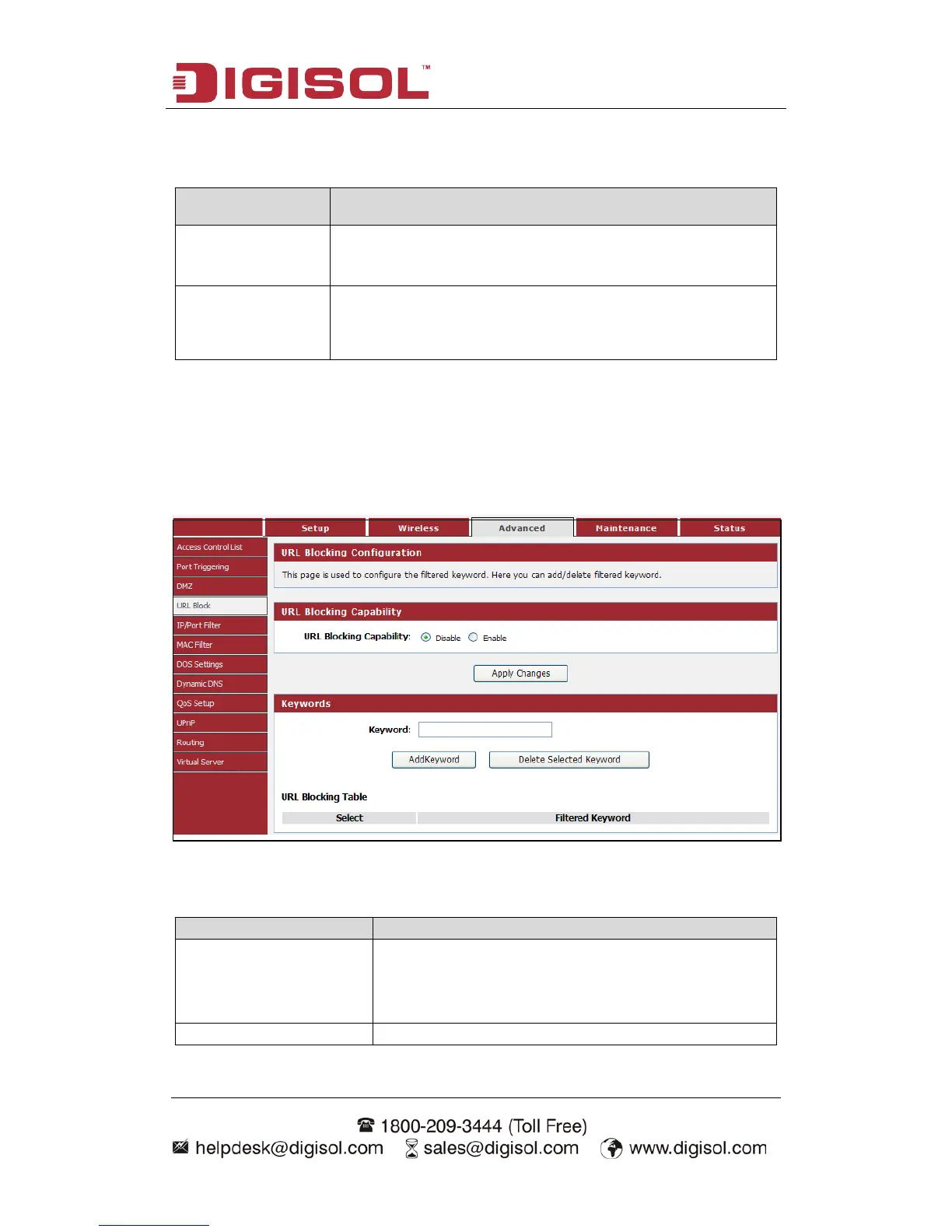
4-3-4 URL Block
This page is used to configure the filtered keyword. Here you can add/delete filtered
keyword.
Choose menu AdvancedURL Block”, below given screen will be displayed.
Here is the description of every setup item:
Parameter
Description
URL Blocking Capability
If you want to enable
URL Blocking Capability
function, please select ‘Enable’; otherwise please
select ‘Disable’.
Keyword
Enter the keyword that you want to block.

Other manuals for Digisol DG-HR1400

Related product manuals