4-2-3 WPS
Through this process, you can easily add wireless clients to the network without the
need for any specific configuration, such as SSID, security mode or password.
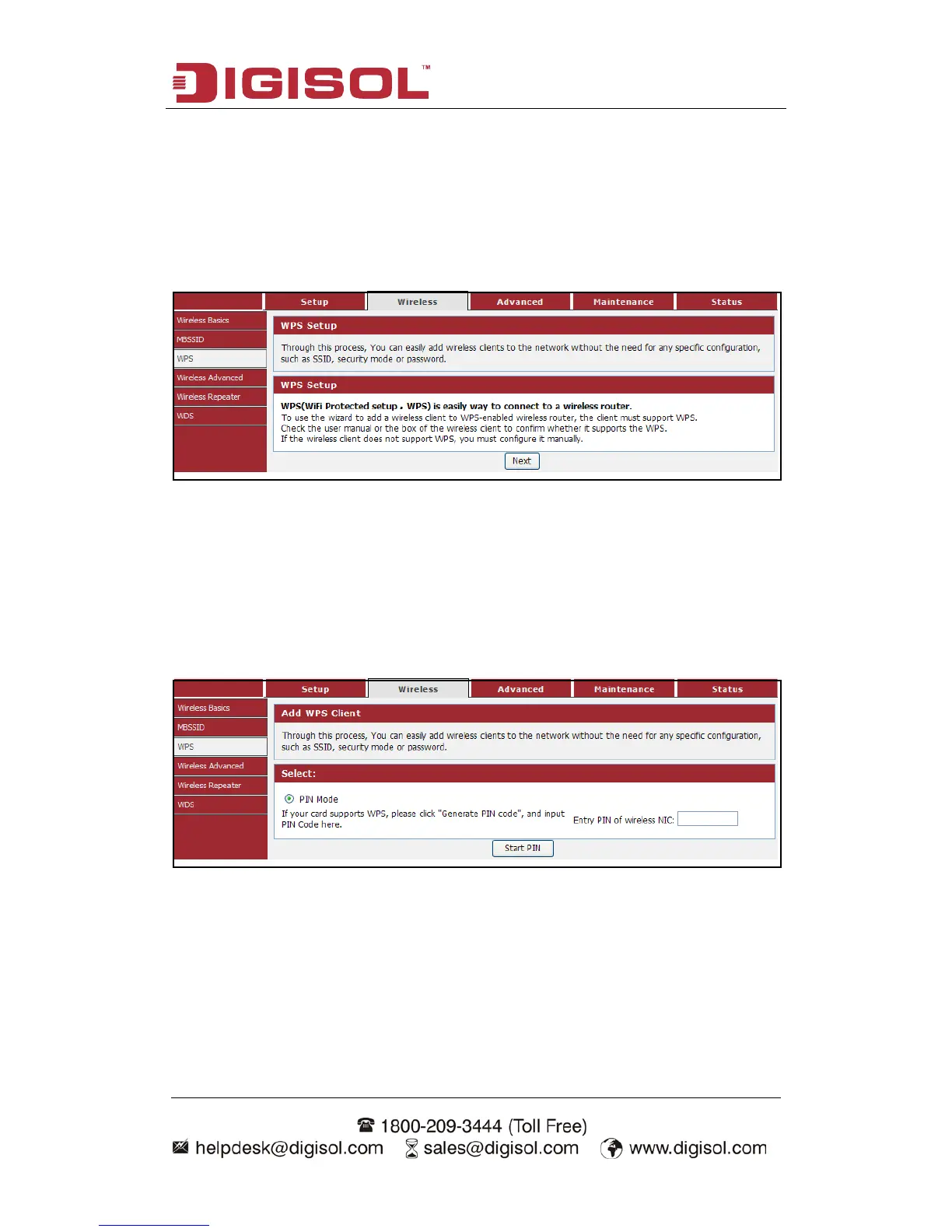
Choose menu “Wireless→WPS”, below given screen will be displayed.
WPS (WiFi Protected Setup) is an easy way to connect to a wireless router.
To use the wizard to add a wireless client to WPS-enabled wireless router, the client
must support WPS.
Check the user manual or the box of the wireless client to confirm whether it supports
the WPS.
If the wireless client does not support WPS, you must configure it manually.
Click the “Next” button to continue.
You can add wireless client by PIN mode. If you use PIN mode, you should input
client PIN code. Meanwhile you should start client WPS process. You can find client
PIN code on client manager.



 To Next Page