(2) This page lists the fixed IP/MAC address on your LAN. The device distributes
the number configured to hosts on your network as they request Internet access.
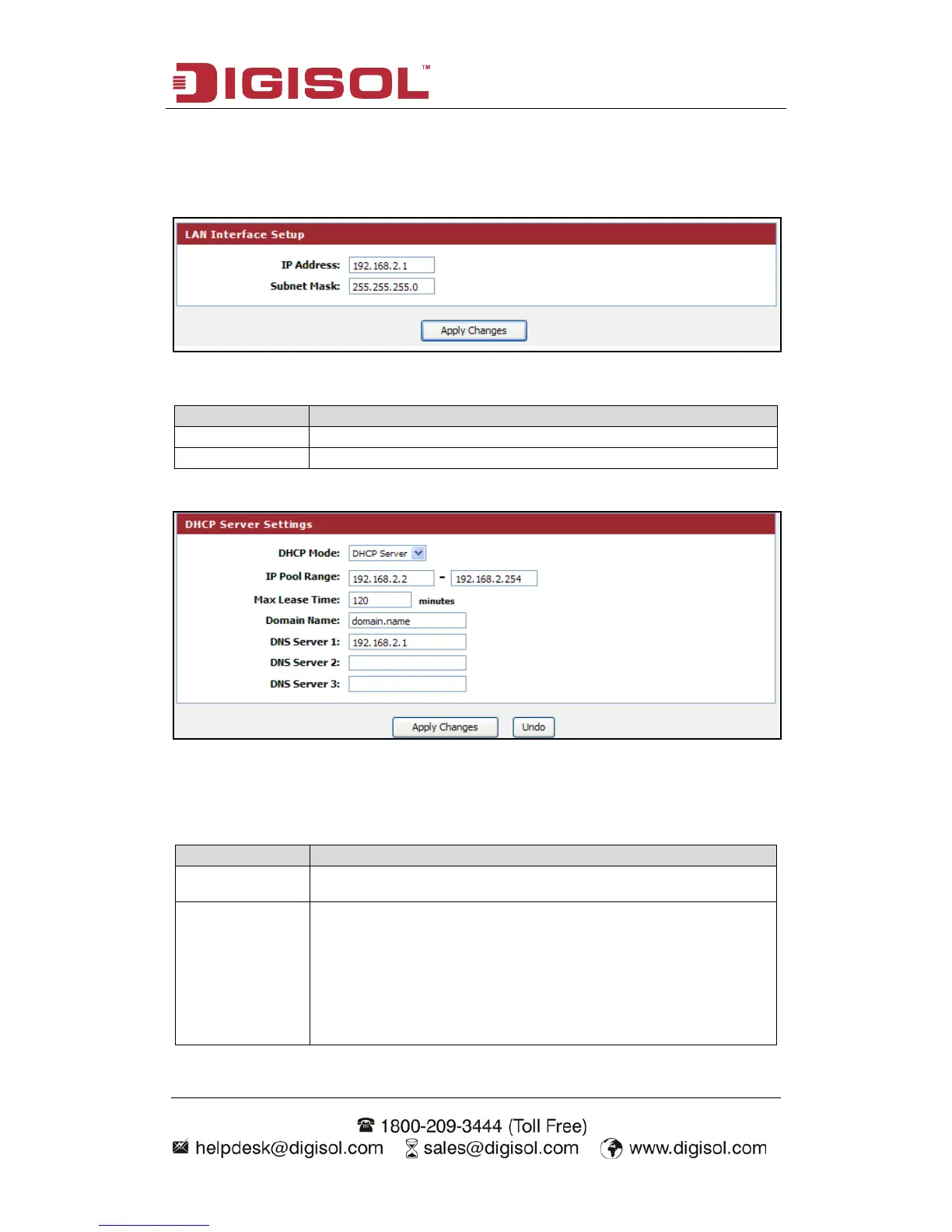
LAN Interface Setup:
Here is the description of every setup item:
Please input the IP address of this router.
Please input the subnet mask for this network.
DHCP Server Settings:
These settings are only available when ‘DHCP Server’ in ‘LAN IP’ section is
‘Enabled’, and here is the description of every setup item.
Enable or Disable the DHCP Server.
These two IP values (from and to) define a range of IP
addresses that the DHCP Server uses when assigning addresses
to computers and devices on your Local Area Network. Any
address that does not fall in this range are not managed by the
DHCP Server; these could, therefore, be used for manually
configured devices or devices that cannot use DHCP to obtain
network address details automatically.



 To Next Page