Here is the description of every setup item:
Please input the IP address assigned by your service provider.
Please input the subnet mask assigned by your service provider
Please input the IP address of the gateway provided by your
service provider.
Please input the MTU value of your network connection here. If
you don’t know, you can use default value.
Please input the IP address of DNS servers provided by your
service provider.
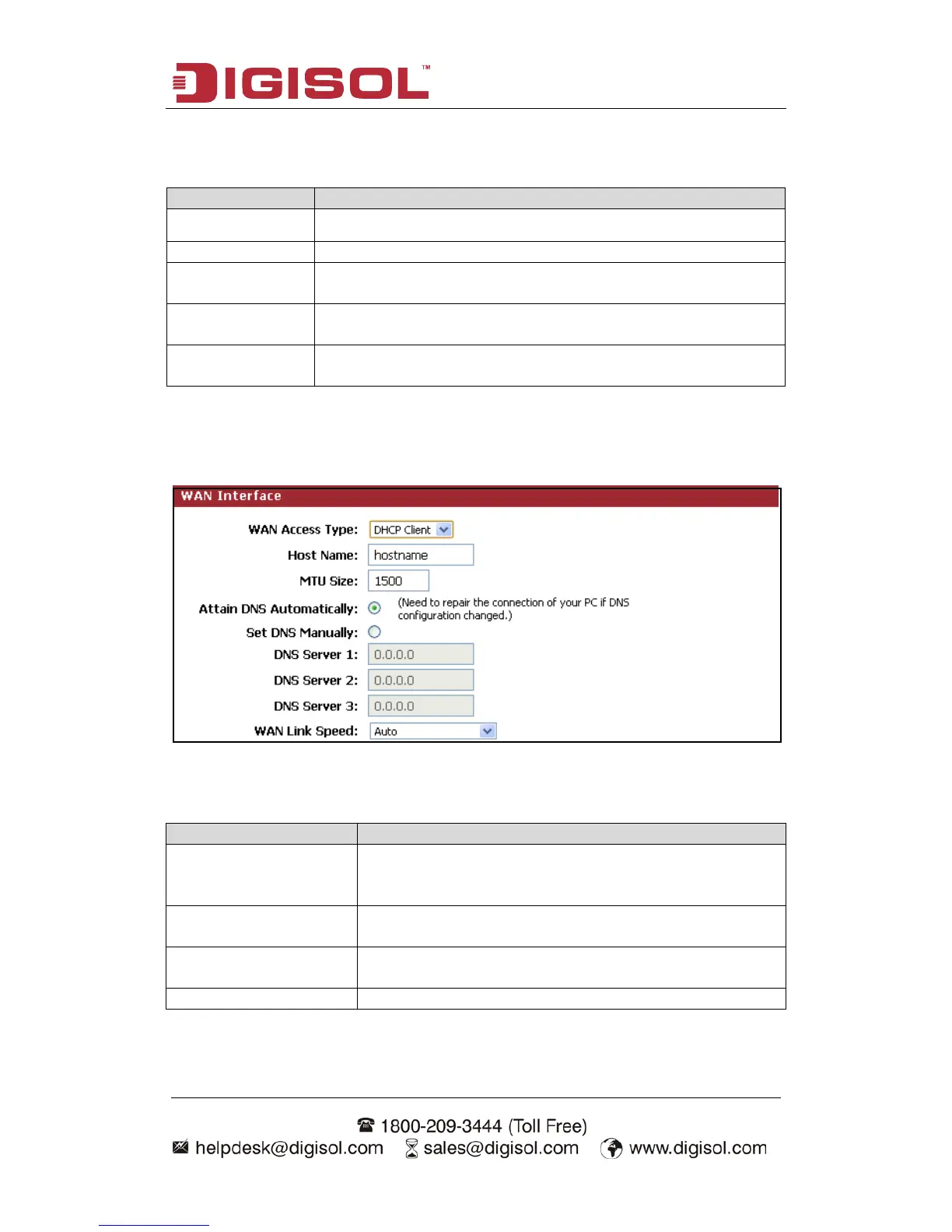
Setup procedure for ‘DHCP Client’:
Here is the description of every setup item:
Please input the host name of your computer. This is
optional, and is only required if your service provider asks
Please input the MTU value of your network connection
here. If you don’t know, you can use default value.
If your ISP specifies a DNS server IP address for you,
click the checkbox.
Enter the DNS IP address manually provided by your ISP.



 To Next Page