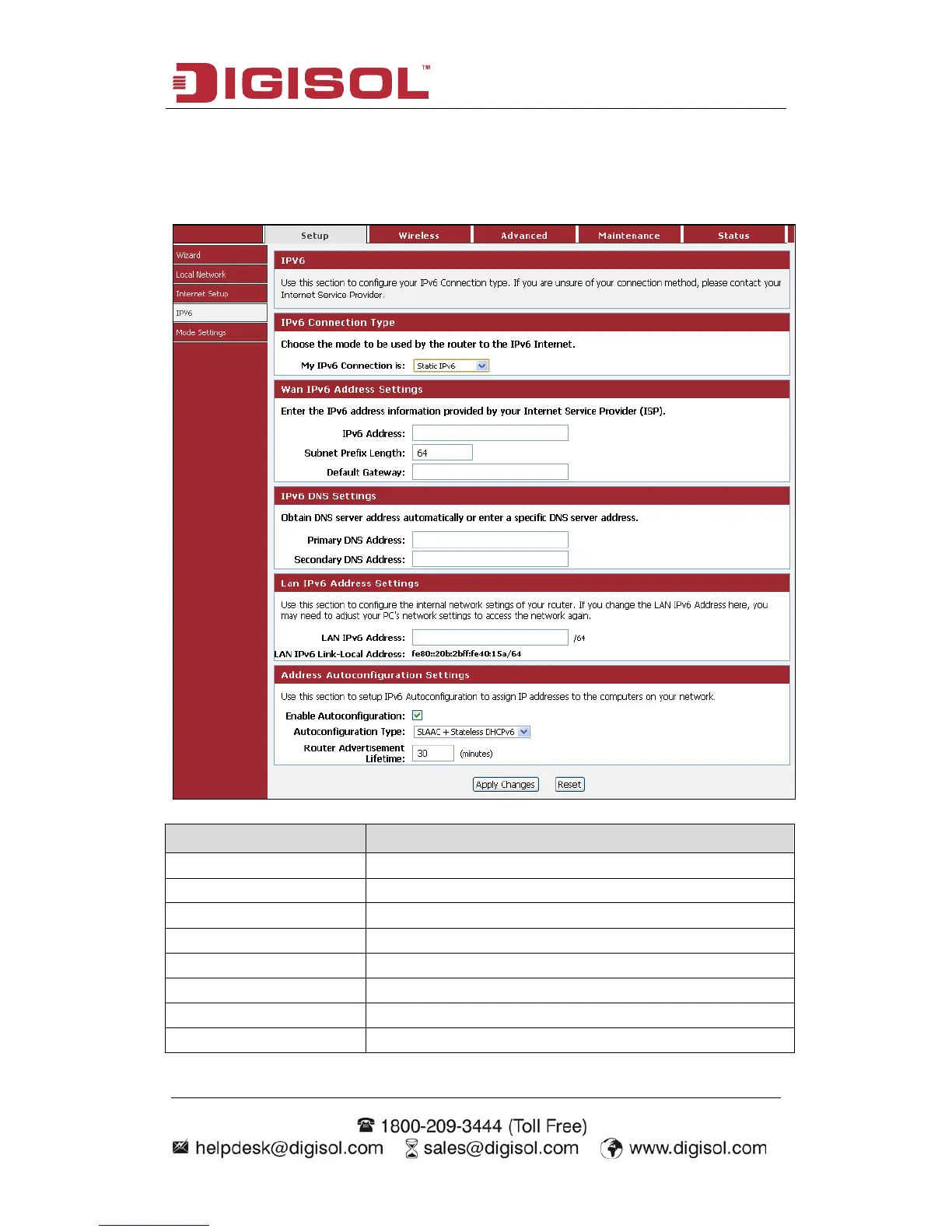
IPv6 address( WAN) Enter the IPv6 address for WAN port.
Subnet Prefix Length Enter the Subnet Prefix length here.
Default Gateway Enter the IPv6 address of the default gateway.
Primary DNS address Enter the preferred IPv6 DNS address.
Secondary DNS address Enter the secondary IPv6 DNS address.
LAN IPv6 Address Enter the Static LAN IPv6 address of the router.
Enable Autoconfiguration Enable or Disable the Auto configuration (DHCP IPv6).
Autoconfiguration Type Select the Type of Autoconfiguration from the Dropdown



 To Next Page