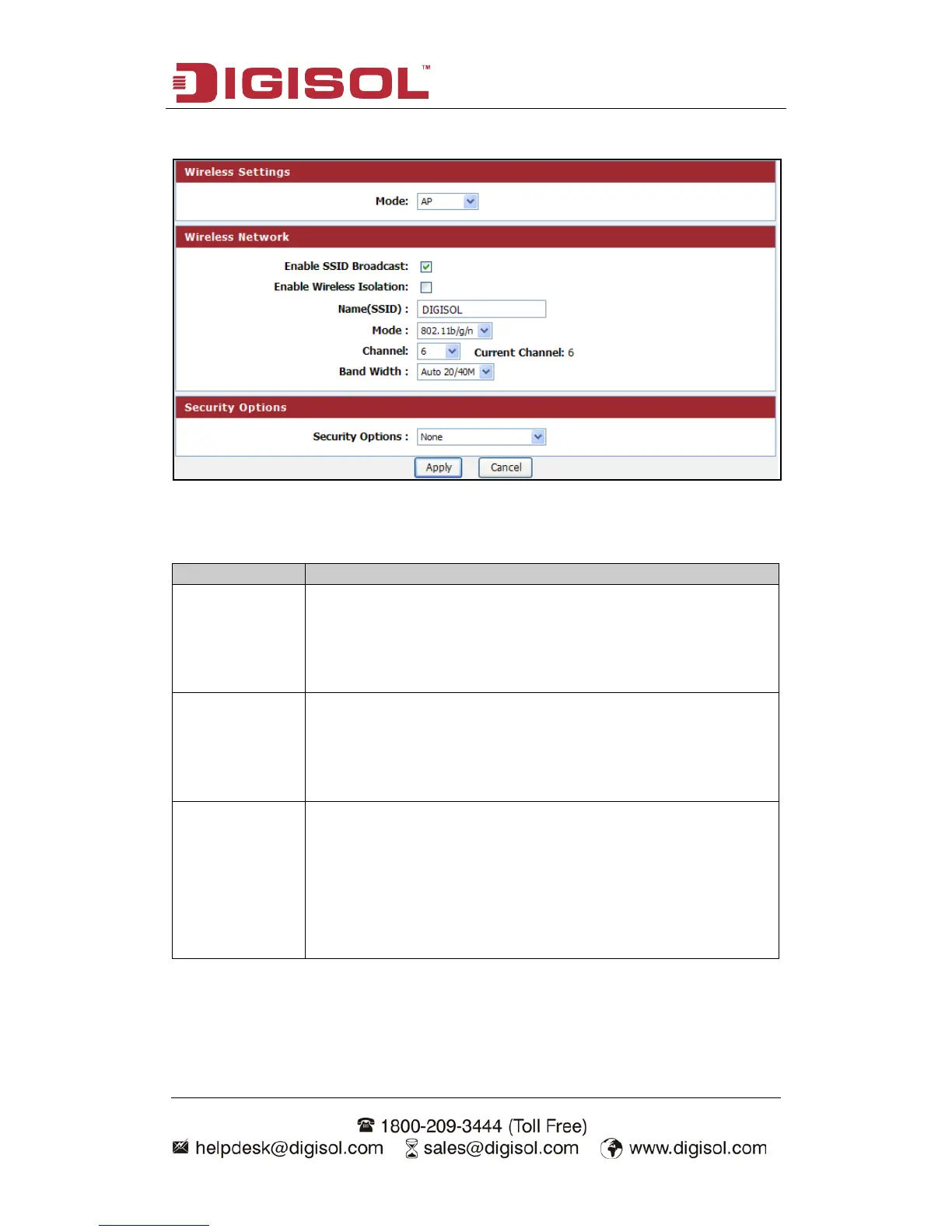
Setup procedure for AP:
Here is the description of every setup item:
Enable SSID
Broadcast
If Enabled, the Wireless Access Point will broadcast its name
(SSID) to all Wireless Stations. Stations which have no SSID (or
a null value) can then adopt the correct SSID for connections to
this Access Point.
Isolation
If checked, the wireless client under this SSID can only access
internet and it can’t access other wireless clients even under the
same SSID, Ethernet clients or this device. Other clients can’t
access the wireless client, either.
Enter a value of up to 32 alphanumeric characters. The same
name (SSID) must be assigned to all wireless devices in your
network. The default SSID is "DIGISOL”, but we strongly
recommend that you change your network’s
different value. This value is case-sensitive. For example, SSID
is not the same as SsiD.



 To Next Page