D4204-EN Scale Link 2 Technical Manual 11
Serial Port/ RS232 Connection
Input and Output Connections
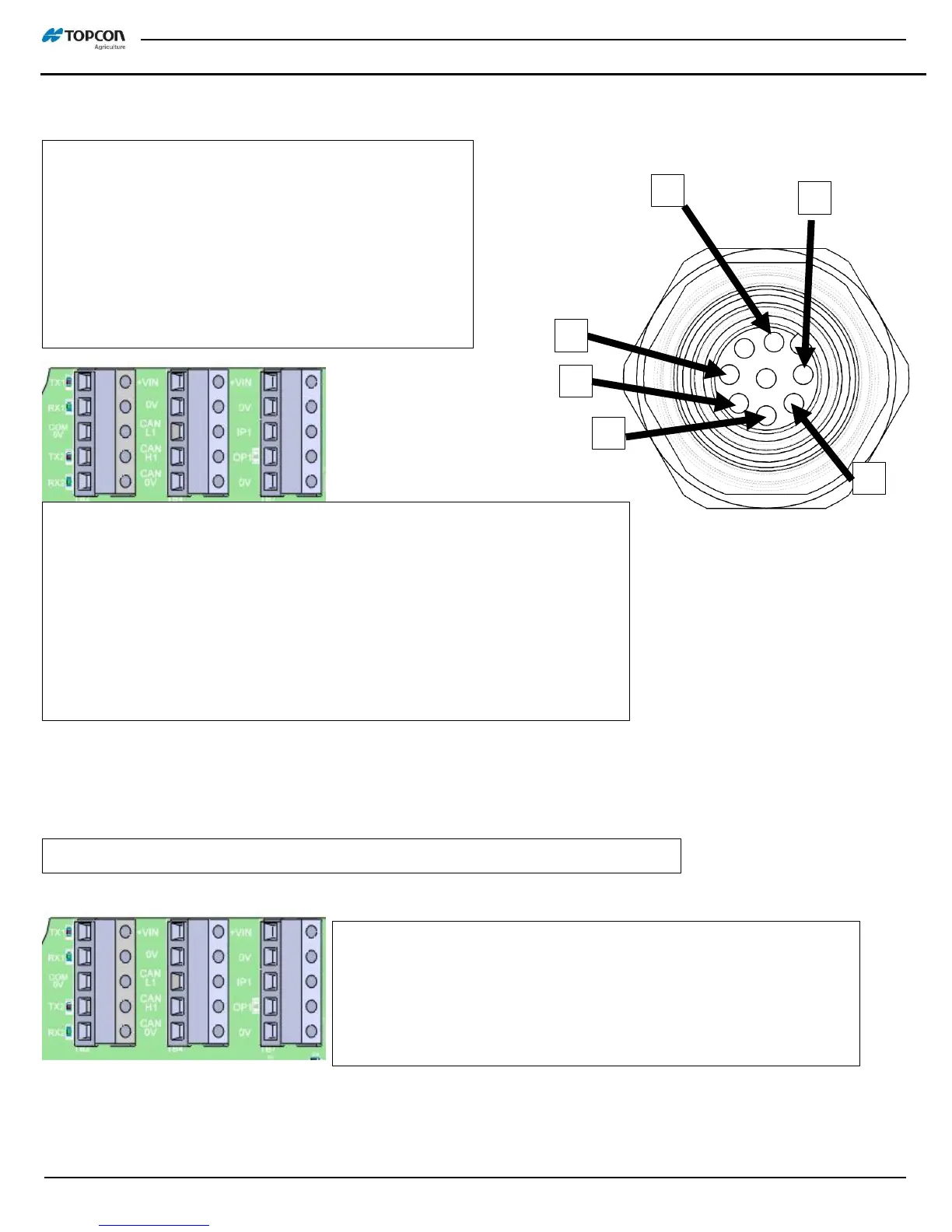
Serial Port – Dual RS232 Ports with System Power
1. Brown +VIN
2. White TX1
3. Blue RX1
4. Black TX2
5. Gray COM 0V (*current limited)
6. Pink RX2
*For higher current loads using +VIN, move Gray wire
from COM 0V (current limited) to 0V (not limited).
Set baud rate and parity with Menu 2 settings. See ‘Basic Serial Settings’
at back of manual or D4020 DAN list for settings details.
3 cable options available to fit this M12 port:
1. 410840 M12 to pigtail – wire your own cable
2. 410818 M12 to AMP – COM1 & 2 for ERM/ DS SER port
3. 411015 M12 to DB9 – PC connection with COM1
Input/ Output Connections – On Board, accessible through ACC port strain relief
+VIN – System voltage, non-fused
0V – System ground, non-fused
IP1 – Remote Input 1; active high, low or pulsed based on settings
OP1 – Output Control FET; 3A continuous at system voltage
0V – System ground, non-fused



 To Next Page