D4204-EN Scale Link 2 Technical Manual 21
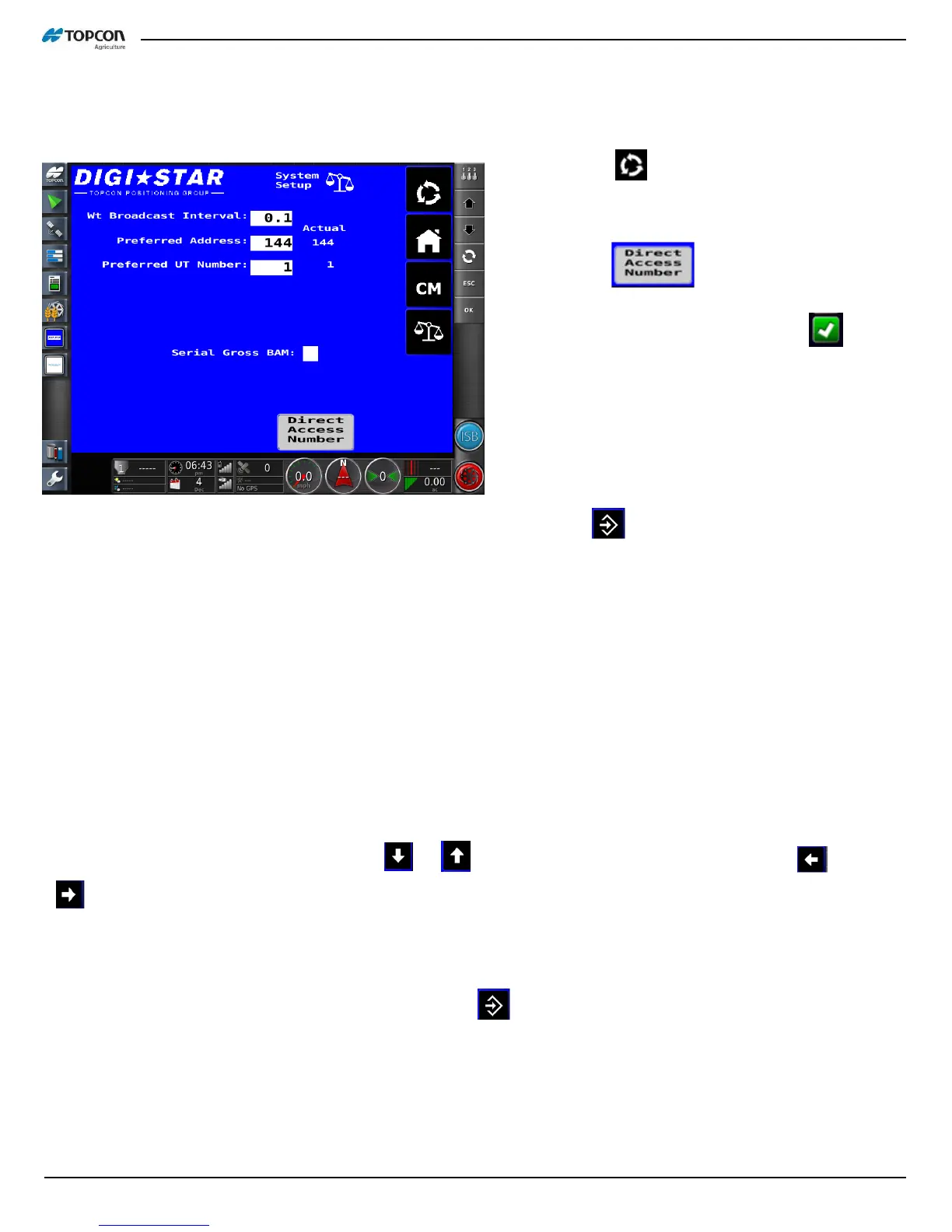
Dead Weight Calibration from ISOBUS Mask
Procedure to calibrate with known weight:
1. Press until “Direct Access Number”
are shown at bottom of screen.
2. Press . Then press white box
to enter D.A.N.
3. Enter
(D.A.N. 8121)
and press , the
SL2 will display WT CAL and prompt to
zero the scale. Press and hold the ZERO
key to zero the system.
4. Scale will now prompt “ADD WT”. Place a
known weight on system (ex. 5000 lb. test
weight) on the scale platform and press
the key. If calibration weight is at
least 5% of the scale capacity, the
message “CAL” will be displayed.
3. If the scale capacity is not at least 5%, the system will not accept the calibration value and display the
message “ADD WT”. Add more weight to the scale until the 5% capacity weight has been exceeded.
4. After the 5% capacity weight has been reached, the indicator displays the message “CAL”. The weight
value estimated to be on the scale at that time is displayed. The weight on the scale is estimated based on
the previous calibration value.
5. Correct the weight value by pressing the or key to increment the flashing digit and the or
key to select the digit to change.
NOTE: The scale will not accept the weight entered if motion is detected (weight is not stable) and will display the
error message “MOTION.”
6. When the display reads the correct weight, press the key to automatically determine and store the
full-scale calibration value. The message “GOOD” is displayed for a successful calibration.



 To Next Page