QUICK GUIDE TO SHOOTING... In 8 Easy Steps!
QUICK GUIDE TO SHOOTING
10
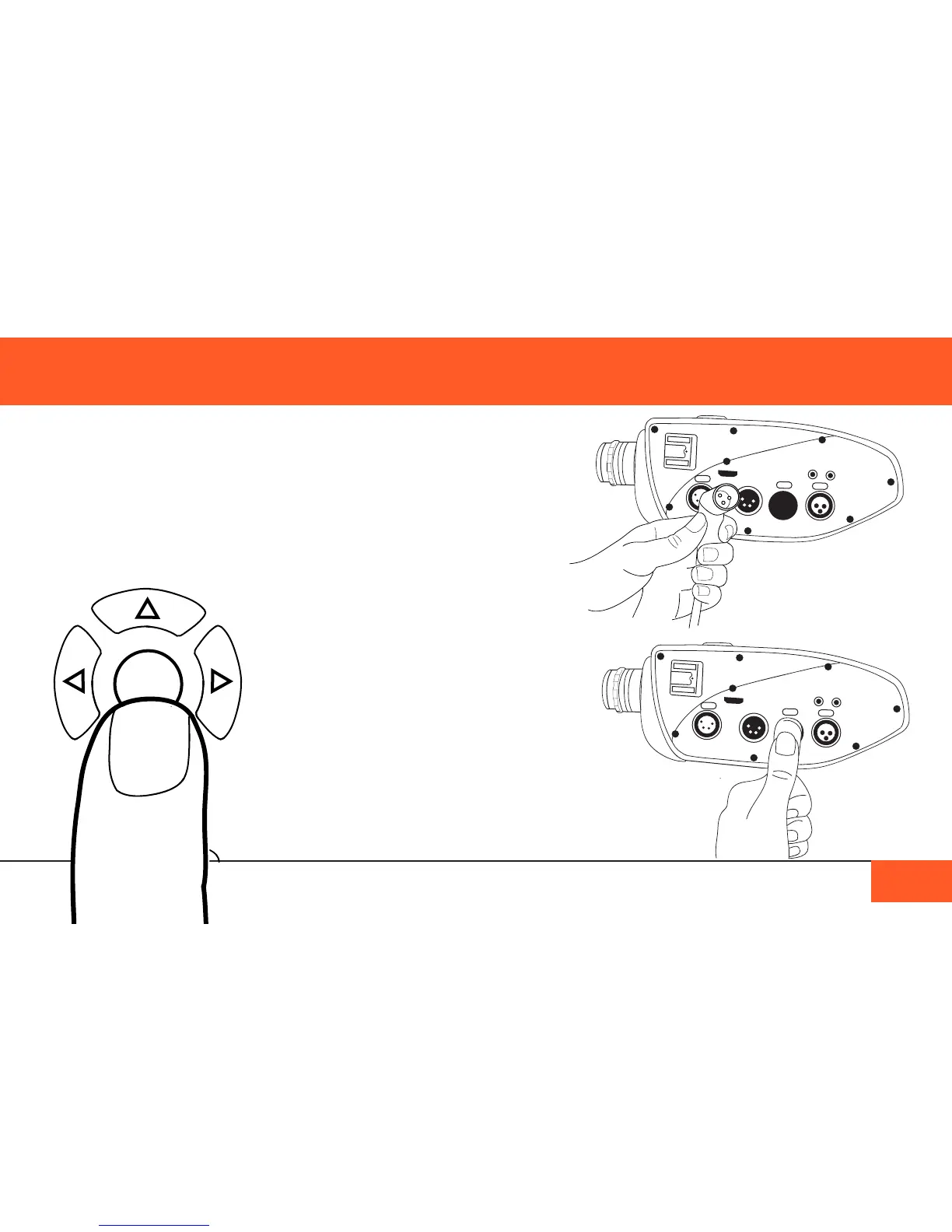
5) Attach a microphone to the XLR ports or Line-in port if you want to record
audio (See “RecoRDing auDio” on Page 32). Use the menu to navigate to the
SOUND submenu and adjust the CH 1 and CH 2 MIC settings to turn on the audio
channels for your microphone. Adjust the CH 1 and CH 2 PHTM settings to turn
on phantom power if necessary.
ENTER
6) Remove the lens cap and use the onboard
monitor (See “ViDeo MonitoRing” on Page 18) to
check your focus.
Use the ENTER BUTTON to see your footage
in a 1:1 ratio for easier focusing. Reframe your
focus area by using the left, right, up and down
arrows. Exit 1:1 mode by pressing the ENTER
BUTTON again.
7) Press the record button to start shooting.
Press the record button again to stop recording.



 To Next Page