DigiGate-700
for Windows
™ ®
E - 4 Upgrading DOS Software to Windows
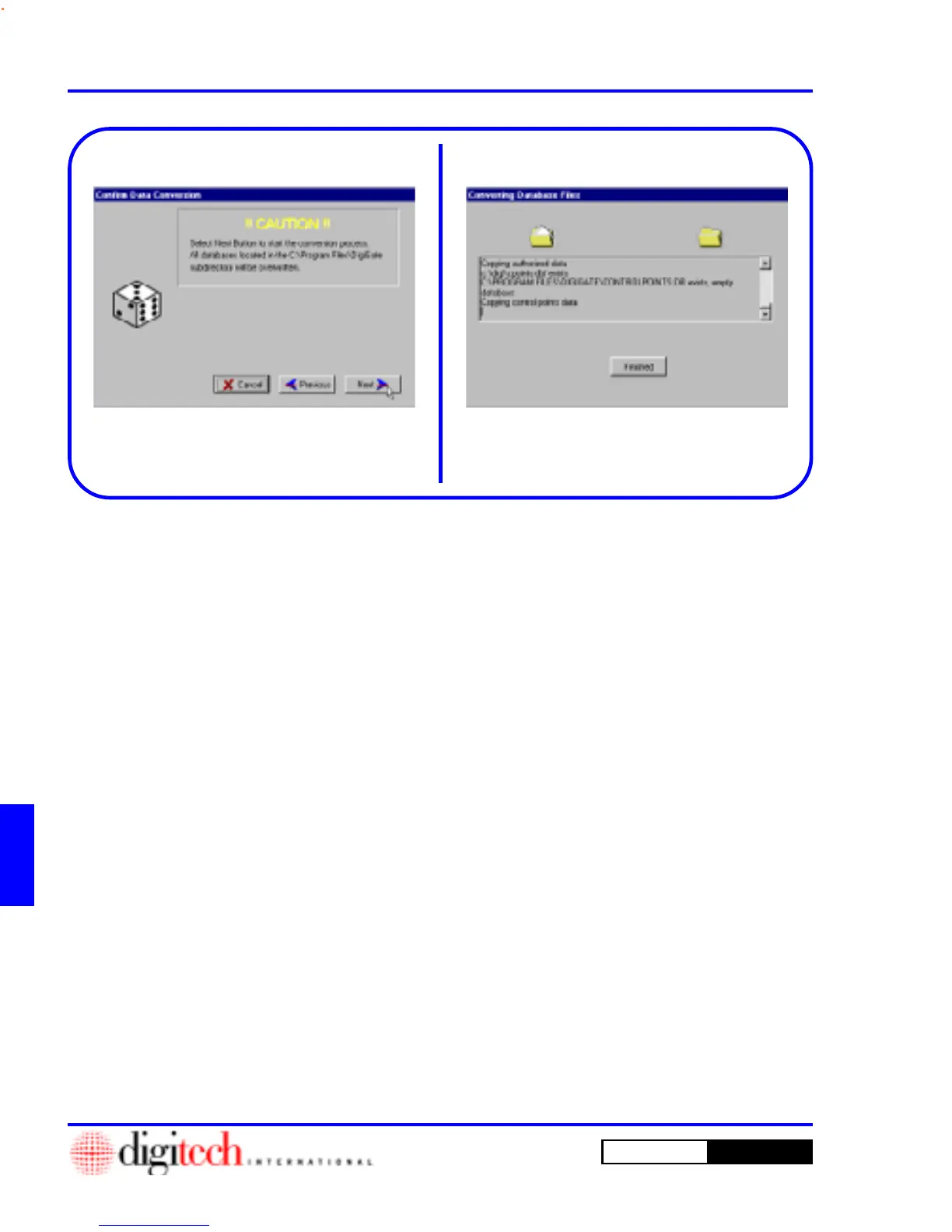
5. This will open the
Confirm Data Conversion
window, which gives a second warning of the
data files being overwritten. Figure E-3.
6. Click on the
Next
button.
7. This will open the
Converting Database
Files
window, which shows the progress of the
conversion. Figure E-4.
8. When the conversion is completed, the
Finished
button will appear. Figure E-4.
9. Click on the
Finished
button to return to your
Desktop.
NOTE: Any errors encountered will open a
window displaying a prompt explaining why the
conversion could not be completed.
If you encounter this, record the prompt in the
error window and call Digitech International,
Inc. at 1-800-523-9504 before proceeding any
further!
Figure E-3 Figure E-4



 To Next Page