OPERATIONAL MANUAL
D03S THERMAL TRANSFER OVERPRINTER - 49 -
The print position can be small-scale precisely adjusted by “Horizotal Offset “and “Vertical Offset”.
(1=0.1mm)
Note: In Continuous mode, Vertical Offset allows you to configure the position between print head and
rubber roller.
If you need large-scale adjustment on the Print Position, you can reset the print signal and the bracket
installation.
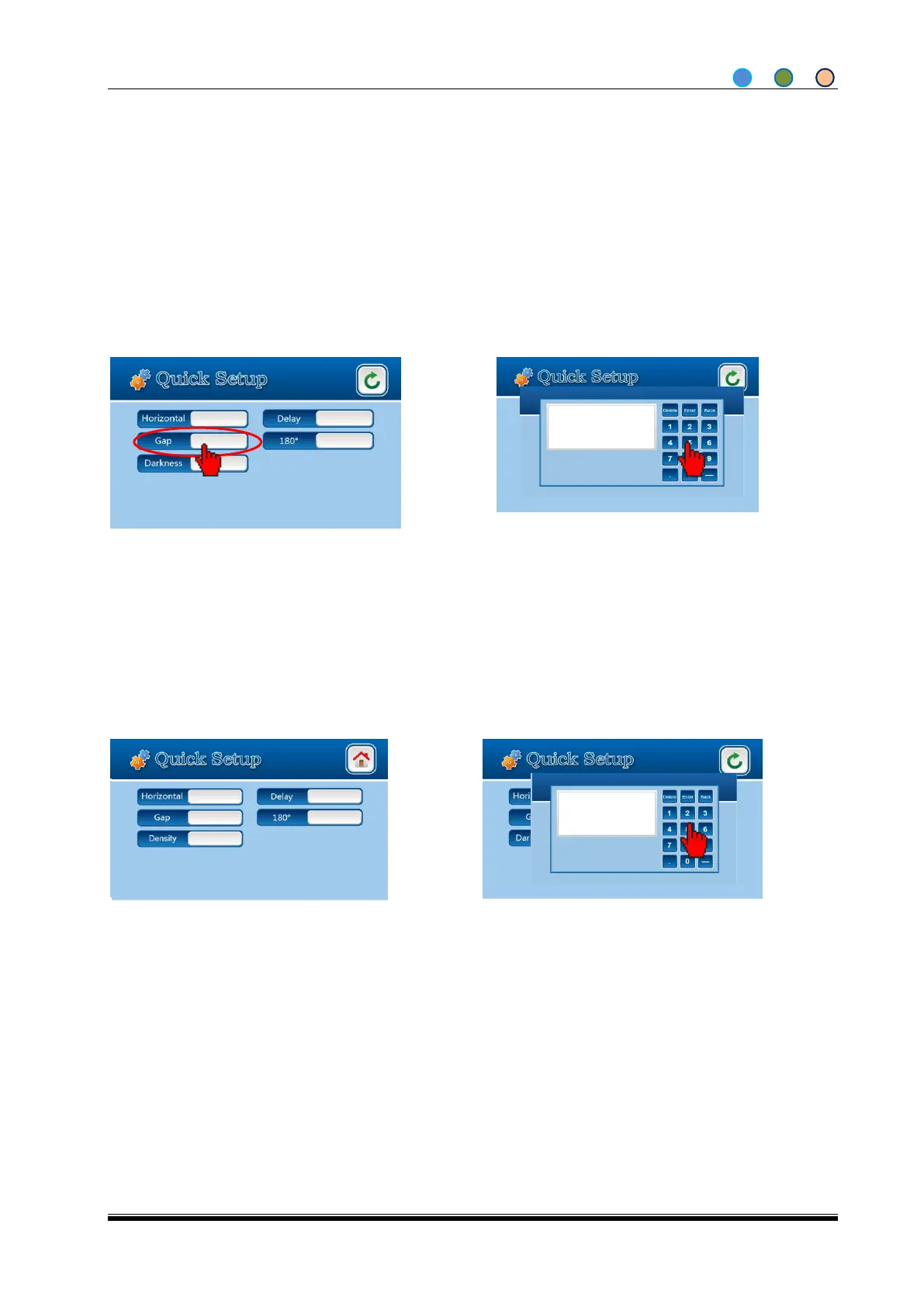
4.6.4 Set the Print Gap
4.6.5 Set the Density from quick setup screen
1. Click” Density” button from the Quick
Setup Screen.
2. Enter the number (1 refers to 1%),
then click “Enter” button.
1. Select “Gap “from Quick Setup
screen.
2. Enter the number (1 means 0.1MM),
the setting is done clicking OK.
Note: Density means the color density percentage, the density increases as the percentage grows,
meanwhile the stroke grows bolder; vice versa.



 To Next Page