OPERATIONAL MANUAL
- 48 - D03S THERMAL TRANSFER OVERPRINTER
4.6.3 Set the Print Delay
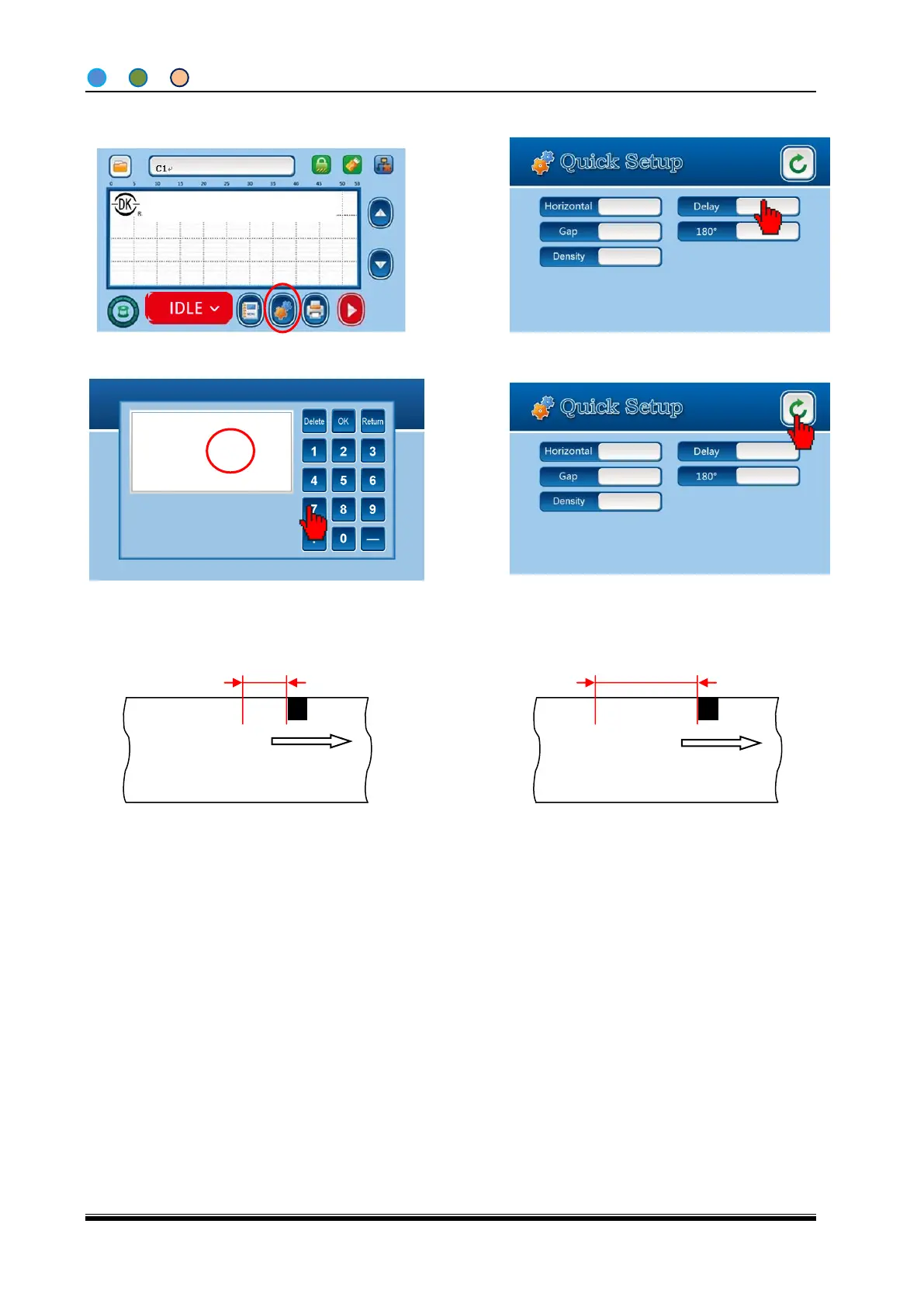
1. Click “Quick Set Up” from home screen.
2. Click “Delay” to Digit Keypad.
3. Enter the number (intermittent: 1 means 1
MS; continuous: 1means 1mm), click “OK” to
quick setup screen.
5. The delay setting is done, click “back” to
home screen.
Print position when delay setting is 100
Print position when delay setting is 10
Note: The unit of delay setting of intermittent motion is: 1MS. It means the delay time of the print after
receiving the print signal.
The unit is 1mm for continuous motion, It is a distance delayed after receiving the print signal (cannot
be larger than the pouch length)
For example, if we want printing 100ms after getting the print signal, you can set the Print Delay in the Quick
Setup screen as 100).
Shanghai Dikai Coding Industry



 To Next Page