OPERATIONAL MANUAL
D03S THERMAL TRANSFER OVERPRINTER - 53 -
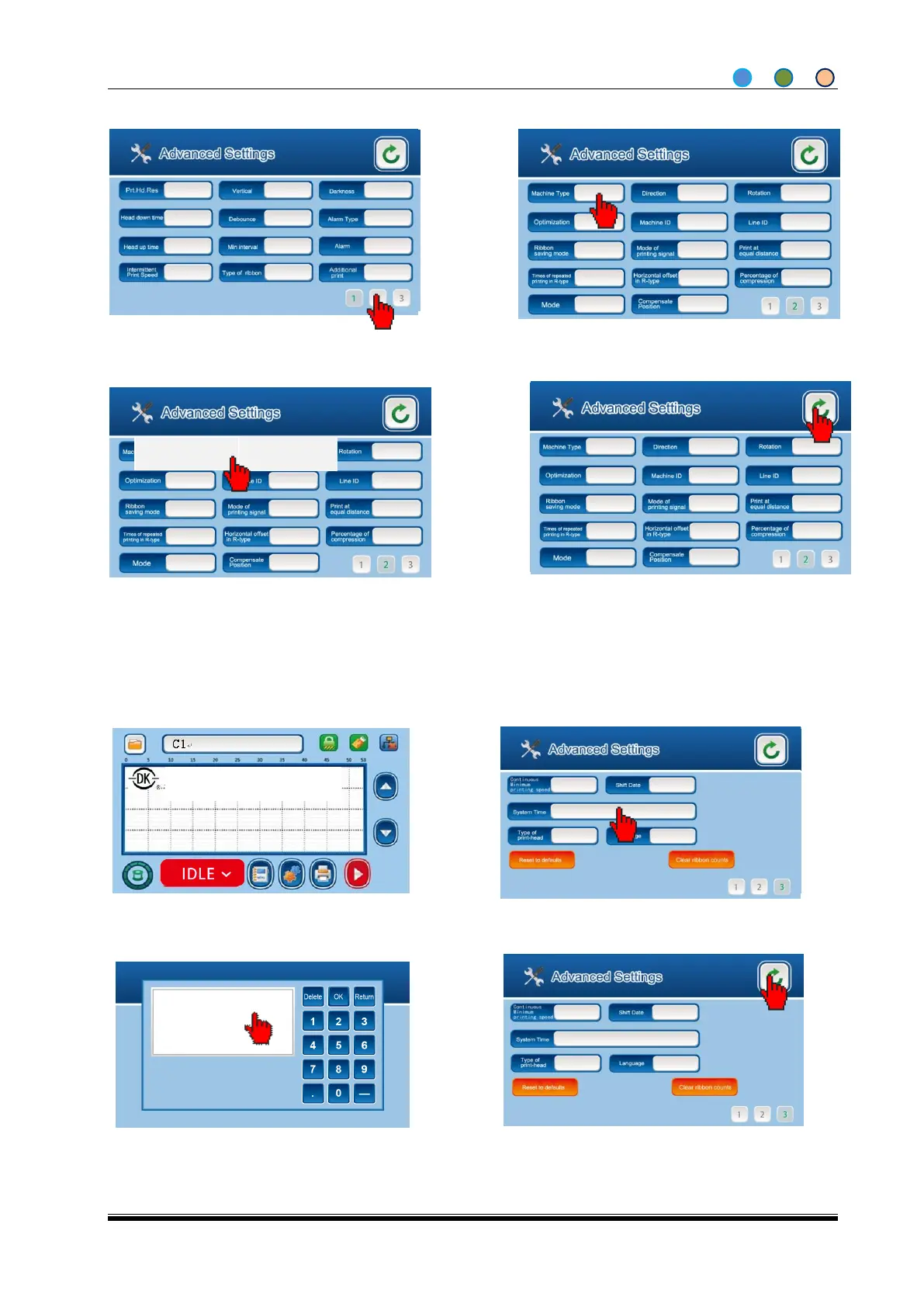
4.6.9 Set the Intermittent/ Continuous Mode
4.6.10 Set the System Time (Real Time Clock)
4.6.11
2. Click Machine Type from Advanced Settings
screen.
3. There are continuous and intermittent
options to choose.
4. The Setting is done, click back to home
screen.
1. Enter Engineer settings screen from Menu
and choose Page 2
2. Click System Time to pop up the digital
keyboard
3. Input the time you want and click OK, you
can set up from year to second
4. Click back to Home screen.
1. Enter into Advanced Settings from home
screen.
Shanghai Dikai Coding Industry



 To Next Page