OPERATIONAL MANUAL
- 52 - D03S THERMAL TRANSFER OVERPRINTER
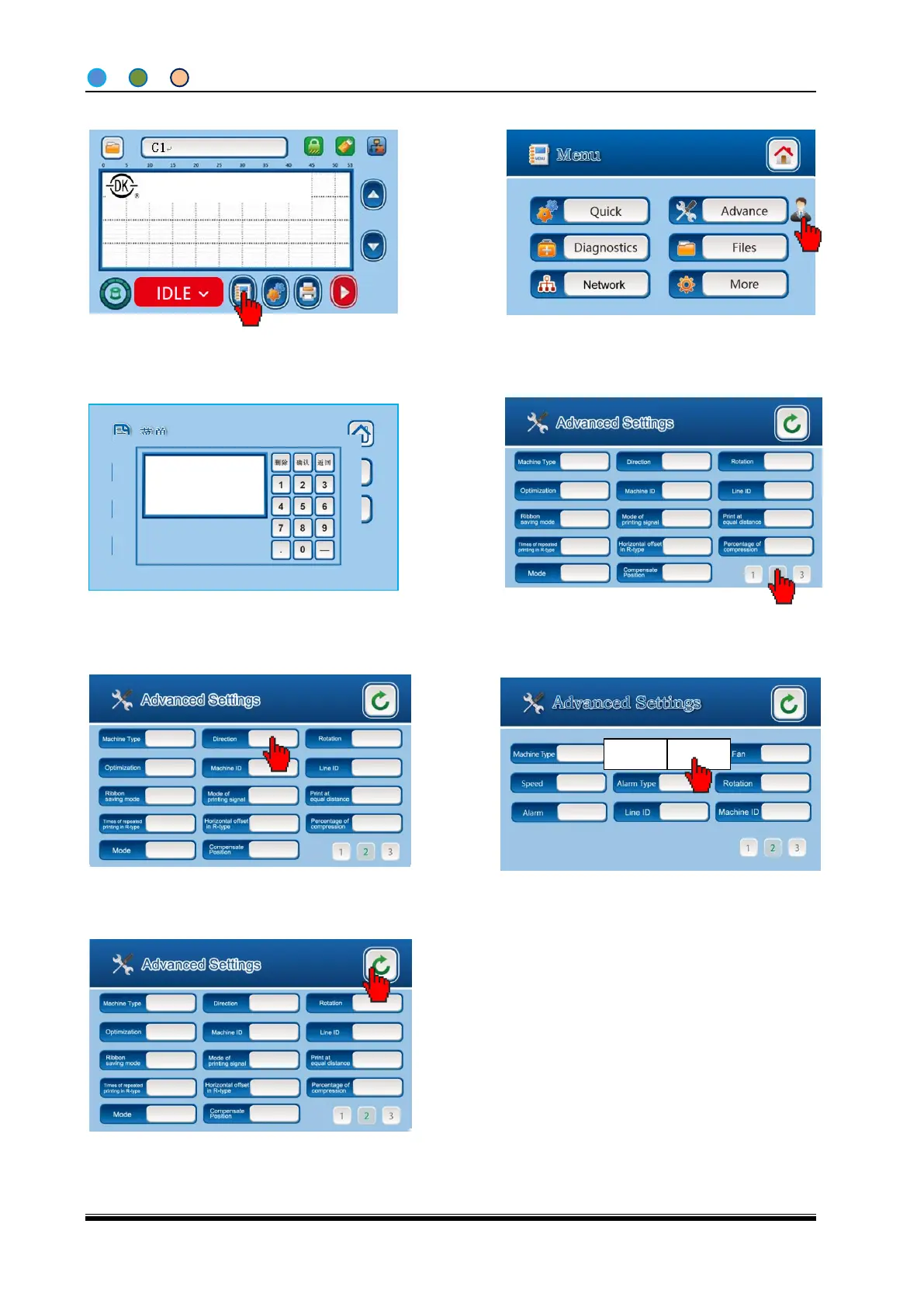
4.6.8 Set the Left-hand/ Right-hand
6. There are LH (left-hand) & RH (right-hand)
options to choose.
7. The setting is done, click Back to home screen.
4. Go to page2 of advanced settings screen.
1. Click “MENU” from IDLE screen.
3. Enter password of “8888” to Advanced
Settings screen.
2. Click the portrait on Menu screen and you
can get a digit keyboard
Note: The Advanced Settings and
Diagnostics Screens can only be
entered when printer stops (in IDLE
status).
Shanghai Dikai Coding Industry



 To Next Page