OPERATIONAL MANUAL
D03S THERMAL TRANSFER OVERPRINTER - 57 -
4.6.14 Edit of Custom Texts
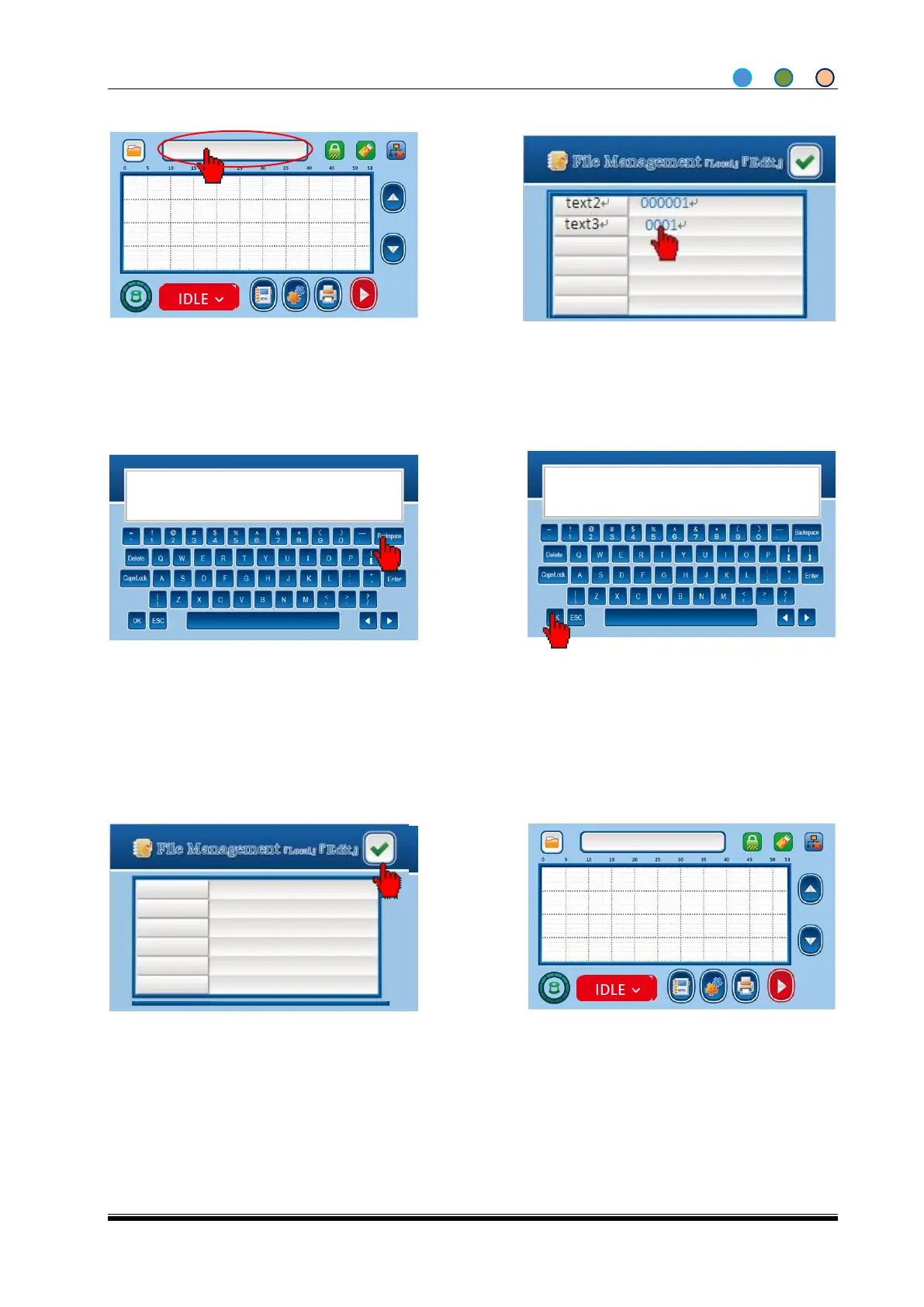
1. Click the file name to enter Edit screen from
Home screen.
2. Click the text you need
4. The Custom texts, like text3, support all
info entered from the key board. (The count
file, like text2, only supports numbers),
Click OK when set is done.
5. Click back to home screen.
2014-09-10 14:30
SN:000001 0001
2014-09-10 14:30
SN:000001 4@Ab
Note: The user can modify the custom text only if the custom-made or progressive increase or
decrease editable widgets are added, other widgets cannot be modified



 To Next Page