OPERATIONAL MANUAL
- 56 - D03S THERMAL TRANSFER OVERPRINTER
4.6.13 Choose the right type of ribbons
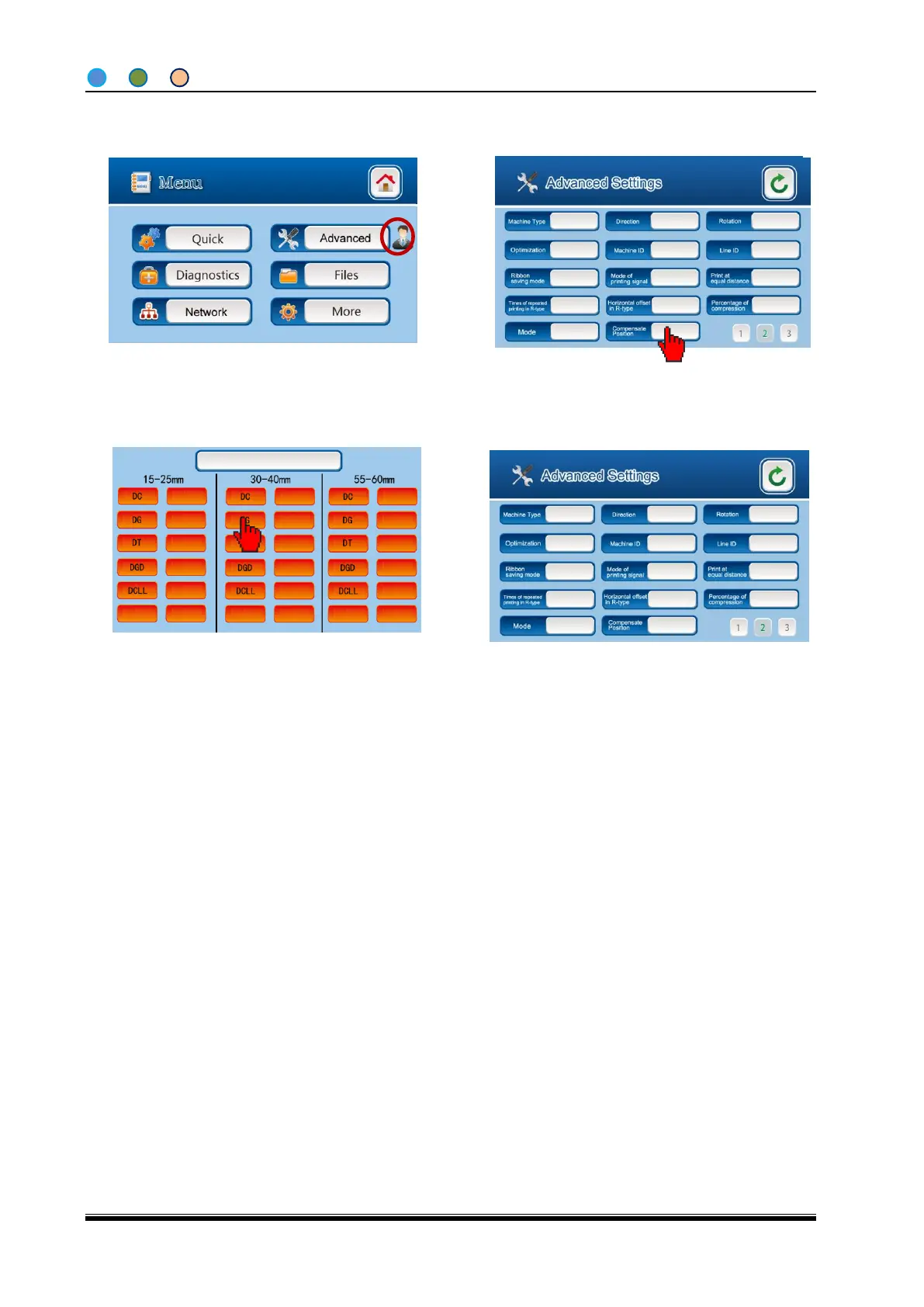
2, Enter the ribbon choosing page by press
the “Ribbon type” button in the first page of
“Advanced settings”.
3, Choose the right ribbons you are using in
the ribbon choosing page
1, Press the “Menu” button and then enter the
“Engineers advance settings”.
Ps: D03S machine only supports the ribbon types showing in the page. Dikai will not guarantee the
well-running of machines and ribbons if you use other types of ribbons.
4, Return to “Advanced settings” after above
steps.



 To Next Page