94
The Recover Button
Chapter 10
Using the Recover Button
The following setup is required to use the RECOVER feature:
• The remote control must be set up to control the TV and, if installed, the VCR.
• If a VCR is installed, then it must be connected as shown on page 124.
• On a remote TV, the RECOVER button must be programmed to tune your remote TV
to the specific channel set to receive TV2 programming (for example, channel 60),
using the instructions shown on page 93.
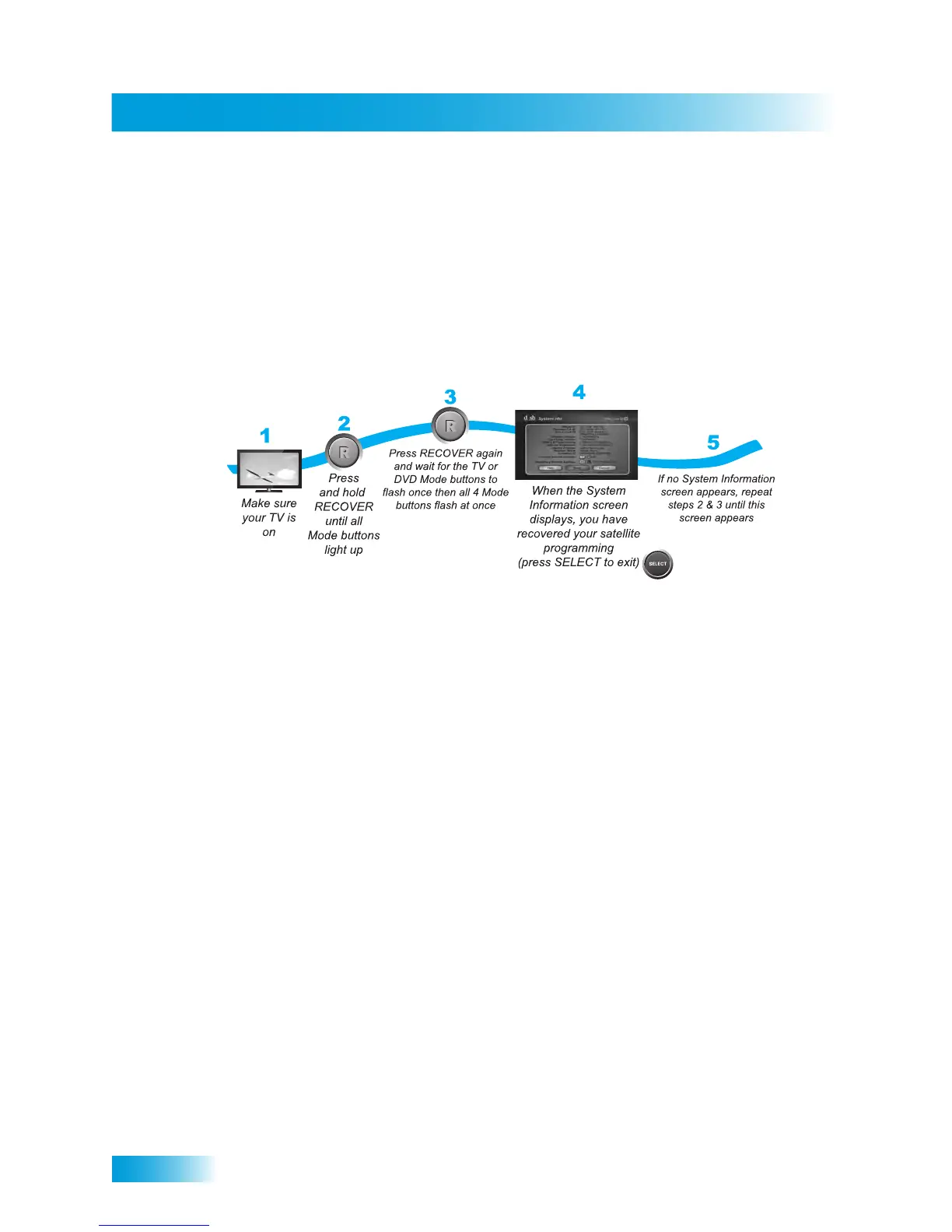
1 Turn on your TV if it isn’t already on.
2 Press and hold the RECOVER button until all the Mode buttons light up.
3 Press the RECOVER button again and wait for the TV or DVD mode buttons to flash once
then all four Mode buttons flash once.
4 When the System Info screen displays, your satellite programming is recovered. Press
SELECT to exit this screen.
5 If the System Info screen doesn’t display, repeat Steps 2 and 3 until the System Info
screen appears.
Note: Press any remote control button other than RECOVER to end this procedure.
Note: If the RECOVER button is not programmed to a specific channel, then RECOVER
will first try to tune your TV to channel 3, then to channel 4, and then other video input(s)
with each press of RECOVER. You may need to press RECOVER up to 30 times to
recover your satellite TV video. If RECOVER is programmed to a specific channel (see
page 93), RECOVER will tune the TV to that specific channel (for example, channel 60).



 To Next Page