Favorites Lists
41
Creating or Changing Favorites Lists
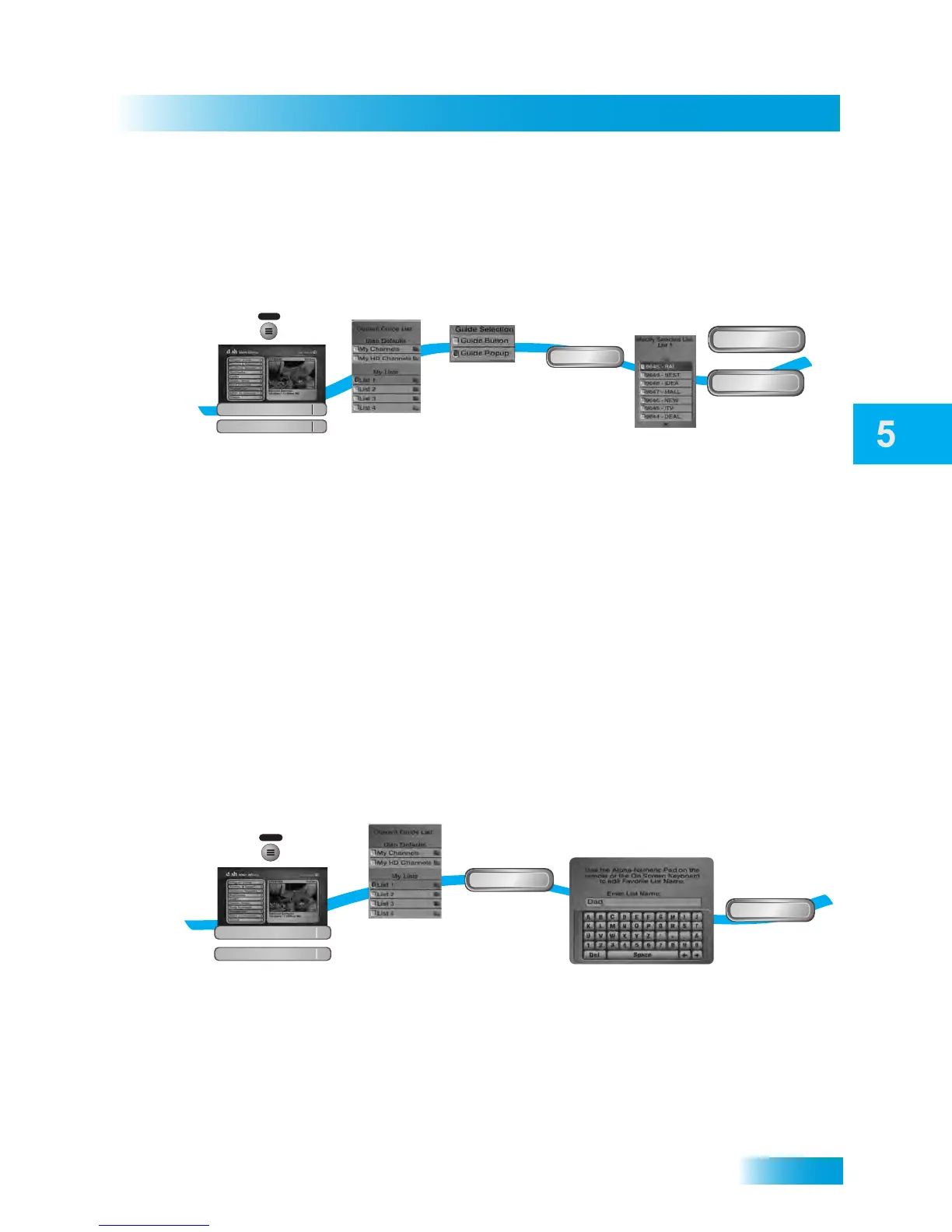
CREATING OR CHANGING FAVORITES LISTS
You can create, add, and remove channels from a Favorites List. When you access
Favorites Lists, only the channels in the list are shown in the Program Guide and Browse
Banner.
1 Press the MENU button, select Preferences, then select Favorites.
2 Select a list from My Lists to create or change.
3 Choose Guide Button to change lists within the Program Guide or Guide Popup to open a
menu and then change the lists.
4 Select Modify List.
5 Add or delete channels to the list.
6 Select Done and Save.
NAMING FAVORITES LISTS
You can rename your Favorites Lists whatever you want, up to eight characters long.
1 Press the MENU button, select Preferences, then select Favorites.
2 Select a list from My Lists to create or change.
3 Select Edit Name.
4 Enter a name for the list using the on-screen keyboard.
1
2
3
6
Press MENU, select
Preferences, then Favorites
Select list to
create or change
Select
Modify List
Add or delete
channels from the list
Select Done
and select Save
MENU
Modify List
Done
Save
4
Choose Guide Button
or Guide Popup
and
5
Favorites Lists
2
Preferences
8
1
3
4
5
Press MENU, select
Preferences, then select Favorites
Select Edit
Name
Enter the name
for the list
Select Done
MENU
Edit Name
Done
Favorites Lists
2
Preferences
8
2
Select a list to
create or change



 To Next Page