106
Using Closed Captioning
Chapter 11
USING CLOSED CAPTIONING
The receiver has many options for Closed Captioning (CC), which allow you to change the
feature to suit your needs. Also, you can display captions when you play back programs
recorded on the receiver's integrated DVR (Digital Video Recorder), even if you didn't
have them turned on at the time the program or event was recorded. Use the following
questions and table to determine if CC is available at your TV location:
1 Are you watching SD or HD programming?
2 Are you in Single or Dual Mode? Refer to page 15 for information on switching modes.
3 Are you watching the nearby TV (TV1) or a remote TV (TV2)?
Note: Not all programming contains any CC information.
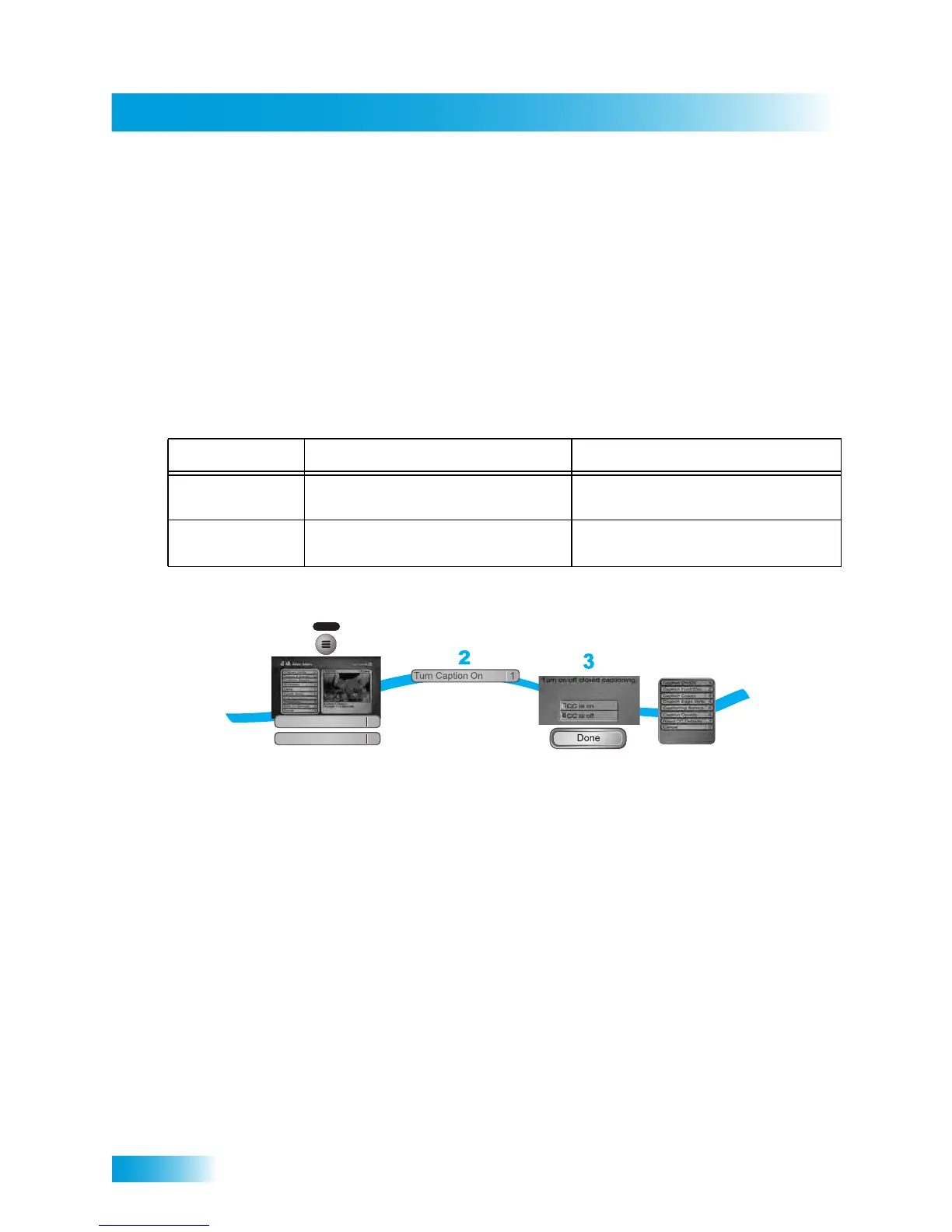
1 Press the MENU button, select Preferences, and then Closed Captions.
2 Select Turn Captions On/Off.
3 Select CC is on or CC is off, then select Done.
4 Choose the display options that match your preferences, then select Done.
• Caption Font/Size: Select a comfortable font and type size.
• Caption Colors: Set the background, letter, and edge colors. Choose the color
combinations that make the captioning easy for you to see.
• Caption Edge Style: Set the edge style of the available CC text.
• Captioning Service: Select the service that you want to use, if one is available.
• Caption Opacity: Choose from Provider, Transparent (see-through), Translucent
(semi-see-through), Solid, and Flashing.
• Reset CC Defaults: Reset all closed-captioning options to their default settings.
Programming Type Single Mode Dual Mode
SD Programming TV1: CC available through the receiver.
TV2: CC available through the receiver.
TV1: CC available through the receiver.
TV2: CC must be enabled on the TV.
HD Programming TV1: CC available through the receiver.
TV2: CC available through the receiver.
TV1: CC available through the receiver.
TV2: CC must be enabled on the TV.
/Off
Press MENU and
select Preferences,
then Closed Captions
From the list
select Turn Caption
On/Off
1
MENU
Preferences
Closed Captions
6
8
4
Select CC is on
or CC is off
and select Done
Select from the list
of options



 To Next Page