58
Recording a Live Program
Chapter 8
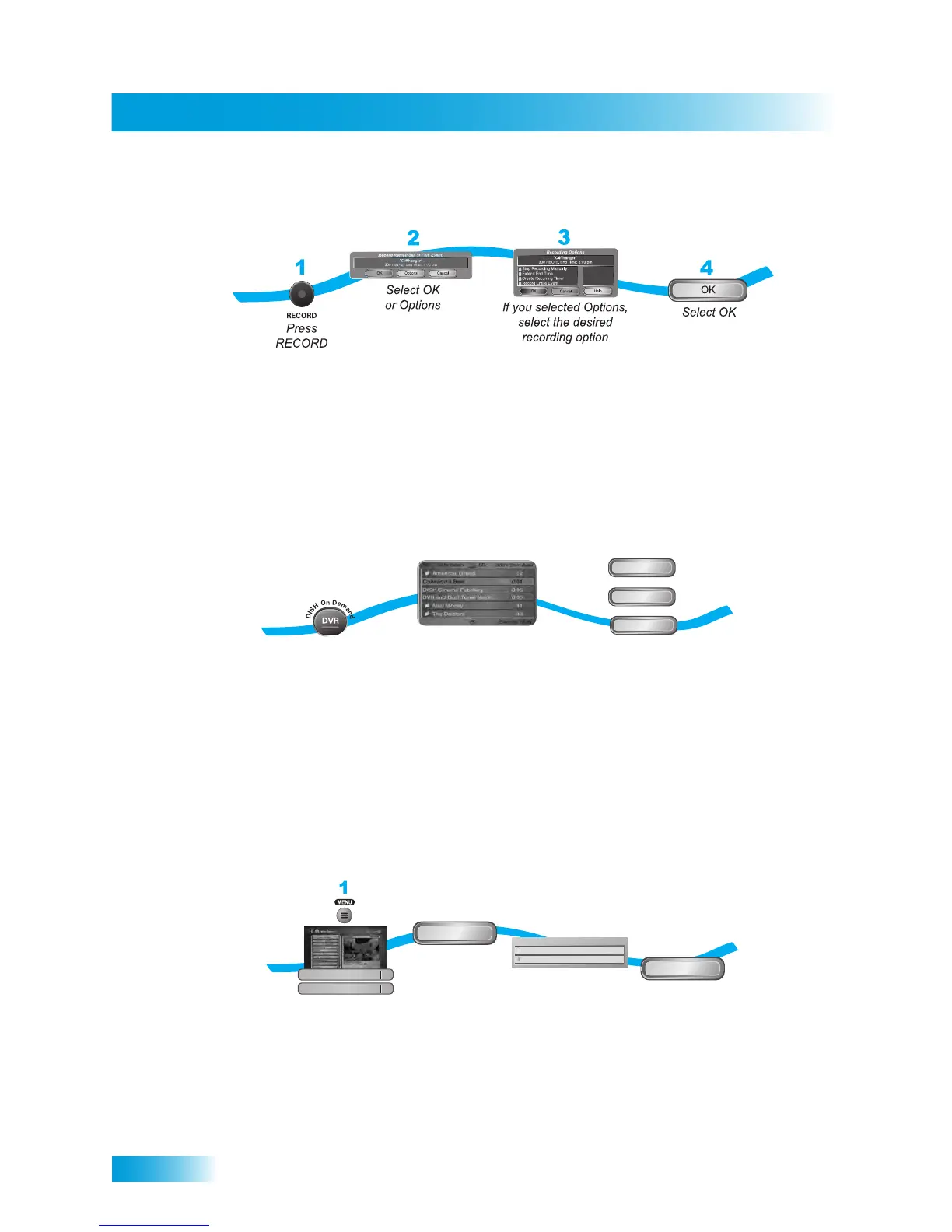
RECORDING A LIVE PROGRAM
1 Press the RECORD button.
2 Select OK or Options.
3 If you select Options, select the desired recording options.
4 Select OK.
PLAYING A RECORDED PROGRAM
1 Press the DVR button.
2 Select a program from the list of recorded programs.
3 Select either Start, Start Over, or Resume.
USING RECORD LINK
Your receiver has a timer feature called Record Link. This feature sends data (audio,
video, and other commands) to an external recording device, or ERD, that you can
connect to the receiver’s RCA-type outputs.
1 Press the MENU button and select Preferences and then Record Plus.
2 Select ERD Setup.
3 Select Enable recordings to an external device.
4 Select OK.
1
2
3
Press DVR twice
Select the program from the
list of recorded programs
Select Start, Start Over, or Resume
Start Over
Start
Resume
or
or
2
3
4
Press the MENU, select
Preferences, then Record Plus
Select ERD Setup
Select Enable
recordings to an
external device
Select OK
ERD Setup
Disable recordings to an external device
Enable recordings to an external device
Would you like to:
OK
Preferences
Record Plus
8
5



 To Next Page