Connections and Setup
127
Connecting an Over-the-Air Antenna
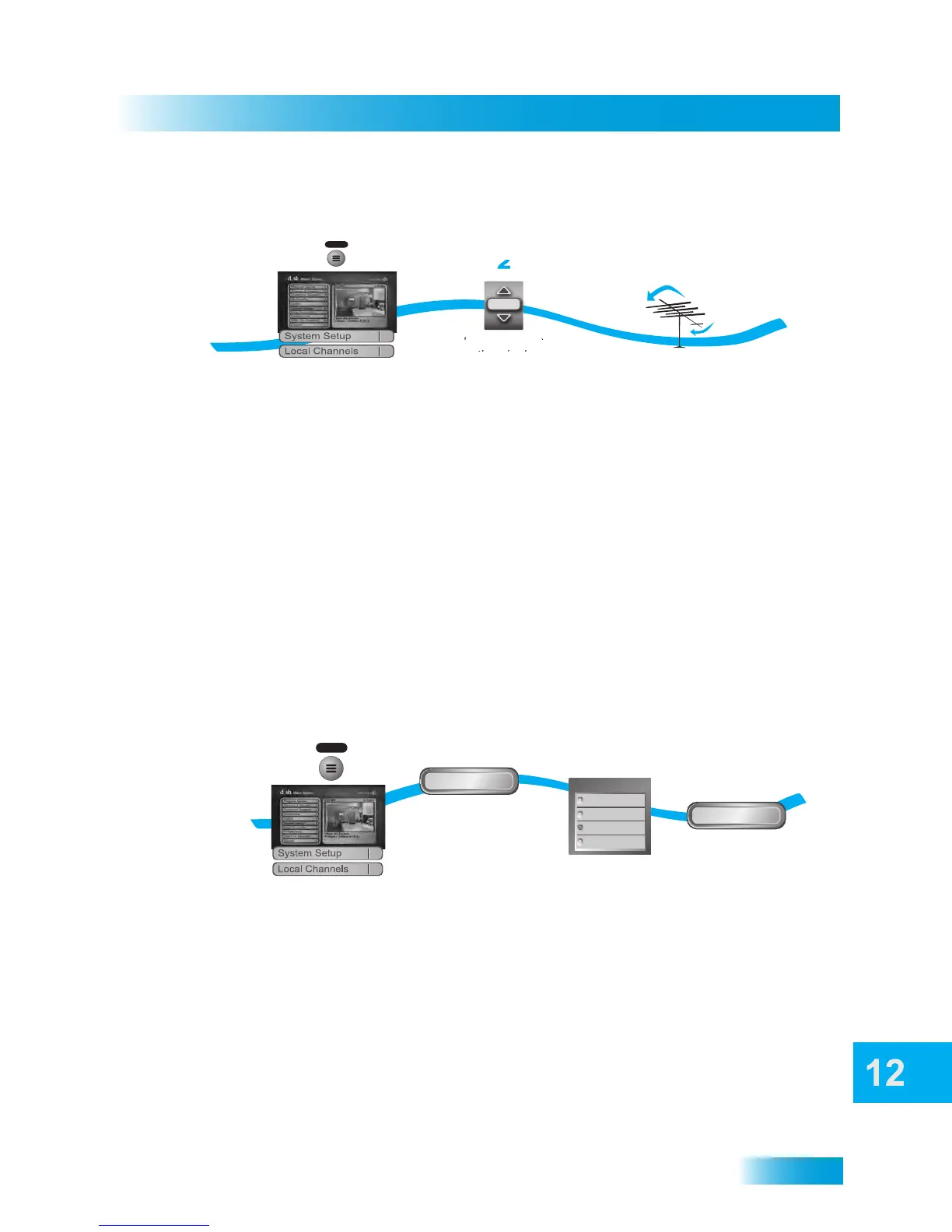
Peaking Your Over-the-Air Antenna
1 Press the MENU button, select System Setup, and then Local Channels.
2 Highlight the Channel field and use the UP and DOWN ARROWS to select a digital over-
the-air channel. Make sure you see a green signal strength bar and a Locked indication on
the meter.
3 Adjust the orientation of your antenna to maximize the signal strength. If you cannot get a
Locked indication, you may need to upgrade your OTA antenna or relocate it to a better
position.
Using Local Satellite Channels
If you subscribe to satellite-delivered local channels and want to see them in the Program
Guide by broadcast number, select the Sat Locals option. Otherwise, your local channels
will be displayed in the four-digit channel range. Digital over-the-air channels display in the
Program Guide at the local channel’s number, regardless of the setting you choose here.
1 Press the MENU button, select System Setup, and then Local Channels.
2 Select Chan Display.
3 Select from the options under Local Sat Channel:
Select HD Priority (to display HD local channels only, if available), SD Only (to display
SD local channels only), HD and SD (display both HD and SD satellite-delivered local
channels, when present) or Disable (cancel the HD Priority default).
Note: Selecting HD Priority will cancel any timers you have set for satellite-delivered SD
local programs. Selecting SD Only will cancel any timers you set for HD local programs.
4 Select Done.
2
1
3
Press MENU and
select System Setup
then Local Channels
Adjust
antenna for
best signal
Select a digital
over-the-air channel
and make sure
you have a locked
signal
MENU
009
Channel
6
9
2
3
1
Press MENU and select
System Setup, then Local Channels
Select HD Priority,
SD Only, HD and SD,
or Disable
MENU
Select Done
Chan Display
Done
4
Select
Chan Display
SD Only
HD and SD
Disable
HD Priority
6
9



 To Next Page