Digital Video Recording
61
Using Record Plus
Recording Events with Record Plus
When Record Plus is enabled (see page 60) and the receiver is in Dual Mode, you can
record two programs from the same location while watching a pre-recorded program, if no
one is using the other tuner.
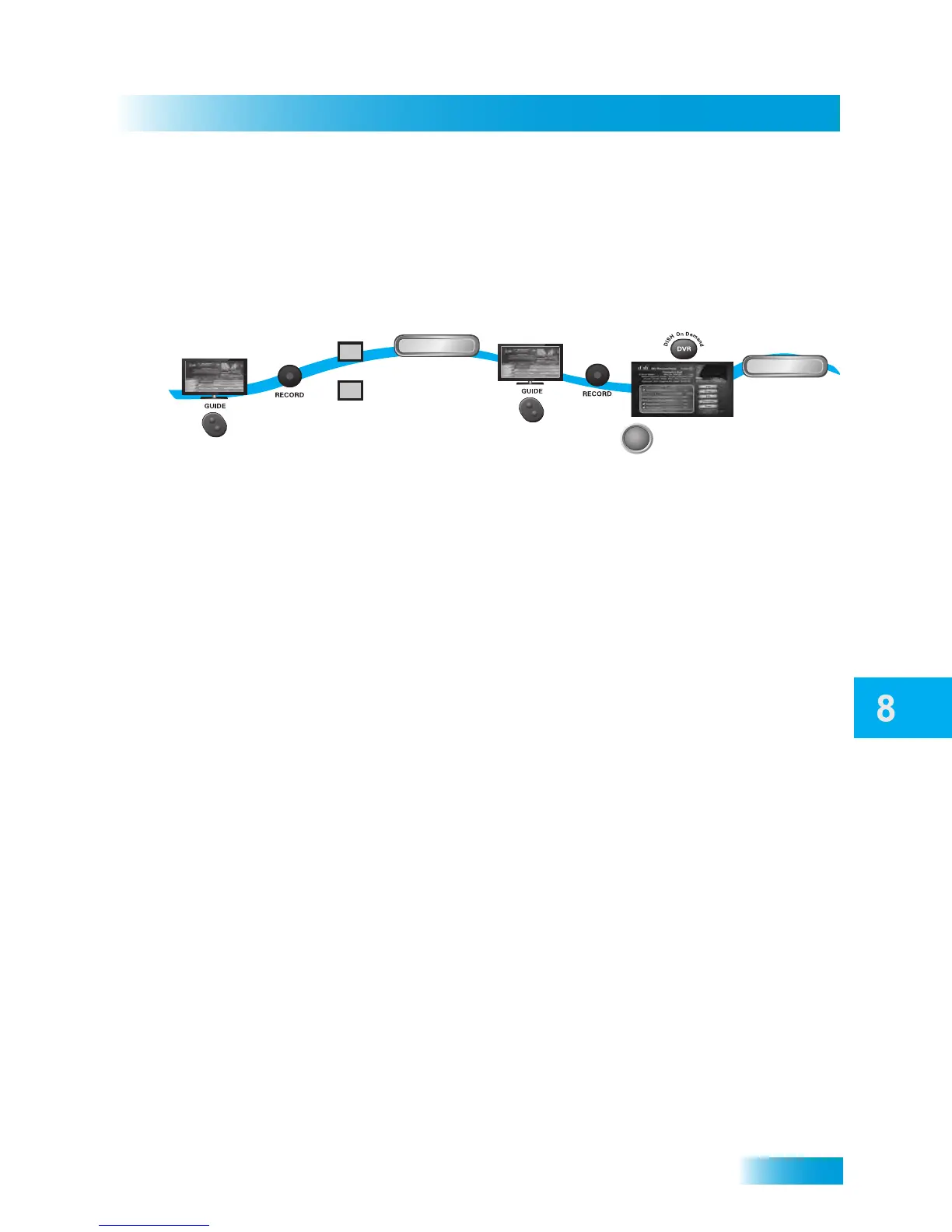
1 Find and select a current program or event that you want to record now.
2 Press the RECORD button on your remote control.
3 When the Record Remainder of This Event screen displays, select one of the following:
• From TV1, select TV2.
• From TV2, select TV1.
Note: When recording using Record Plus, it is possible for someone at the other TV
location to cancel your recording.
4 Select OK to begin recording now or Options to customize your recording settings.
5 Repeat step 1 to select another program or event to record.
6 Press RECORD. Customize your options as described on page 62.
7 Press DVR twice on the remote control to access the My Recordings screen. You should
see the two programs that are recording indicated by the red dot next to the listings.
8 Select a program that you recorded earlier (one that is not recording now), then select
Start or Start Over. You should now be watching a pre-recorded program while the
receiver is recording the other two programs.
1
2
3
4
5
6
8
Select OK
(or Options)
to begin recording
Find a current
program
Find another
current program
OK
Start
Press
RECORD
Press
RECORD
or
TV1
TV2
Choose TV1
or TV2
7
SELECT
Press DVR twice
and select a
recorded program
Select Start
(or Start Over)



 To Next Page