48
Chapter 2: Camera Configuration
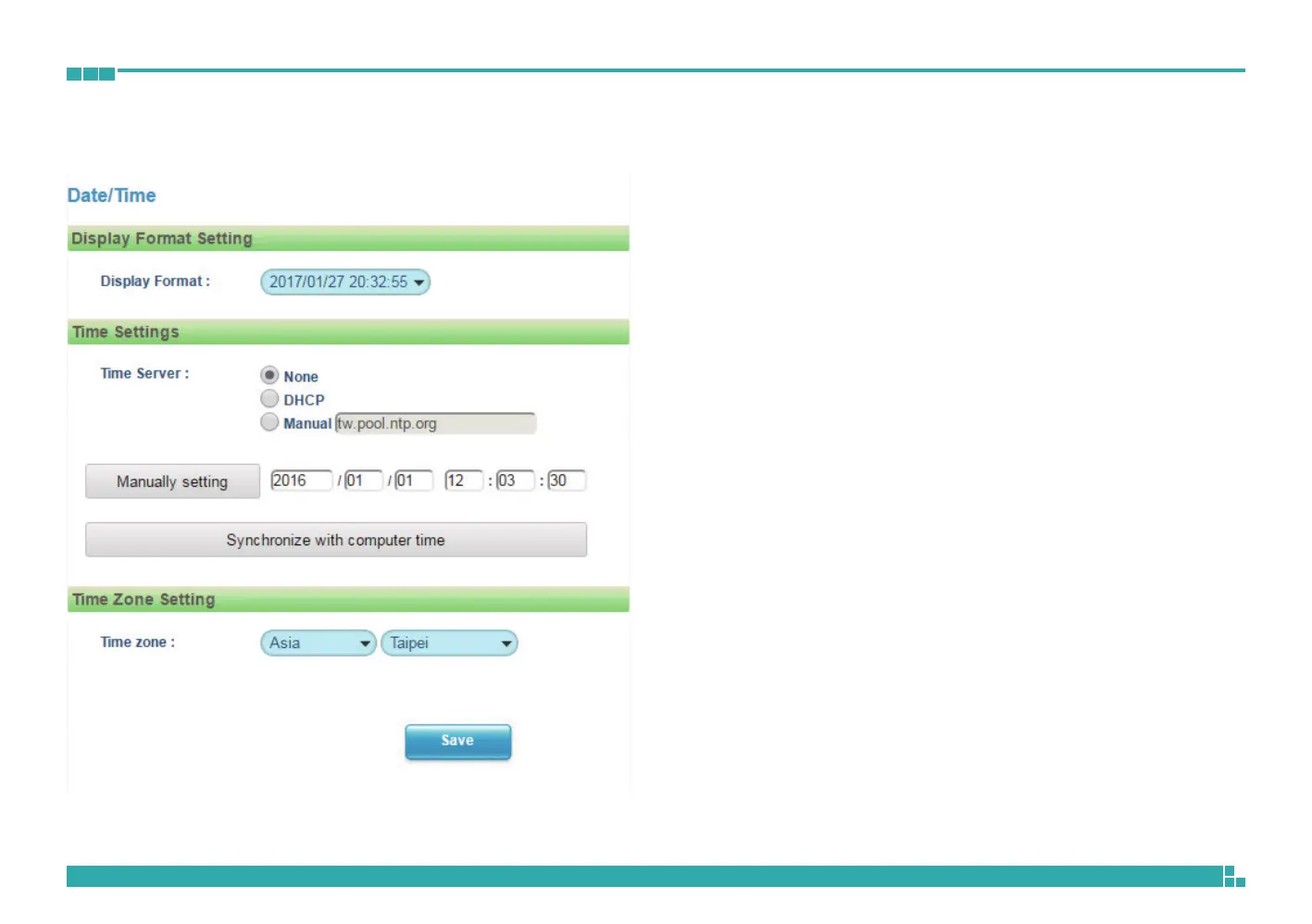
System - Date/Time
Date/Time Configurations
Display Format
Displays the current date and time. There are various formats to select from
the drop-down menu.
Time Setting
Time Server
None: Disables synchronization of the current date/time through the internet.
DHCP: If your DHCP server provides NTP server information, select this
setting to enable NTP information retrieval.
Manual: Select this option to configure the NTP server address manually for
date and time synchronization.
Manually setting
Manually define the date and time. The format is yyyy/mm/dd or
hh:mm:ss.
Sync with computer time
Manually synchronize with the current computer date and time.
Time Zone Setting
Time Zone
Select the time zone relevant to your location in the drop-down menu.
Save
Save button to apply the configurations, click on this button once all the
settings are confirmed for the new changes to take effect.



 To Next Page