24
Chapter 2: Camera Configuration
Exposure Cont. (Advance Settings)
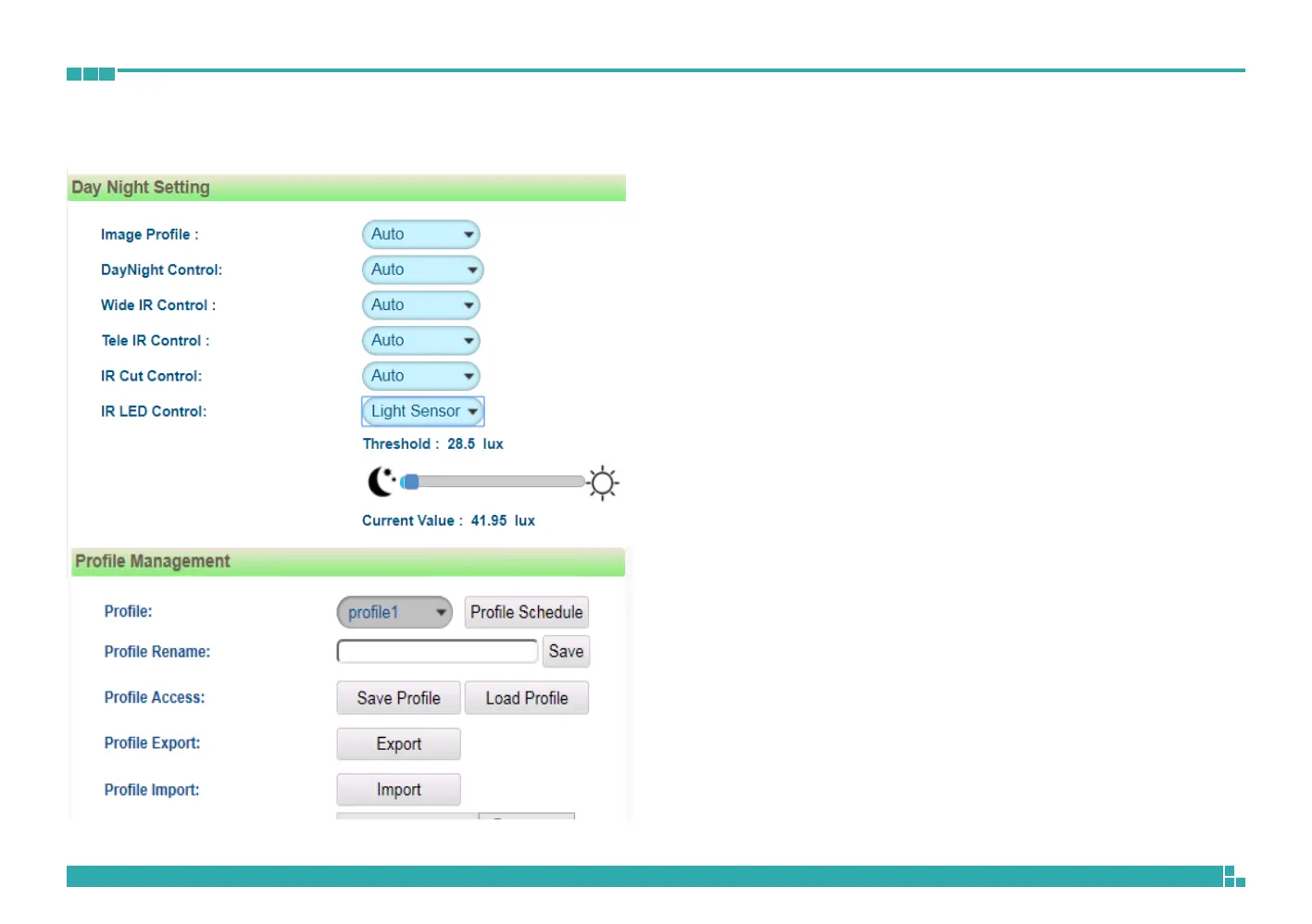
Day Night Setting
Image Profile
Select Day or Night profile to automatically set up parameters quickly. The
available options are AUTO, Force Day and Force Night.
Day Night Control
Select the Day and Night control mode. The available options are AUTO,
Force Day, Force Night and Switch Schedule.
Wide IR
The available options are OFF, Auto, High, Medium and Low.
Tele IR
The available options are OFF, Auto, High, Medium and Low.
IR Cut Control
Select the IR cut control mode to use. The available options are Auto, Force
Day and Force Night.
IR LED Control
Select IR LED mode to use. The available options are Light Sensor, Force
Day , Force Night , Schedule. The opening of IR LED can be adjust on the
illumination of the surrounding when selecting Light Sensor.



 To Next Page