63
Chapter 2: Camera Configuration
SMTP Notification Cont.
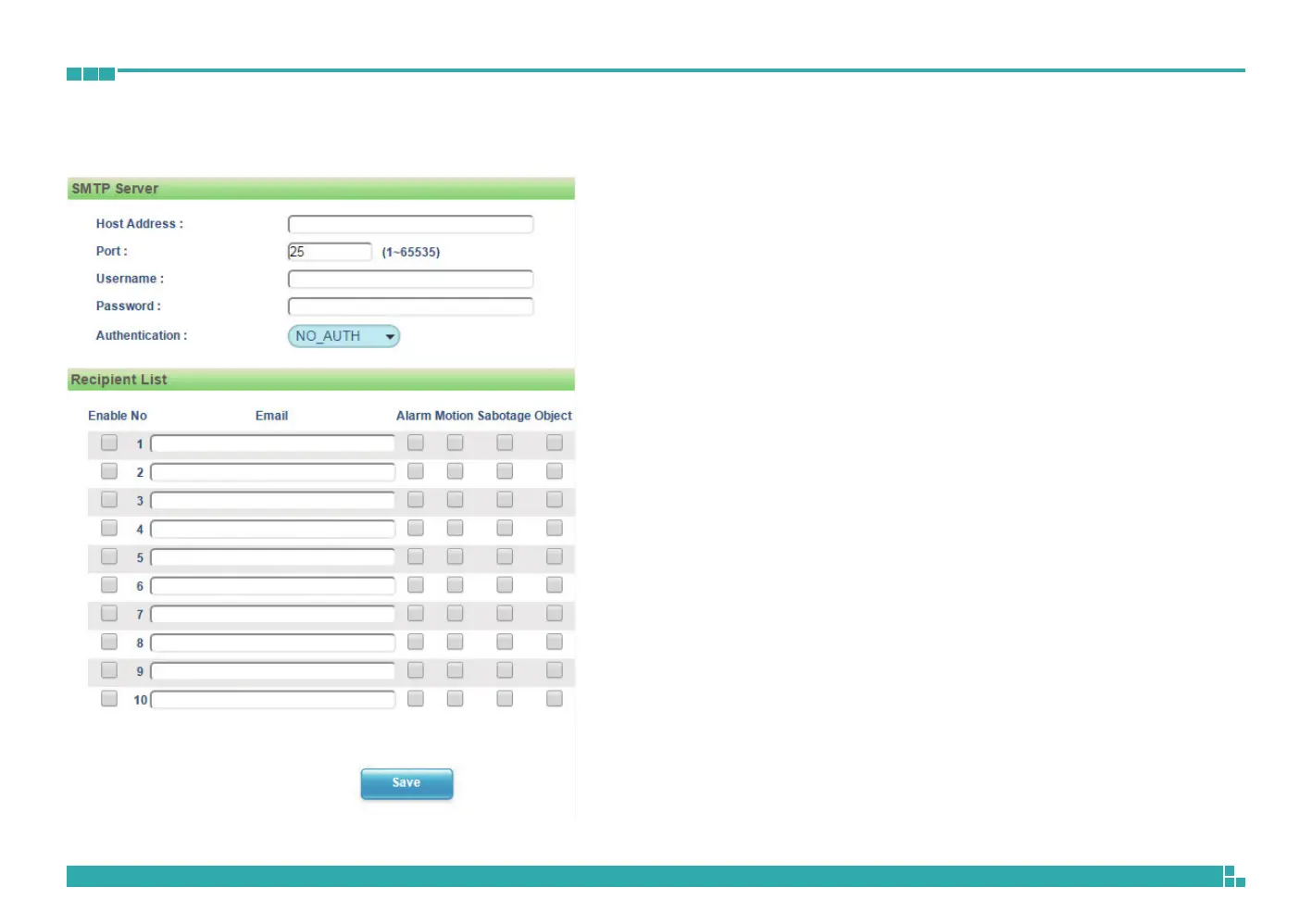
SMTP Server
Host Address
Specifies the host name or IP address of the SMTP mail server.
Port Number
Specifies the port number of the SMTP mail server.
Username
Specifies the login username for the SMTP mail server.
Password
Specifies the login password for the SMTP mail server.
Authentication Mode
Specifies the SMTP server authentication mode, the options are NO_AUTH,
SMTP_PLAIN, LOGIN and TLS_TLS.
Recipient List
Specifies the email address to send the email when an event is triggered by
Alarm, Motion, Sabotage or Object. A maximum of 10 email addresses
can be configured.
Save
Save button to apply the configurations, click on this button once all the
settings are confirmed for the new changes to take effect.



 To Next Page