67
Chapter 2: Camera Configuration
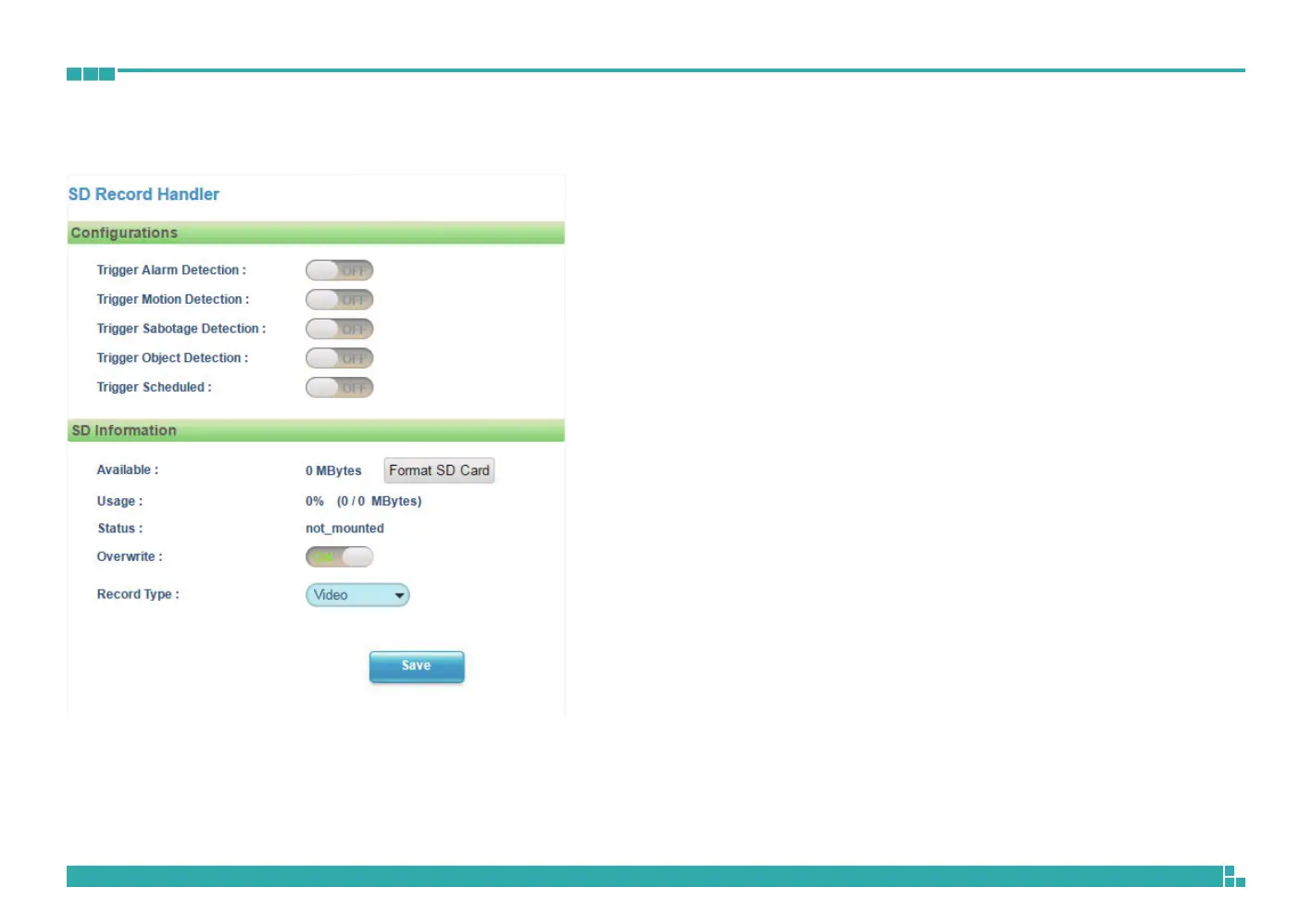
Event - SD Record Handler
SD Record Handler Configurations
Configures which type of event trigger to enable the SD recording and
scheduling function. The following options are available:
▪ Enable Trigger Alarm Detection
▪ Enable Trigger Motion Detection
▪ Enable Trigger Sabotage Detection
▪ Enable Trigger Object Detection
▪ Enable Trigger Scheduled
SD Information
Available
If an SD card is installed, this section will display information on the availability
of the SD card.
Usage
If an SD card is installed, this section will display the percentage of the total
storage used.
Format SD Card
Formats the SD card, all data stored on the SD card will be erased if this
option is used.
Status
Displays whether an SD card is installed or not. If an SD card is detected, ok
will be displayed; if an SD card is not detected (or a faulty SD card is used),
not_mounted will be displayed.
Overwrite
Enables or disables SD card overwrite.
Record Type
Configures the recording method to record the stream on to the SD card.
The options are Video or Snapshot.



 To Next Page