60
Chapter 2: Camera Configuration
Object Detection Cont.
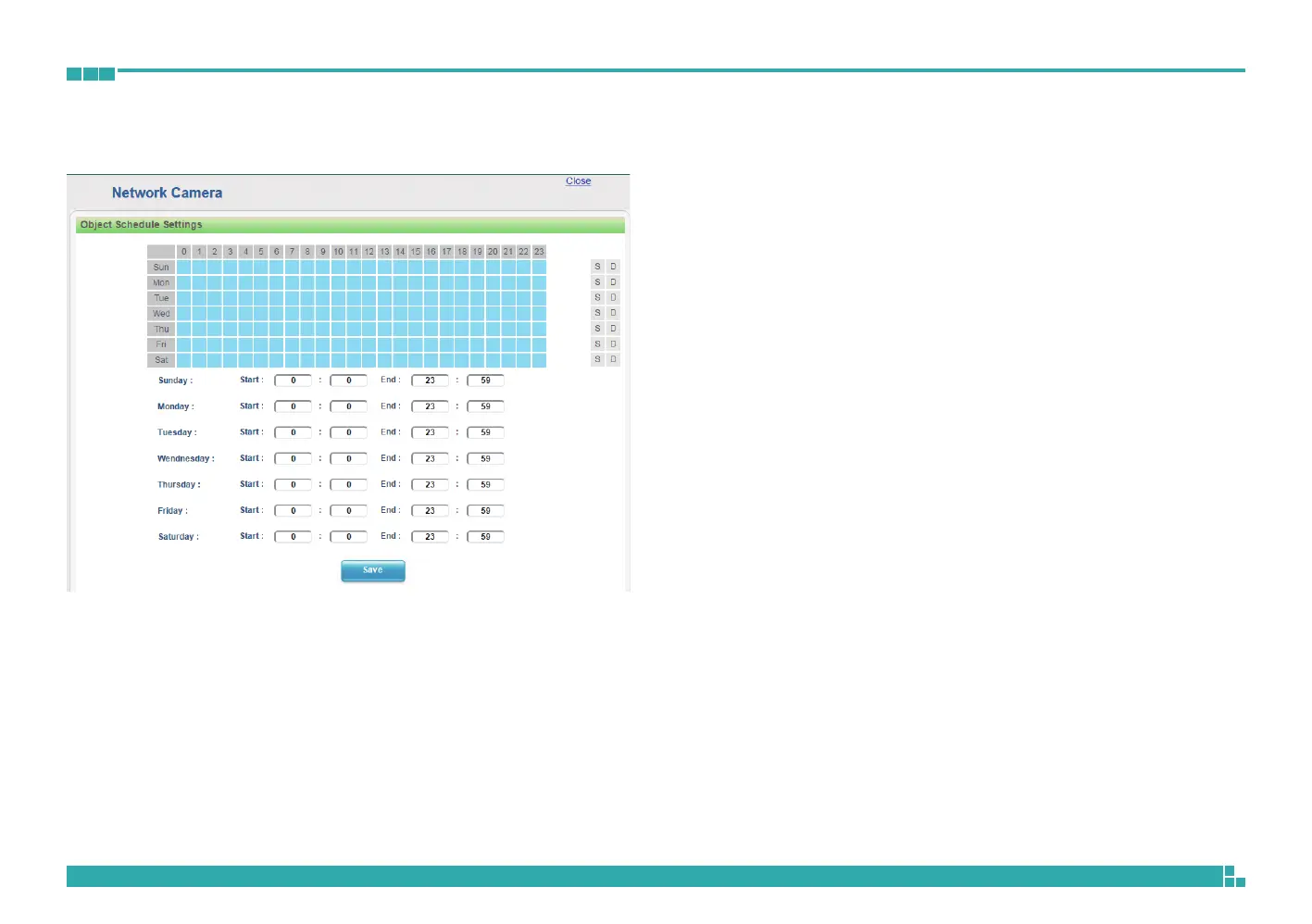
Object Schedule Settings
S
Press S for a particular weekday to set up a 24-hour schedule automatically.
D
Press D for a particular weekday to clear all the previous scheduled settings
automatically.
Configure the scheduled time by holding down the mouse button and
clicking the time block to enable the schedule settings on the selected time.
A light blue color on the time block indicates that the alarm schedule is
enabled, while a light grey color indicates that the alarm schedule is disabled.
Alternatively, you can manually enter numbers to configure the hours and
minutes from start to end for all weekdays.
Save
Save button to apply the configurations, click on this button once all the
settings are confirmed for the new changes to take effect.
Close
Press to leave this schedule setting page.



 To Next Page