22
Chapter 2: Camera Configuration
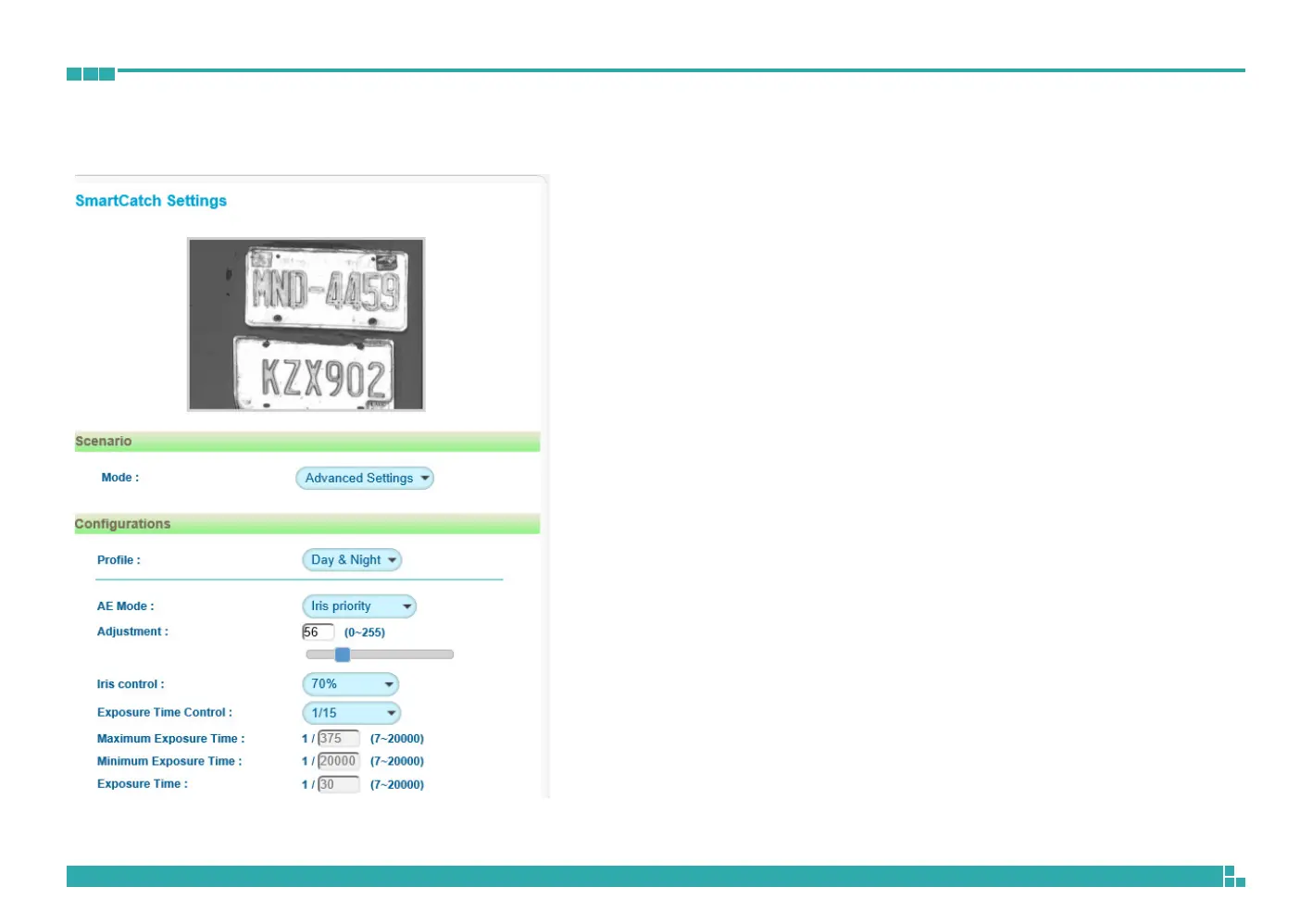
Image - SmatCatch Settings
Scenario
Assists users to switch between different modes according to the application
scenario. The available options are Advance Setting, LPR, and Overview.
Configurations - Advance Settings
Profile
Selects which profile (Day or Night) to configure. Users can set up one Day
profile and one Night profile.
AE Mode
The available options are Auto, 50Hz, 60Hz and Lock.
If Lock is selected, then Exposure Time Control, Gain Control and BLC cannot
be edited. Only Exposure Time can be edited (the range is 1/7~1/20000).
Adjustment
Adjusts the weighting from 0~255. Users can enter the value or adjust it
through the slider bar.
Iris Control
The available options are Full Open, 90%, 80%, 70%, 60%, 50%, 40%,
30%, 20%, 10%
Exposure Time Control
The available options are OFF, 30Hz, 15Hz, 7Hz and User Define.
Select User Define to enter the values of Maximum Exposure Time (the
range is 1/7~1/30) and Minimum Exposure Time (the range is 1/30~1/20000)
manually.
Exposure Time
The range is 1/7~1/20000. It can only be edited when Lock is selected as
the AE Mode.



 To Next Page