4
Chapter 1: Product Introduction
Cable Outlet Description
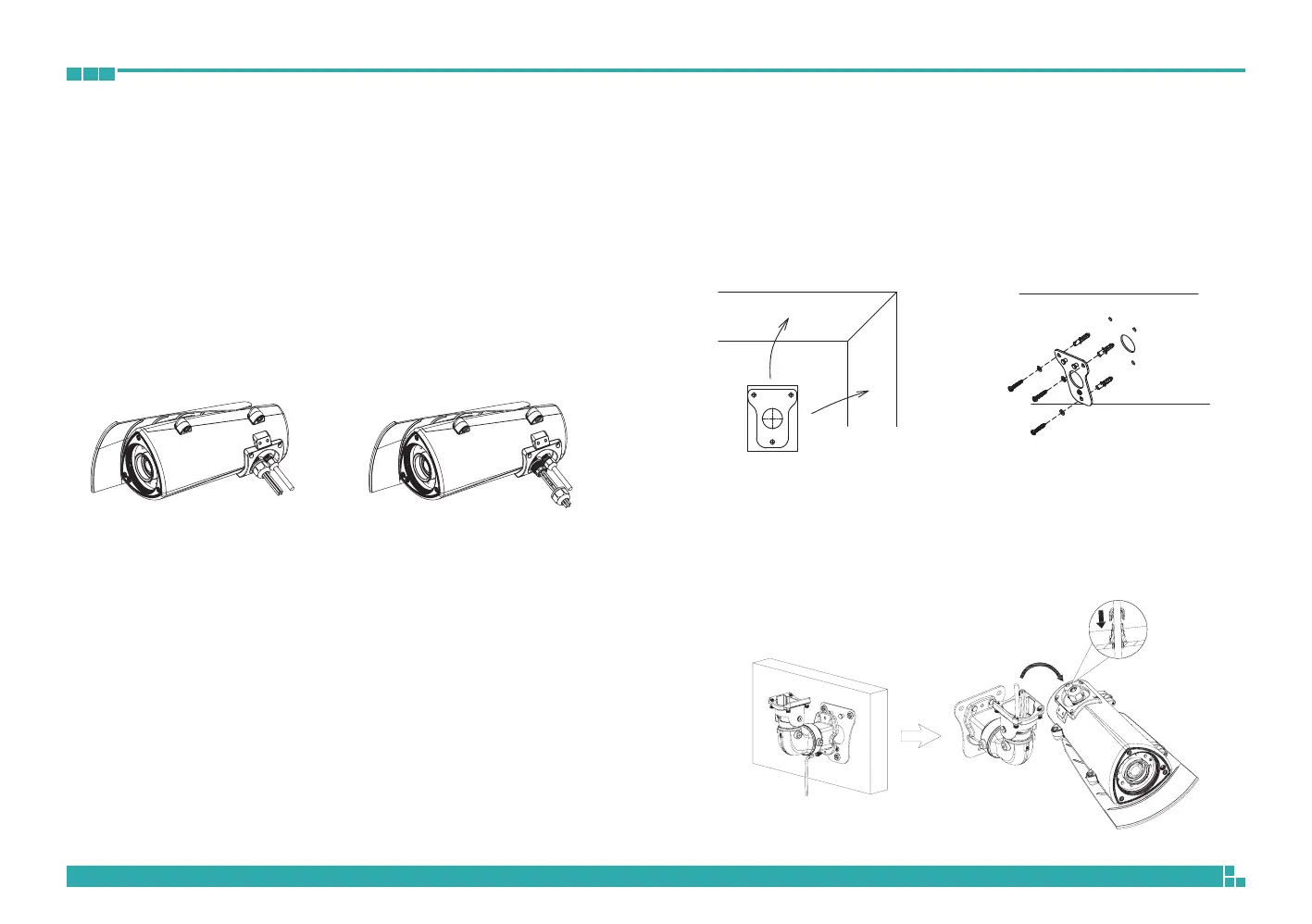
1. The camera features two waterproof connectors, the right one in the
diagram is for PoE connection, while the left one is for line-in, line-out,
DC 12V/AC 24V and DI/O connections.
2. The left one features four wire holes. Please cover unused holes with
sealing plugs to prevent water from entering.
3. Applicable cable diameter:
* Ø 1.8~2.5mm (Left)
* Ø 4.7~6.9mm (Right)
Line-out
Line-in
DC12V/AC24V
Ethernet/
PoE
Hardware Installation
1. Position the placement sticker at the desired installation location and use
a driller to drill the holes on the sticker.
2. Insert three screw anchors into the holes then place the wall mount base
on top of them with the mounting holes aligned.
3. Wire the required cables through the cable opening on the front of the
wall mount bracket. Then, attach and secure the wall mount bracket to
the wall mount plate with two M5 screws. Next, install the waterproof
connectors onto the cables on the front of the wall mount bracket.



 To Next Page